

CraftFilter
Search Valheim's crafting and upgrade lists by recipe name and use presets for item types, food effects, and biomes.CraftFilter
CraftFilter adds a search field above Valheim's recipe list. Type part of a recipe name in the crafting or upgrade tab to narrow the list. At supported crafting stations, use the preset menu to filter by equipment type, damage type, food effect, or biome.
Screenshots
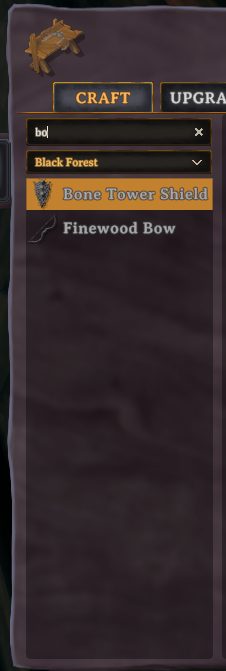
Combine search and presets. Searching for bo with the Black Forest preset narrows the list to two recipes.
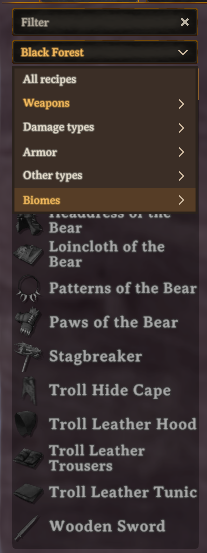
Choose a preset. The menu groups presets by categories such as damage type and biome.
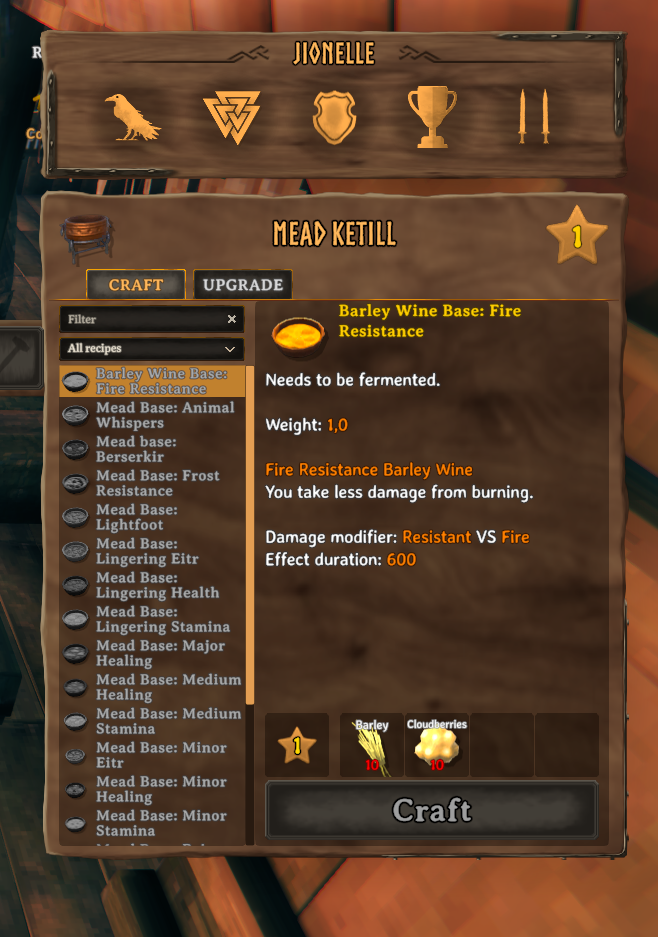
Browse brewing recipes. The search field and preset menu are available at the Mead Ketill.
Installation
Install CraftFilter in your Valheim mod manager and launch the modded game. To install manually, install BepInExPack Valheim first and place CraftFilter.dll in BepInEx/plugins/CraftFilter/. CraftFilter runs on the client.
Building a package
With the .NET 10 SDK and Python 3 installed, set VALHEIM_DIR to the game folder and BEPINEX_DIR to the BepInEx folder. Run make package to build, run the tests, and create a checked ZIP under dist/.