

CraftingBook
Browse learned recipes by station. Pin recipes from the book or crafting menu to track ingredients and inventory counts in a translucent HUD list.CraftingBook
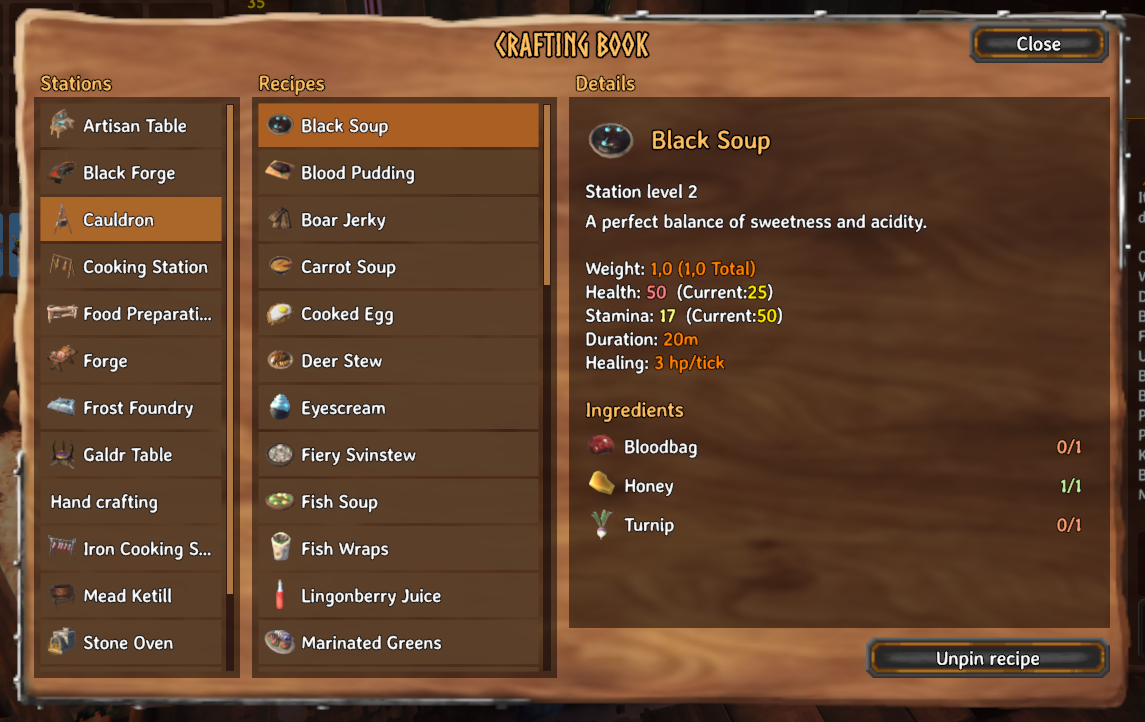
Open your inventory and click the open book beside the other character icons. The book lists stations on the left, their learned recipes in the middle, and the selected recipe on the right. You can browse away from a station. The book also includes known cooking rack and oven conversions for ingredients you have discovered.
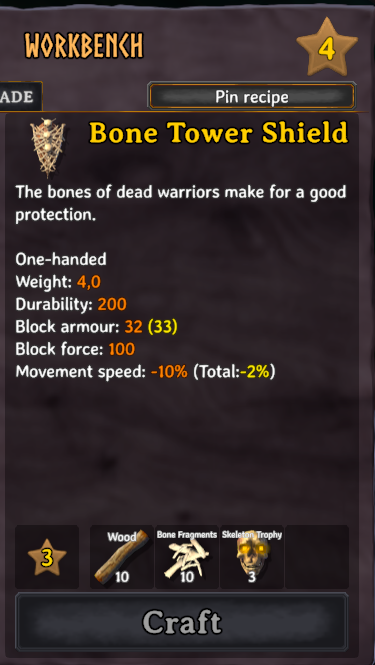
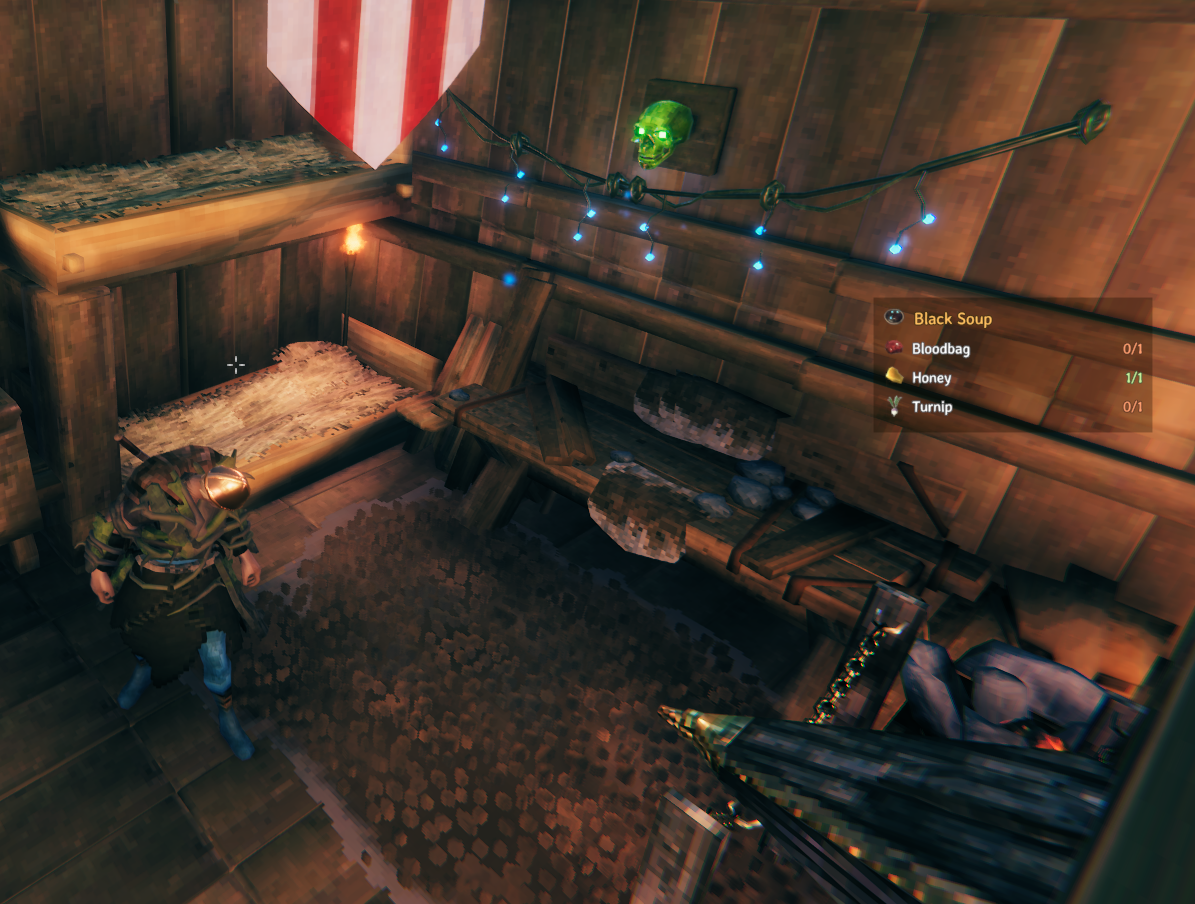
Click Pin recipe in the book or beside the Craft tab to track ingredients on the right side of the HUD. The button is available when crafting by hand or at a station. Each ingredient shows the amount you carry and the amount needed for one craft. The pins stay visible when you close the inventory and last for the current world session. Select the recipe in either place and click Unpin recipe to remove it. For a long list of pins, open the book and scroll over the cards. The cards hide while you use other inventory panels so they leave room for those controls.
Press Escape, click Close, or click outside the book to return to the inventory.
Screenshots
Open the book. Click the book icon in the inventory.

Browse recipes. Select a station and a recipe to see its requirements and ingredients.
Pin from a station. The pin button is also available in the crafting menu.
Track ingredients. The HUD shows what you have and what you still need.
Installation
Install BepInExPack Valheim in your profile. In the mod manager, choose Settings → Import local mod and select the CraftingBook ZIP. For a manual install, copy CraftingBook.dll to BepInEx/plugins/CraftingBook/. Restart Valheim after installation.
Building from source
Set VALHEIM_DIR to the game folder and BEPINEX_DIR to the profile's BepInEx folder.
make buildcompiles the Release DLL.makecompiles the plugin and copies it to the configured profile.make packagebuilds the plugin, runs the tests, and packages the Thunderstore ZIP indist/.