
ItemsLeft
Shows carried/required material counts (e.g. 3/5) in Valheim's build panel with the hammer, cultivator, hoe, and other building tools.ItemsLeft
ItemsLeft shows how many materials you're carrying and how many you need under each material icon in Valheim's build panel. If you're carrying 31 Stone and 3 Surtling Cores, the Charcoal Kiln shows 31/20 for Stone and 3/5 for Surtling Cores.
Equip the Hammer, Cultivator, Hoe, or any other tool that uses Valheim's build panel. The counts update as you select or hover over a build piece and as your inventory changes.
Screenshots
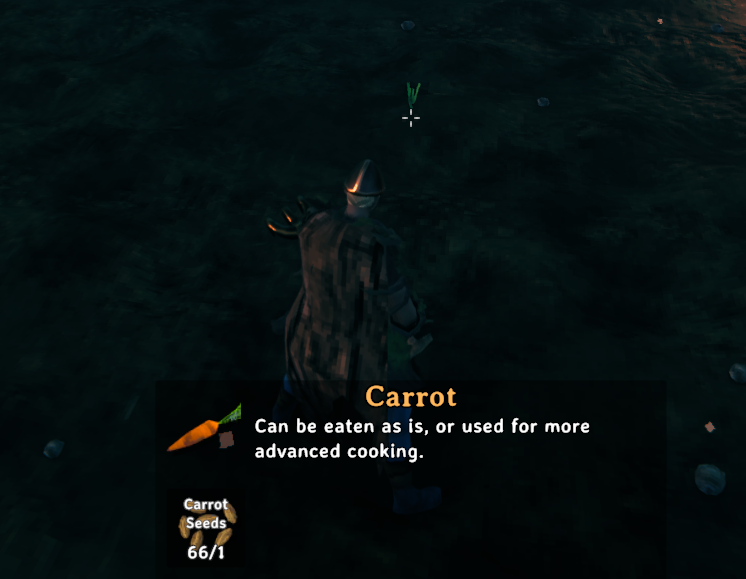
Planting a carrot. The Cultivator shows 66 seeds carried and one required.
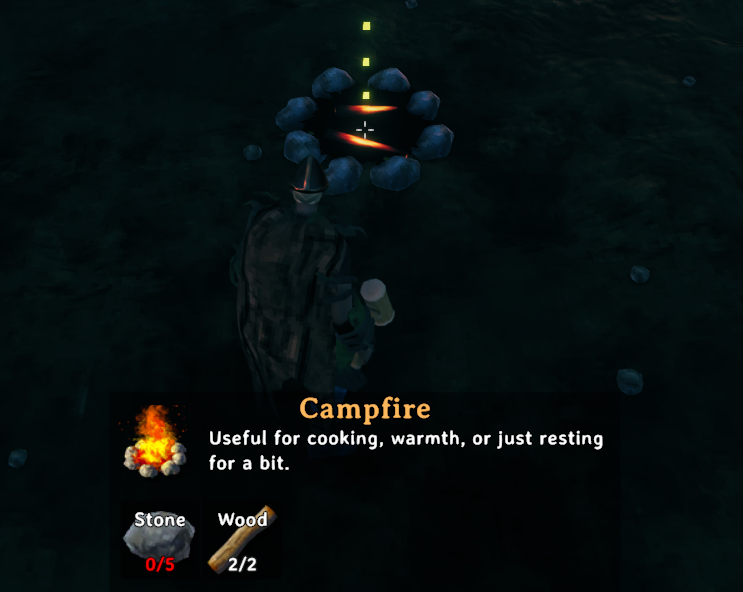
Building a campfire. The Hammer shows enough wood and highlights the missing stone in red.
Installation
Install BepInExPack Valheim in your profile, then import the ZIP through Settings → Import local mod in your mod manager. To install manually, copy ItemsLeft.dll to BepInEx/plugins/ItemsLeft/. Restart Valheim after installation.
Building from source
Set VALHEIM_DIR to the game folder and BEPINEX_DIR to your profile's BepInEx folder.
make buildcompiles the plugin.makecompiles the plugin and copies the DLL to your profile.make packagecreates the Thunderstore ZIP indist/.