


Clan
Build your Valheim clan with Leader, Officer, Member, and Guest roles, clan chat, a movable health HUD, private map pings, shared positions, custom emblems, and animated GIF emoji. Apply, invite, manage members, and stay connected across Valheim.Clan
A server-authoritative clan system for Valheim, integrated into the vanilla chat UI.
Showcase
Clan panel and management
Open the Clan panel directly from gameplay, then browse clans and players, search the directory, apply or invite, and manage member roles.
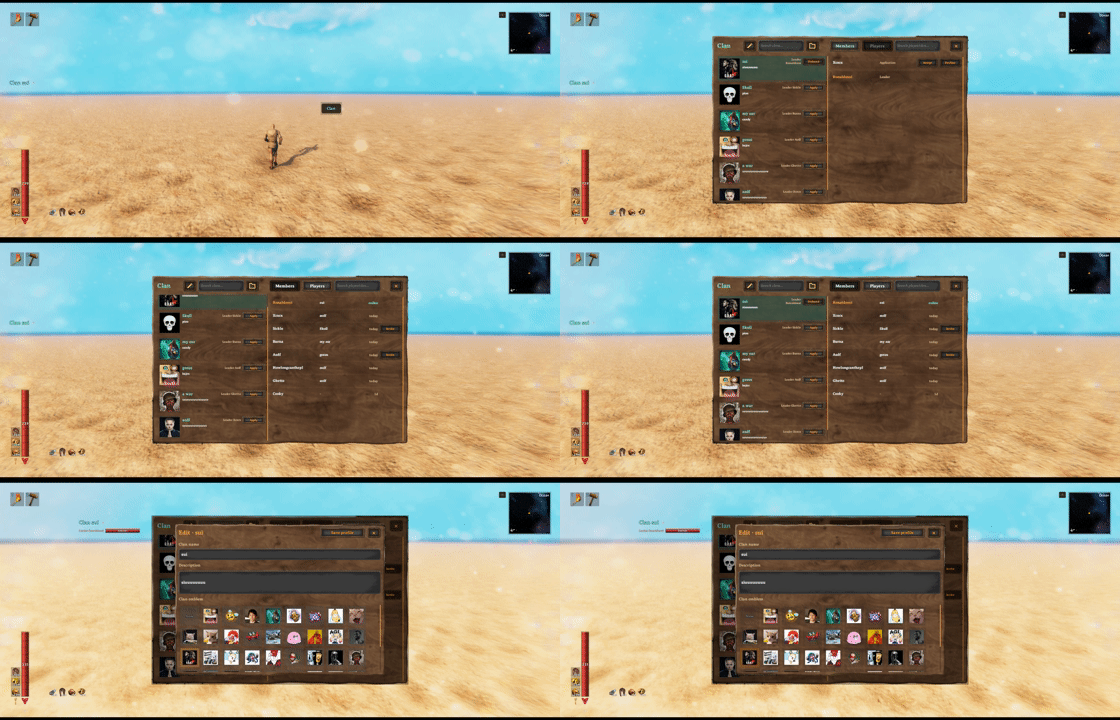
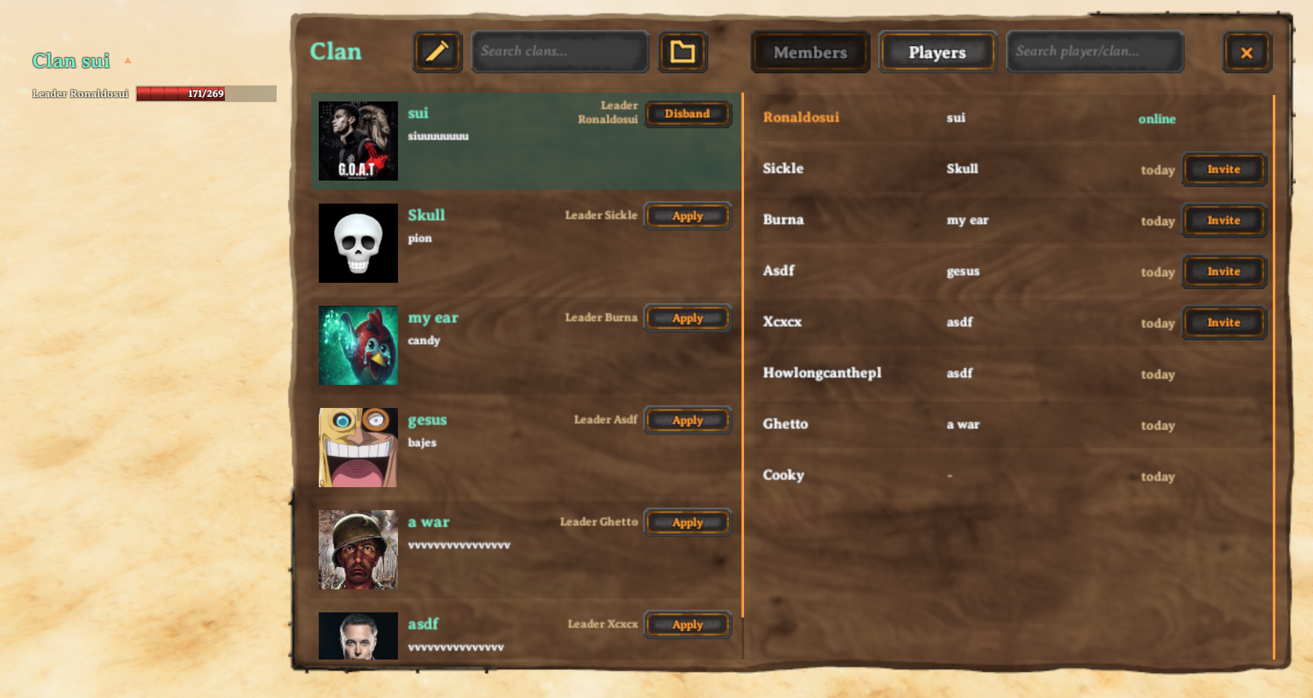
Leaders can update the clan name and description and choose an emblem from the server's media catalog.

Clan chat and notifications
Clan chat is attached to the vanilla chat UI, while the movable HUD keeps the active clan and online members visible during play.
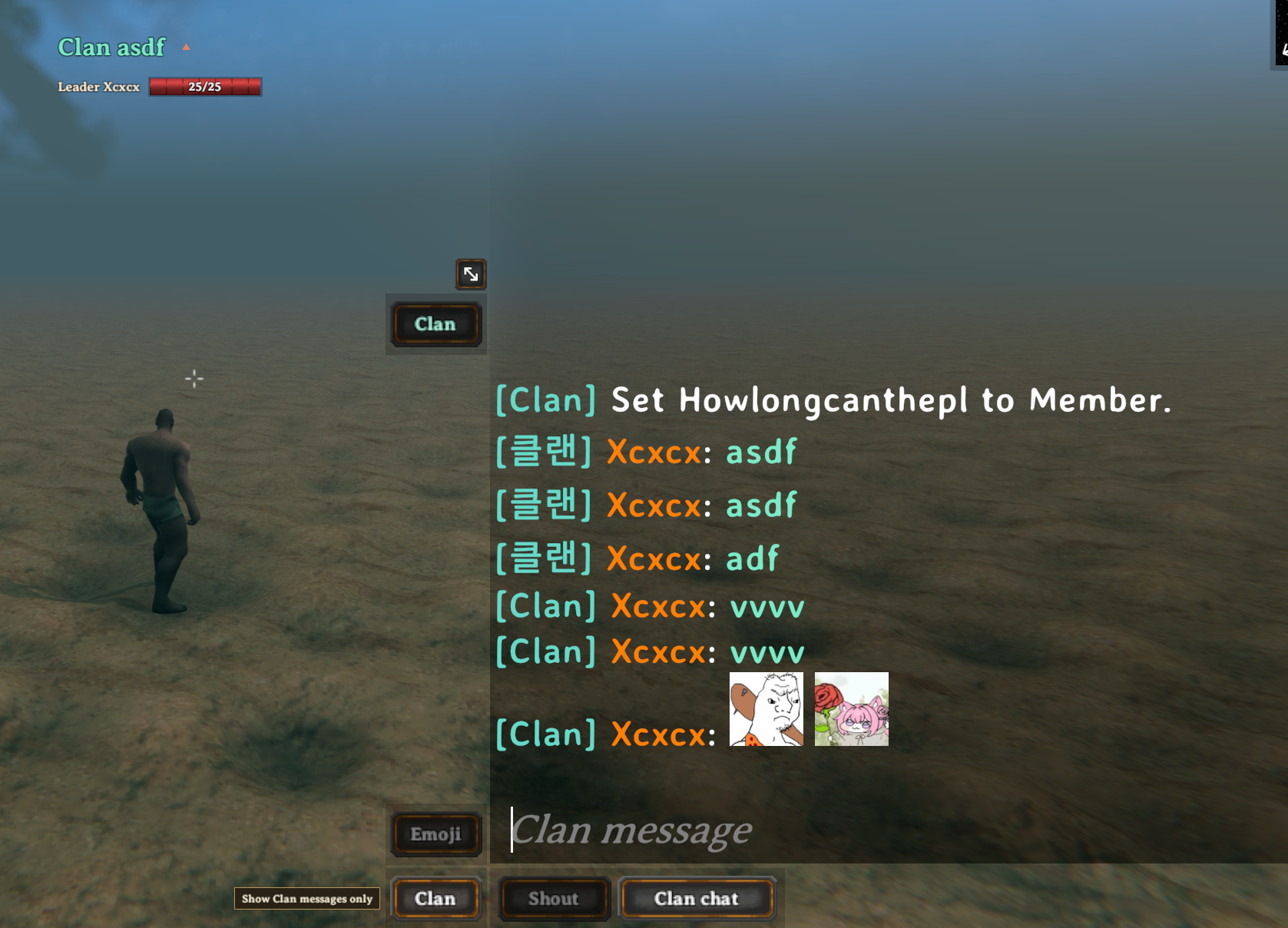
The view filter switches between all, clan, local, and global messages without changing the selected sending channel. Pending invitations and applications are surfaced through the Clan control.

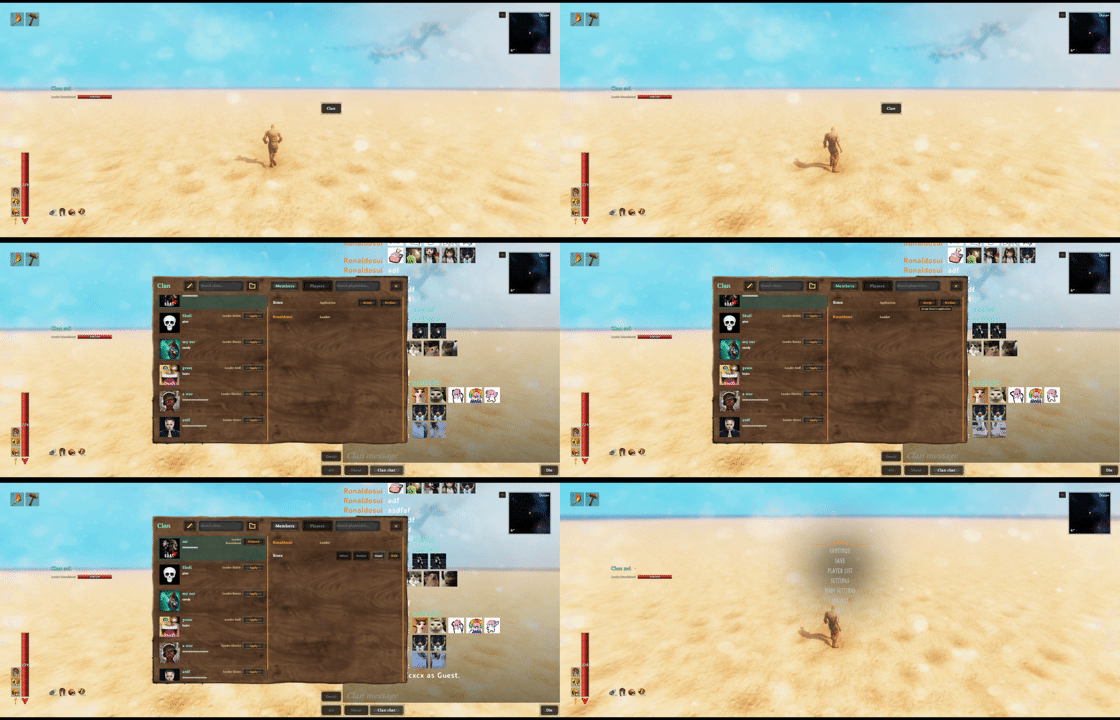
Emoji and animated GIFs
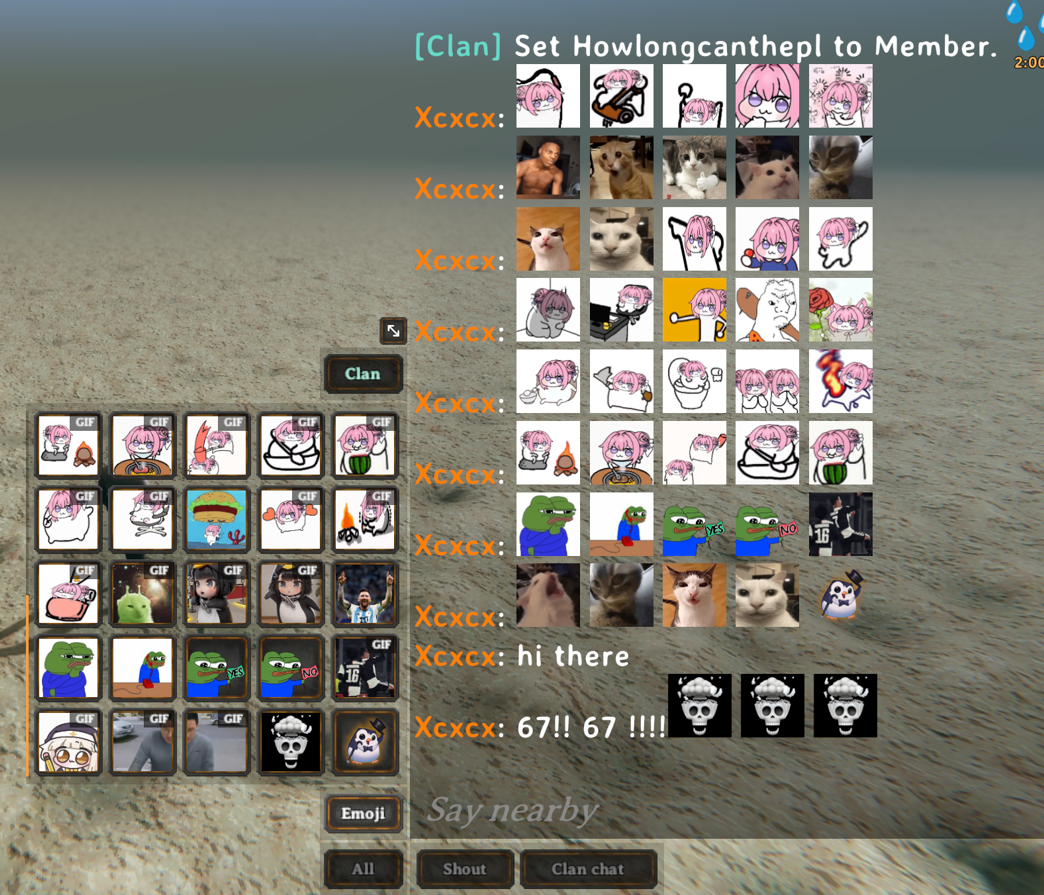
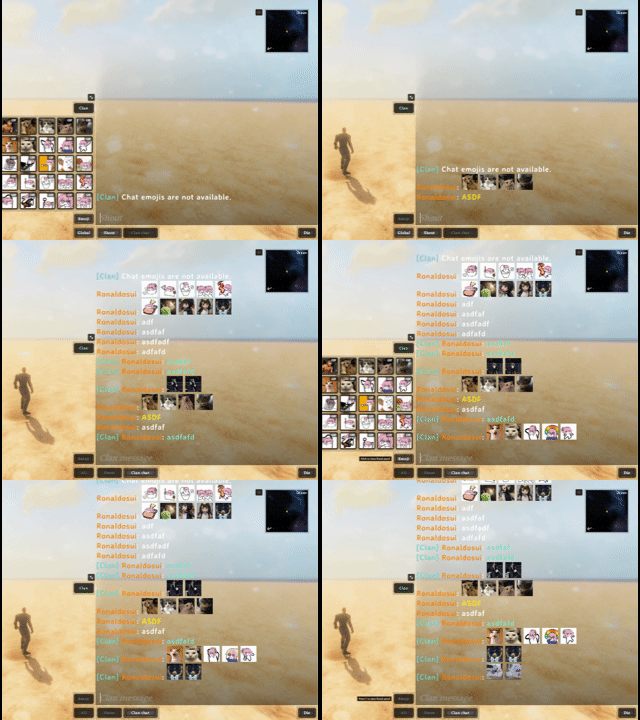
Open the five-column emoji picker from chat to insert server-synchronized PNG or GIF emoji. Animated GIFs play directly in supported chat messages.
Features
- Create, browse, search, and manage clans
Leader,Officer,Member, andGuestroles- Clan chat with
All,Clan,Local, andGlobalview filters - Clan-only map pings and optional position sharing
- Movable clan HUD with online player health
- Server-synchronized PNG/GIF emoji and PNG emblems
- English and Korean localization
Quick start
| Action | Default control |
|---|---|
| Open or close the Clan panel | J |
| Open chat and the Emoji panel | H |
| Send a clan-only map ping | Hold Left Shift while using the vanilla map ping |
Open the Clan panel to create a clan or apply to an existing one. Open vanilla chat to select a channel, insert emoji, filter visible messages, or open the Clan panel from the attached controls.
The Clan HUD is enabled by default and shows up to 10 online players. Drag its header to move it, or use the header control to collapse the player list.
Roles and Guest clans
A player may have:
- One primary clan role:
Leader,Officer, orMember - One persistent
Guestconnection to a different clan
While a Guest connection is active, the Guest clan is used for clan chat, HUD, pings, shared map positions, and friendly-fire checks. The primary membership remains stored and becomes active again after leaving or being removed from the Guest clan.
Accepted applications and invitations always start as Guest. Leaders and officers can manage eligible players from the roster; leadership transfer and clan profile management remain leader-only.
Optional combat and quest compatibility
Install the same Clan build and the relevant optional mod on the server and participating clients, including clients that own nearby creatures. Adapters are enabled by checking the required APIs and patch structure, without restricting either mod to a specific version number. Epic MMO must retain the combat XP methods, group multiplier and a uniquely matching injection point; QuestForge must expose the Manager and RegisterKill method. If these checks fail, only the affected adapter is disabled with a startup warning. This does not guarantee compatibility with every future change in either mod's behavior. Clan does not bundle either mod or require Jotunn; QuestForge retains its own dependencies.
Server-synchronized settings in 3 - Compatibility:
| Setting | Default | Behavior |
|---|---|---|
| Share Epic MMO Experience | On | Shares combat XP with other online members of the effective clan, retaining Epic's group multiplier, recipient range, level curves and XP modifiers. |
| Share QuestForge Kills | On | Adds kill objective credit to nearby living clan members. Each player must accept their own quests; gathering, rewards and progress saves remain personal. |
| QuestForge Share Range | 70 | Maximum distance in metres from the killed creature for additional quest credit. |
Guest membership takes precedence over primary membership for both features. No credit is sent to both clans, and the original killer is excluded from additional credit. These features do not add a separate temporary-party system or change Clan's existing incompatibility with Groups.
The relay checks connected identities and server-side clan membership. Quest reports also check the creature owner, prefab and death ID; very late reports or unrecognized ownership are rejected. Epic's native combat report has no unique death ID, so the relay rejects duplicate transport sequences but cannot identify independently repeated native kill reports. These checks do not make third-party combat or reward systems fully server-authoritative.
Custom emoji and emblems
The authoritative server loads media from:
BepInEx/config/Clan/emoji
BepInEx/config/Clan/emblems
For single-player and local hosting, place media in the local profile's folders. For a dedicated server, place media in that server installation's folders.
Clan does not embed a default media collection. Install an optional Clan media pack or copy your own files into these folders. This keeps the core mod small and lets server owners and modpack authors select their own catalog without replacing the Clan DLL.
Only the server or host's media catalog is published to connected clients. Remote clients first reuse valid files from the shared cache. When a cache entry is missing, Clan checks the same media-pack path and directly uses a byte-identical local file after verifying its length and SHA-256, without creating a cache copy. Any remaining files are downloaded automatically and added to the shared cache. Changes on the server or host are validated and reloaded automatically.
The legacy spritesheet.png format is not supported; use one image file per emoji.
| Content | Limit |
|---|---|
| Emoji catalog | 100 PNG/GIF files total, including up to 50 GIFs |
| Emblem catalog | 50 PNG files |
| PNG | 512 KiB, up to 512 × 512, 8-bit and non-interlaced |
| GIF | 2 MiB, up to 512 × 512; animated GIFs: up to 180 frames and 10 seconds, infinite loop |
Basenames must be unique within each folder, contain 1–32 characters, use lowercase a-z, digits, _, or -, and start and end with a letter or digit. Windows reserved names are not allowed, and extensions must be lowercase .png or .gif. The basename becomes the chat token:
wave.png      -> :clan_wave:
pink_math.gif -> :clan_pink_math:
GIFs are also limited to 8,388,608 decoded pixels per file and 3,000 frames across the full catalog. Invalid files are skipped and reported in the server log. Large GIF catalogs can use substantial system and graphics memory.
Each message may contain up to five recognized emoji tokens. Only the newest 15 GIF occurrences in the visible vanilla chat buffer animate; older GIFs remain visible on their first frame.
Clients download only missing media and keep a shared content cache under <Valheim save data>/Clan/cache. Downloads run in the background and do not block world entry.
Configuration and save data
Client and synchronized settings are stored in:
BepInEx/config/sighsorry.Clan.cfg
Main defaults are:
| Setting | Default | Scope |
|---|---|---|
| Lock Configuration | On |
Server-synchronized |
| Clan Friendly Fire | On |
Server-synchronized |
| Share Clan Positions | On |
Server-synchronized |
| Clan Ping Modifier Key | Left Shift |
Client |
| Clan Chat Window Scale | 1 (1–2) |
Client |
| Clan Panel Shortcut | J |
Client |
| Emoji Panel Shortcut | H |
Client |
| Chat After Send | KeepOpen |
Client |
| Show Clan Member HUD | On |
Client |
Clan Friendly Fire = On allows clan-connected players to damage one another.
Clan data is stored under:
<Valheim save data>/Clan/
On Windows without -savedir, the default location is:
%USERPROFILE%\AppData\LocalLow\IronGate\Valheim\Clan
| Path | Purpose |
|---|---|
clans.yml |
Clan registry |
recent-players.yml |
Recent-player directory |
cache/ |
Shared downloaded-media cache |
Worlds and mod-manager profiles using the same Valheim save-data root share this persistent Clan data and downloaded-media cache. Their server media sources remain profile-specific under BepInEx/config/Clan. Use separate -savedir values for independent dedicated-server registries. Do not delete the save-data Clan folder unless you also intend to delete saved clan data.
Mod API
ClanApi.ApiVersion is 5. Server-side integrations can query authoritative primary and Guest memberships with ResolveMemberships, query ward access with ResolveWardAuthorization, and invalidate cached results through RegistryRevision and RegistryChanged.
Fail closed when either lookup returns Unavailable.
API v5 adds the optional ClanApi.ServerChatAccepted event:
Action<string, long, string, string, string, string>
// platformId, characterPlayerId, playerName, clanId, clanName, message
It fires once on the authoritative dedicated server or local host after identity, membership, text, and rate-limit checks accept a clan message, before delivery to clan members. It does not fire on receiving clients or for rejected/rate-limited messages. Subscribe once, unsubscribe when your integration stops, and keep handlers quick. Nonfatal subscriber failures are isolated from other handlers and chat delivery; diagnostics never include message content.
This additive event enables optional server-side logging integrations such as ServerManager. Clan remains standalone and does not require ServerManager. Clan chat remains private to its clan recipients, but an installed server-side integration can record accepted messages in the server's local logs. The event itself does not log content or create a public chat relay.