

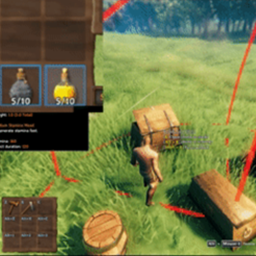
InventoryActions
Standalone inventory actions split from InventorySlots mod: hold containers to quick stack/restock, favorite slots, sort inventories/containers, set restock limits, and trash selected items with controller supportInventoryActions
Quick stack, restock, favorite, sort, and manage items while keeping your existing inventory layout. InventoryActions brings the inventory tools from InventorySlots into a standalone mod.
User guide · Controller controls
See it in action
Click any image or animation to view the original.
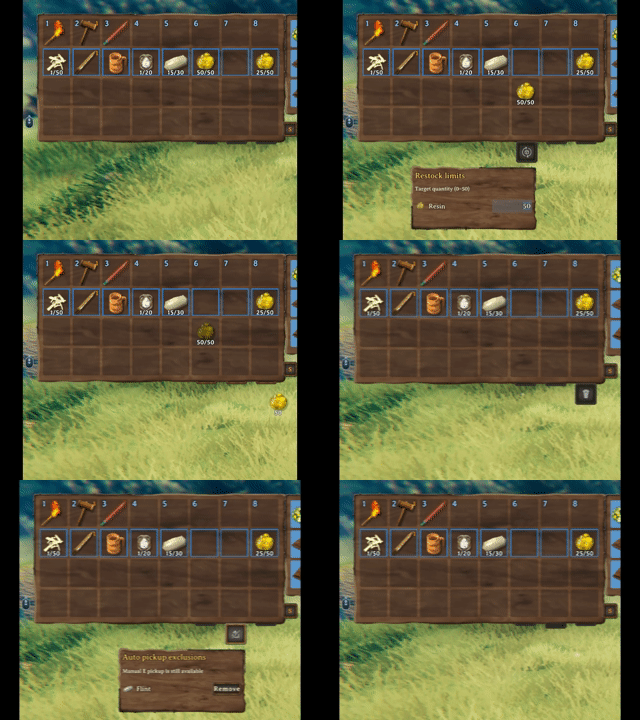
Hover a button or select it with a controller to set restock targets, manage automatic pickup, or delete an unwanted item with confirmation.
| Quick stack | Restock favorites |
|---|---|
 |
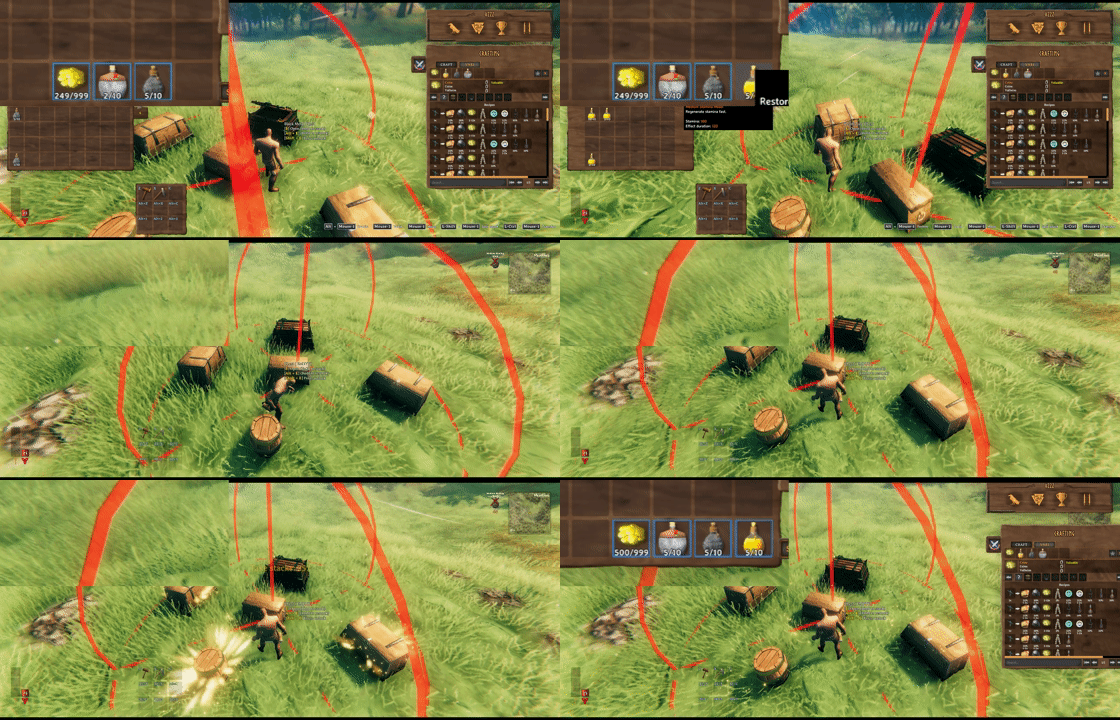 |
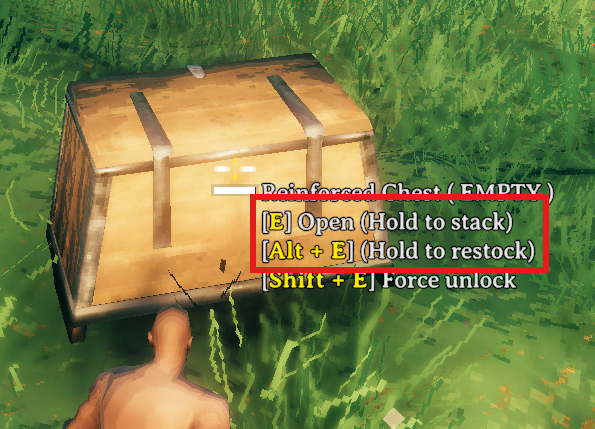
Look at a chest and hold E to store matching items, or hold Alt + E to refill favorites. Both actions include that chest and nearby eligible chests.
| Chest actions | Restock targets |
|---|---|
 |
 |
Choose a target quantity for each item and whether to restore its remembered empty favorite slots.
What you get
| Feature | What it does |
|---|---|
| Favorite slots | Protect selected slots from quick stack and mark their items for restock. |
| Sorting | Top up existing favorite stacks, then merge and sort eligible ordinary stacks. Favorite slots stay in place and never donate to one another. |
| Nearby chest actions | Hold the normal Use key at a chest to quick stack; add the restock modifier to refill favorites. |
| Restock targets | Set a quantity per favorite stack and choose Off, Existing, or Include empty for each item. |
| Pickup exclusions | Turn automatic pickup off for an item without blocking manual pickup. |
| Trash | Delete a held player-inventory item after confirmation. |
Start here
These are the default keyboard and mouse controls. In-game hints follow your configured bindings.
| To… | Do this |
|---|---|
| Favorite a player inventory slot | Left Alt + left click the slot. |
| Sort an inventory | Click its S button. |
| Quick stack nearby | Look at a chest and hold E. |
| Restock favorites nearby | Look at a chest and hold Left Alt + E. |
| Set a restock target | Pick up an item and drop it on Restock. The item stays in your inventory. |
| Exclude an item from auto pickup | Drop it on Exclude. Uncheck its entry to allow pickup again without removing it. |
| Delete an item | Drop it on Trash, then confirm. |
On a controller: open the inventory, select a slot without picking up its item, and briefly click and release the right stick to open the Favorite/Sort menu. Move down from the last inventory row to reach Restock, Exclude, and Trash. See the controller guide for panel navigation and optional shortcuts.
Restock, your way
Each target has a quantity from 1 to the item's maximum stack size and one of three modes:
| Mode | Behavior |
|---|---|
| Off | Disable restocking for this item while keeping its target quantity. |
| Existing | Refill favorite stacks that still contain the item. The default for new targets. |
| Include empty | Also restore the item to its remembered empty favorite slots. Occupied slots are never replaced. |
Favorites do not stop crafting, building, or other normal item consumption. Include empty helps restore a favorite slot after its stack runs out. Restock Leave One Item, enabled by default, keeps one item of each kind in each source chest so future quick stack can still recognize it.
The open-chest Take stacks button fills matching non-favorite stacks. It is separate from favorite restock. Full rules and examples.
Installation
Install with a Valheim mod manager, or place InventoryActions.dll in BepInEx/plugins. Requires BepInExPack Valheim 5.4.2351. Launch once to generate the config.
Guide state and character-specific favorites are saved in BepInEx/config/InventoryActions.ClientState.yml. Previous InventoryActions.Favorites.<playerId>.txt files are not imported; re-register favorites when updating from that format.
- Client only: you can join a vanilla server. Other players do not need InventoryActions; your local settings apply.
- Installed on the server: all clients need the same InventoryActions version, and server-synced settings follow the server.
- Do not install alongside InventorySlots or Quick Stack Store. InventorySlots already includes these tools.
ExtraSlots, Equipment and Quick Slots, and AzuExtendedPlayerInventory have optional integrations. Their supported behavior and the restrictions with MultiUserChest are covered in the compatibility guide.
EpicLoot materials, tokens, Runestones, and ShardStones support compatible stack merging, favorite filling, and container actions without a separate stacking add-on. Different effects and incompatible item data stay separate.
Settings and help
Press F6 to cycle the quick guide: Expanded → Collapsed → Hidden → Expanded, with the inventory open or closed. Your choice is remembered. Change or unset Toggle Feature Guide Key under 2 - Client; Configuration Manager is optional. Guide controls.
The three buttons default to Auto: each appears on hover or controller focus. Choose On to keep a button visible or Off to hide it. Saved restock and pickup rules remain active when their button is hidden.
Look under 3 - Inventory Buttons for button display, restock targets, pickup exclusions, and rule tooltip settings. These preferences are client-side.
GitHub · Report an issue · Discord · Changelog
Credits
Quick stack, restock, and inventory favorite code is based on QuickStackStore.


