
You are viewing a potentially older version of this package. View Latest Version
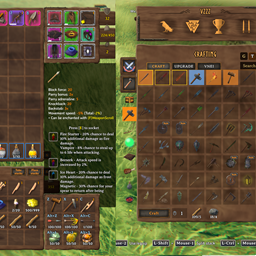
InventorySlots is an all-in-one Valheim inventory overhaul focused on stable slots, predictable item movement, and compact UI tools.
It adds progressive inventory rows, equipment slots, quick slots, favorites, keep-on-death rules, scrollable/pinned tooltips, a crafting browser, container tools, sorting, restock, multicraft, and controller support.
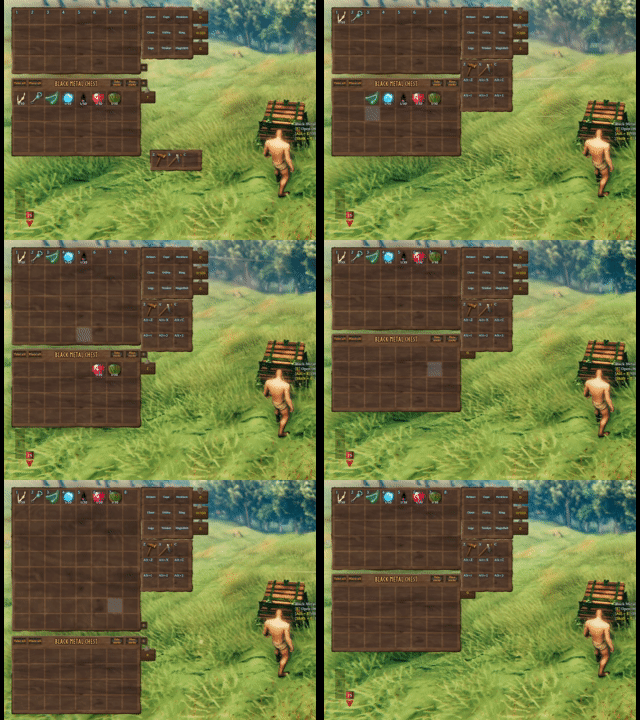
Progressive rows and quick slots unlock over time without reshuffling saved item positions. Clients can expand or collapse the currently visible inventory rows, while equipment slots are defined by InventorySlots.yml.
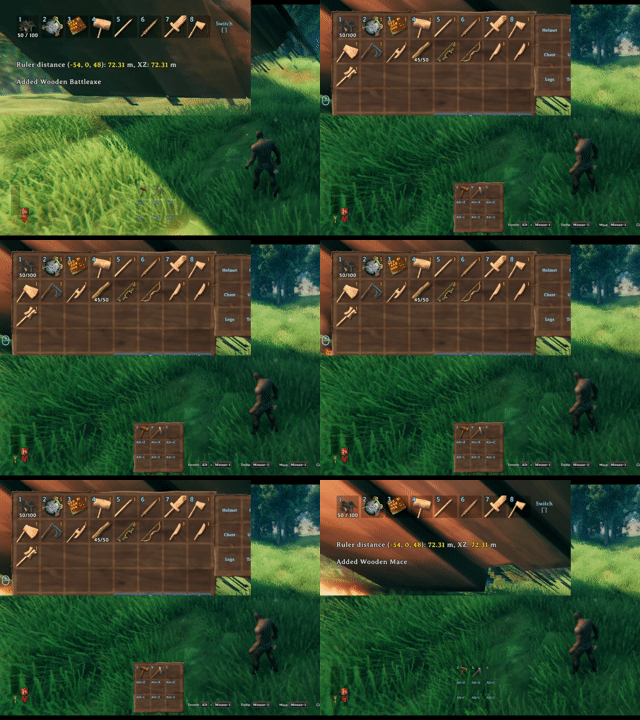
The hotbar switch key rotates the visible hotbar row, keeping a tall inventory practical without moving the underlying item coordinates.
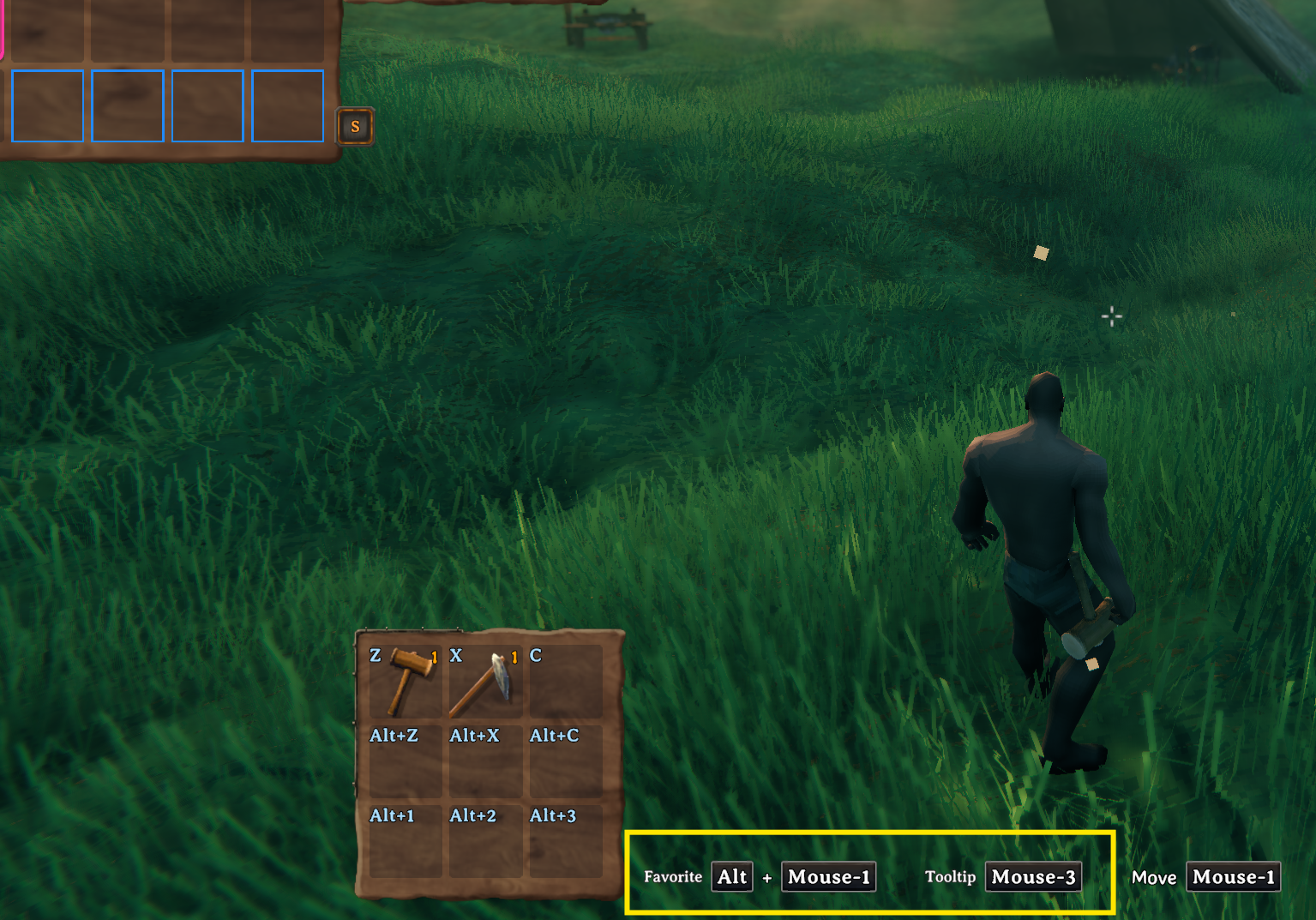
Key hints show the current favorite and tooltip hotkeys, including mouse/controller-aware bindings from the client config.

Crafting stations are redesigned into an icon-grid browser with search, group filters, favorites, sorting buttons, page scrolling, and hover/pinned tooltip support.
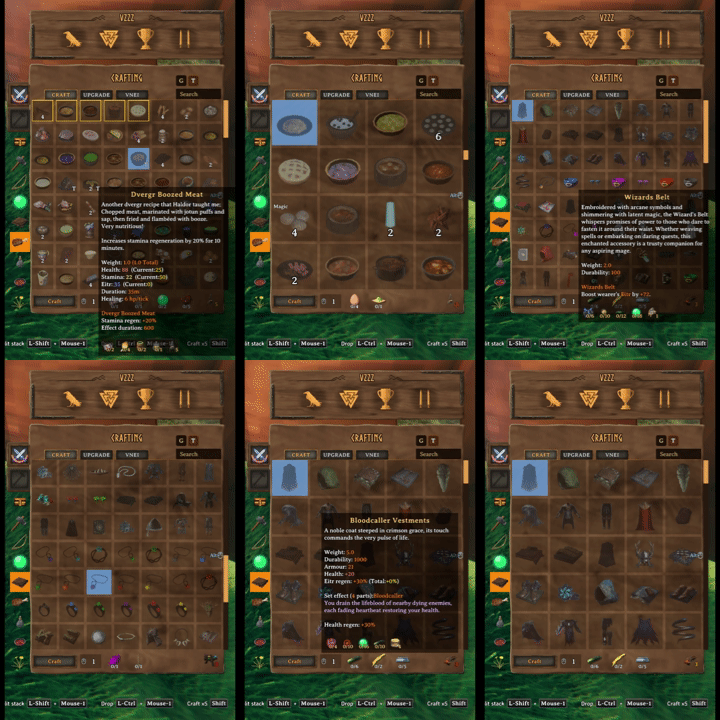
Mark favorite recipes and resize the crafting grid with mouse-wheel zoom.
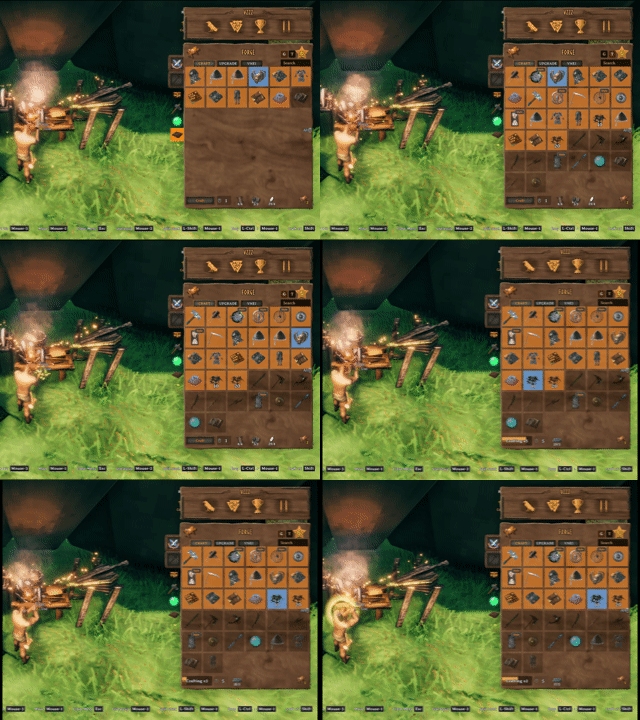
Sort recipes by group and resource tier, then craft multiple items from the same station flow.
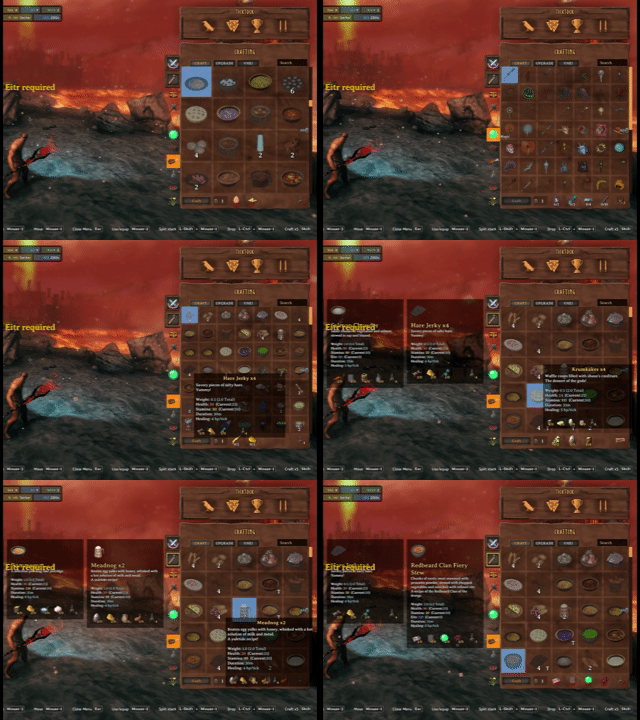
Recipe hover and pinned tooltips stay usable while changing grid size and browsing the crafting station.
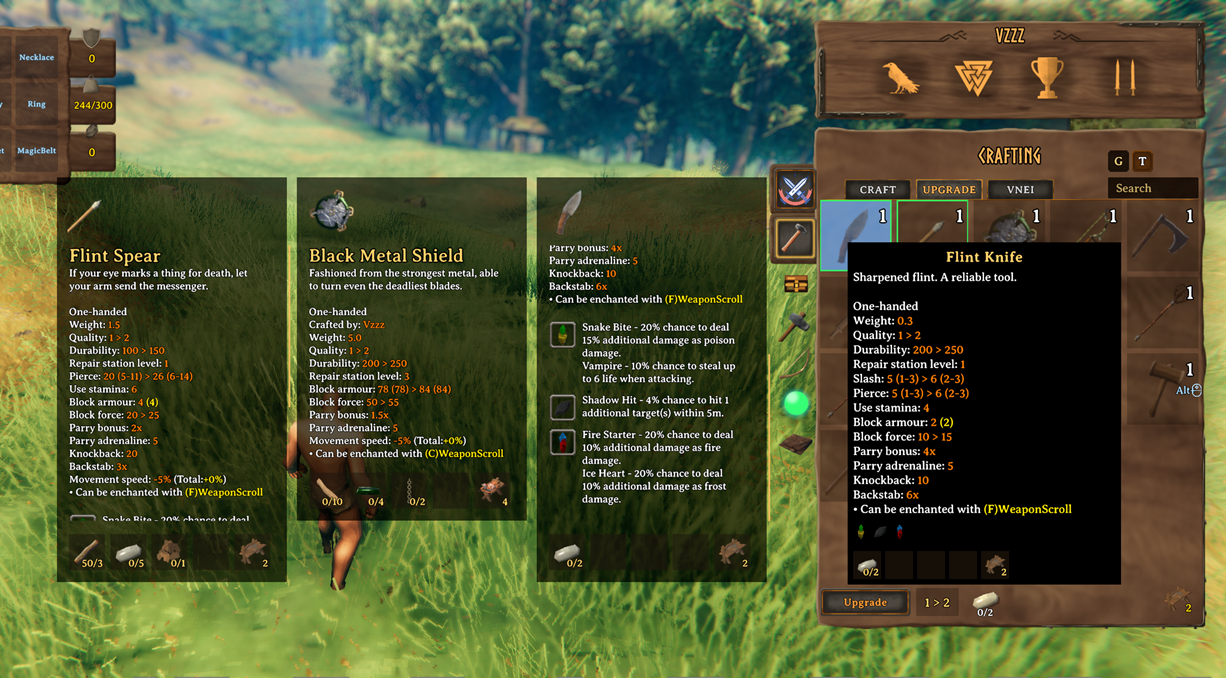
Upgrade views show the stat changes gained from upgrading gear, with upgrade favorites kept separate from crafting favorites.
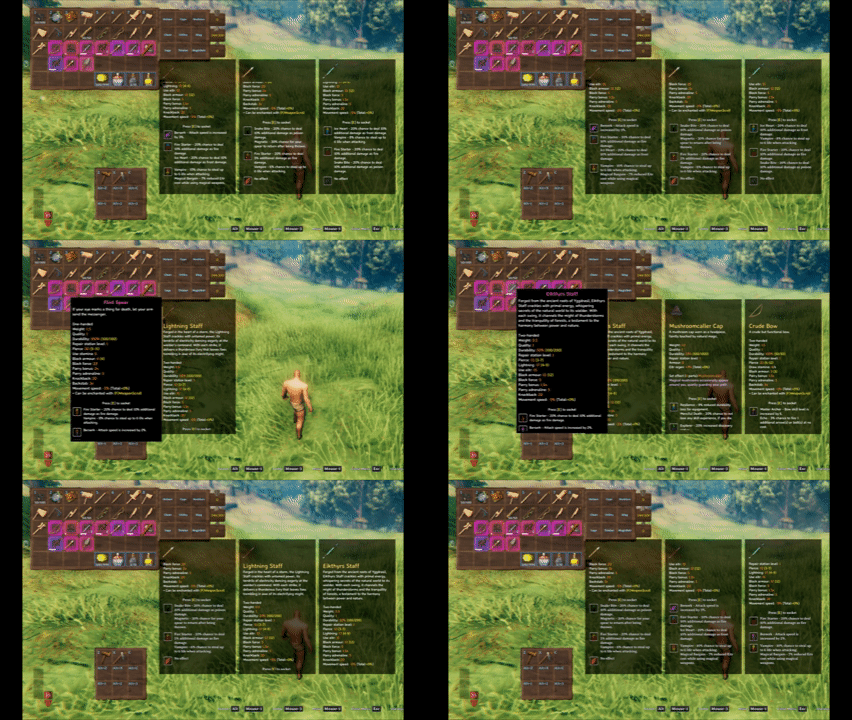
InventorySlots tooltips can expand into scrollable panels and support multiple pinned comparison slots.

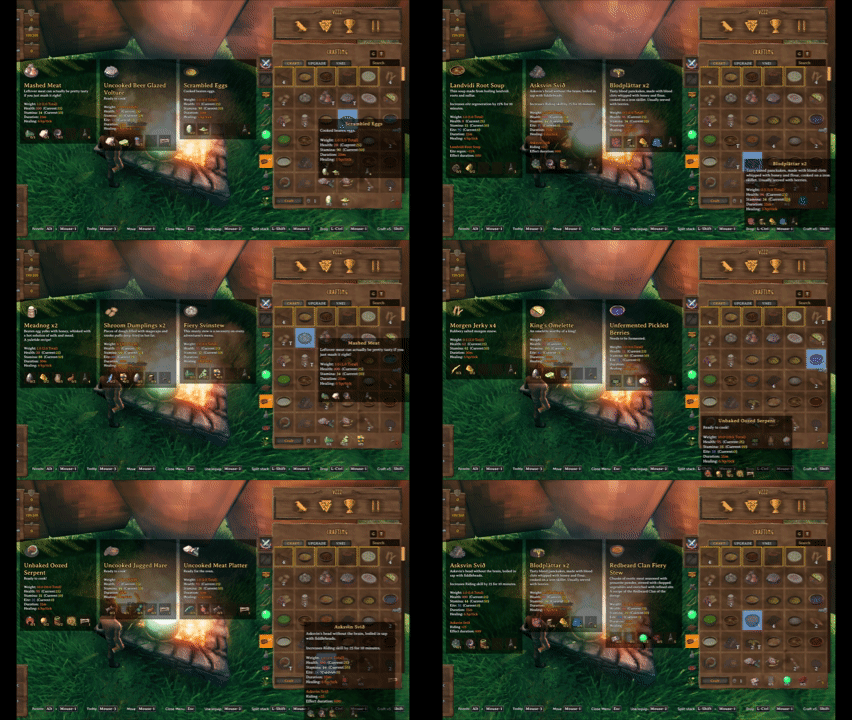
Pin up to three tooltips to compare recipes, meals, potions, and gear without losing your current hover target.
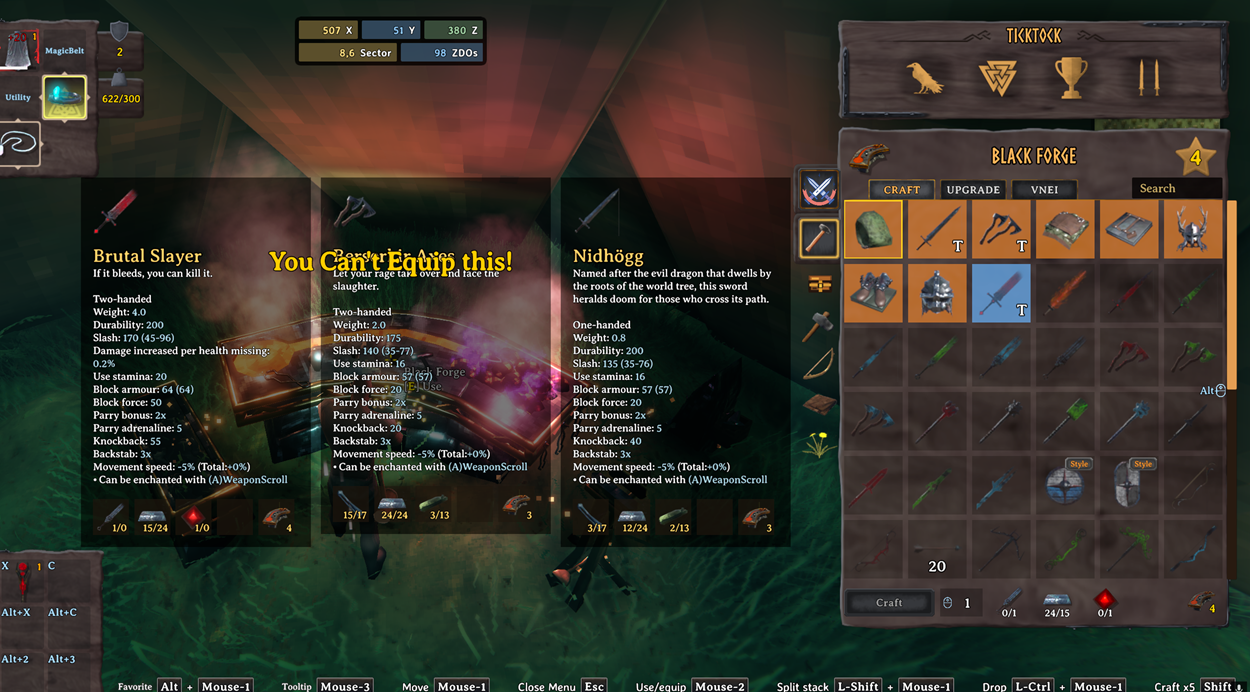
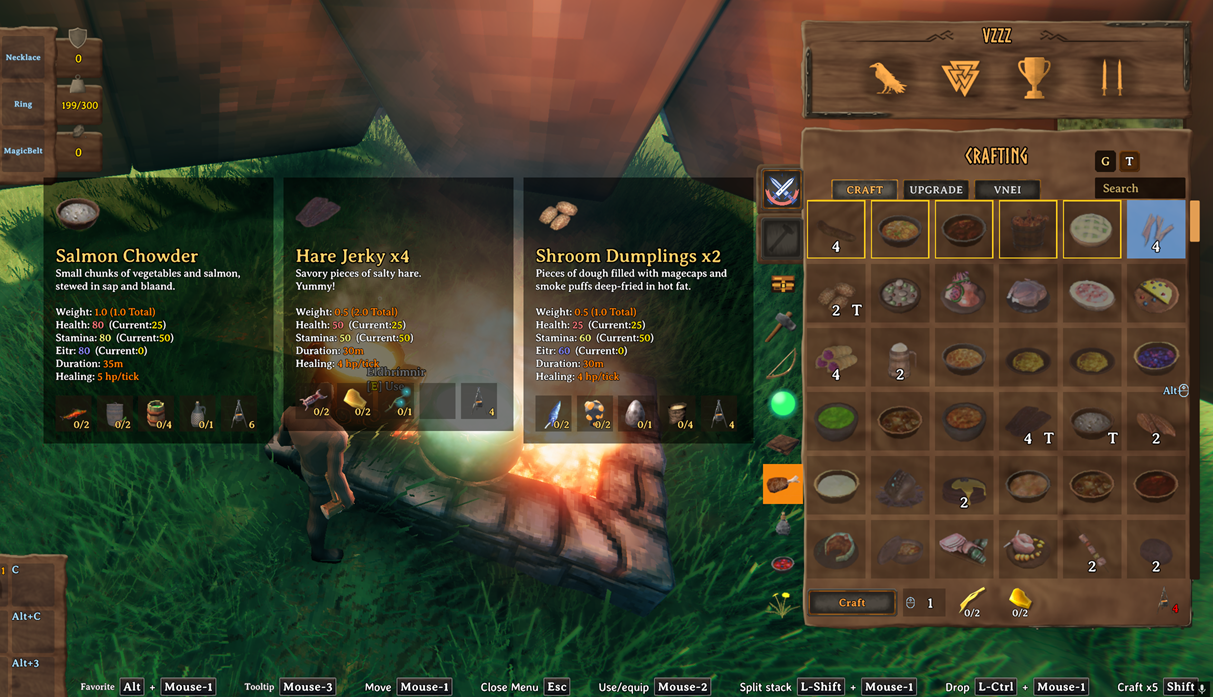
Gear and food comparisons use the same pinned tooltip system.
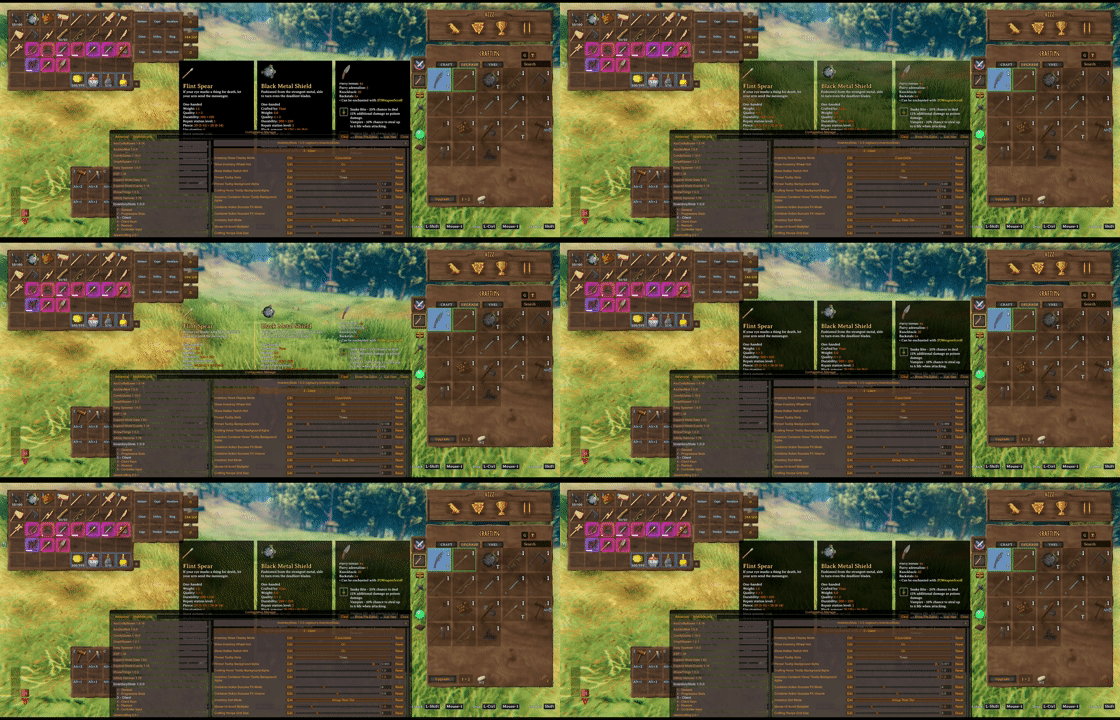
Inventory/container and crafting hover tooltip background opacity are configurable on the client.
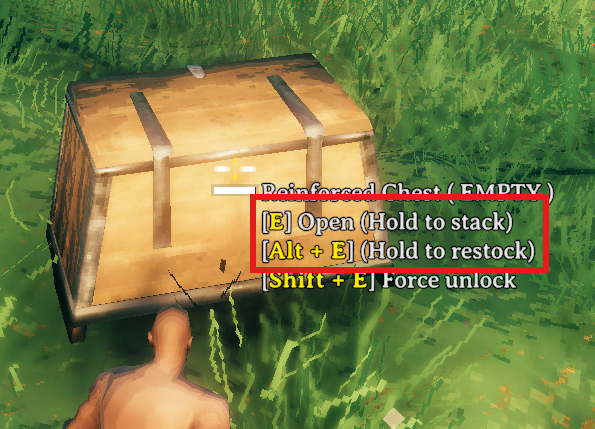
Hovering a container shows hold actions for area quick stack and area restock. Area ranges are centered on the interacted container.

Hold E to quick stack matching non-favorited player items into the hovered container and nearby eligible containers.
Favoriting marks the inventory slot itself, making that slot immune to quick stack while also registering it as a restock target.
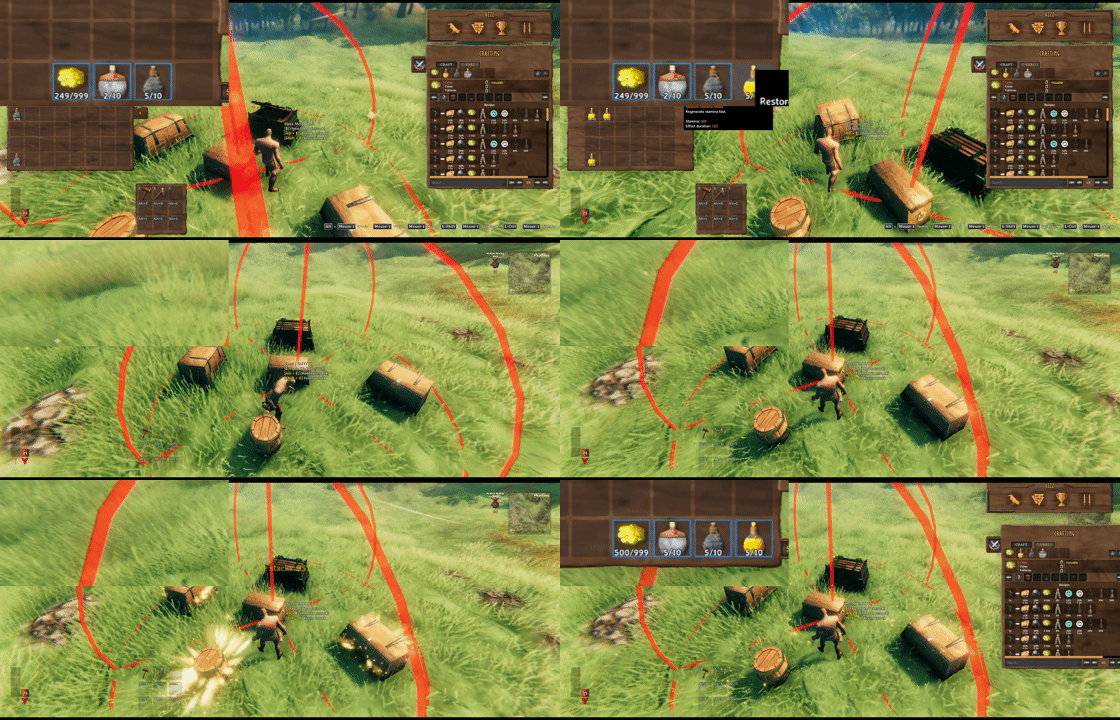
Hold Alt+E by default to restock favorited inventory stacks from the hovered container and nearby eligible containers.
Take stacks pulls only matching stackable items that are not favorited.

Client restock limits can cap favorite restock targets per prefab, such as Stone: 10 or Coins: 500.
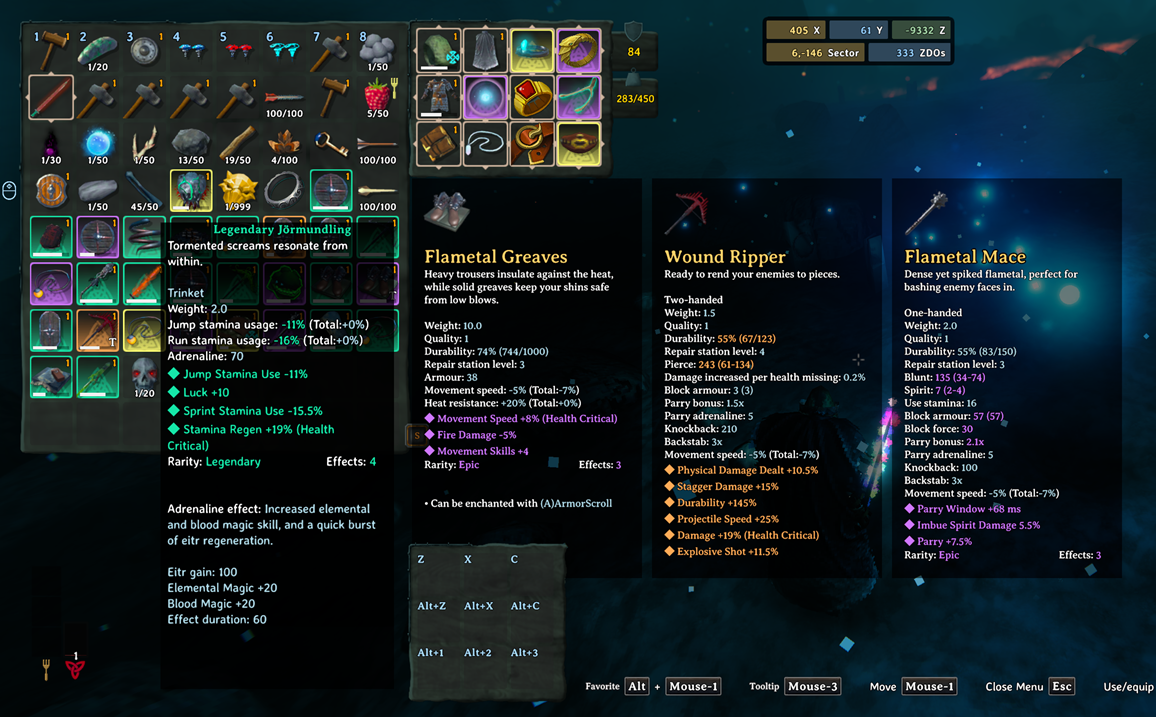
EpicLoot items keep their tooltip data and can use InventorySlots equipment/custom slot routing when configured in InventorySlots.yml.

EpicLoot gear can be compared from upgrade views with InventorySlots pinned tooltips.
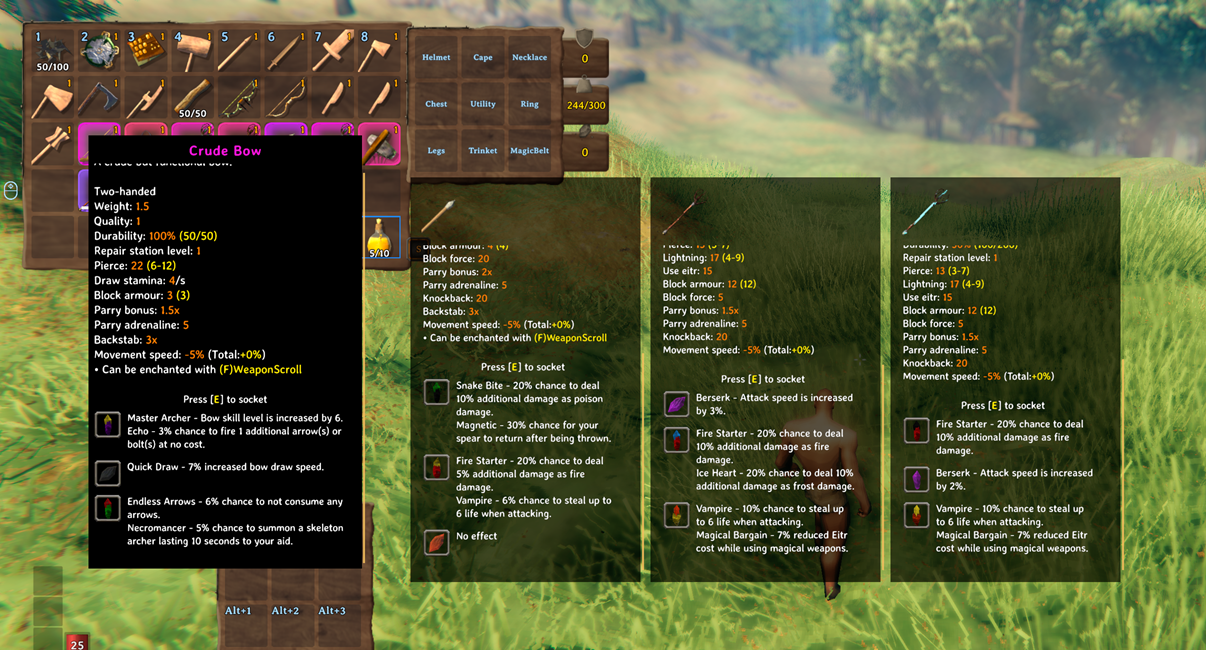
Jewelcrafting sockets and gem tooltip content are supported in InventorySlots tooltip and comparison flows.
InventorySlots reserves the maximum supported layout internally, then exposes only the cells that are currently usable.
This makes the inventory safer for progression, multiplayer, tombstones, and compatibility code that may touch item positions.
The base inventory starts as an 8x4 grid. Up to five extra regular rows can unlock through item discovery.
Default extra row unlocks:
HardAntlerCryptKeyWishboneDragonTearYagluthDropClients can display unlocked rows in two ways:
Fixed: show all unlocked regular rows.Expandable: remember the visible row count locally and adjust it with the mouse wheel while the inventory is open.Auto Favorite Hotbar Switch Row defaults to On and marks the second inventory row as favorite when the local player is loaded or spawned.
Built-in equipment slots:
helmetchestlegscapeutilitytrinketCustom equipment slots can be added with YAML. Each custom slot has a stable id, a display name, and an optional items list.
Slots:
  - id: wishbone
    name: Wishbone
    items:
      - Wishbone

  - id: pickaxe
    name: Pickaxe
    items:
      - pickaxe
      - custom_pickaxes
The built-in slot ids are fixed. Their display names can be changed. Custom slot order follows YAML order.
Quick slots are fixed special slots shown in a side panel and mirrored in a lightweight HUD.
Default quick slot progression:
HardAntlerCryptKeyDefault quick slot item rules:
QuickSlots:
  - Melee
  - Ranged
  - Magic
  - healthfood
  - staminafood
  - eitrfood
  - mead
  - potion
Default quick slot hotkeys are Z, X, C, Alt+Z, Alt+X, Alt+C, Alt+1, Alt+2, and Alt+3.
InventorySlots has separate favorite systems for inventory slots, crafting recipes, and upgrade items.
Inventory favorites are position-based. Hold the favorite modifier key, LeftAlt by default, and left-click a regular inventory, hotbar, or quick slot cell to toggle the blue favorite border.
Favorite inventory slots are protected from:
Favorite restock uses favorites as intentional targets:
Current quick stack policy:
Crafting favorites apply to recipes. Upgrade favorites apply to the specific upgrade item instance, not every item with the same prefab.
When a container is open:
Place stacks stacks matching non-favorited player items into that container only.Take stacks fills matching non-favorited partial player stacks from that container only.When hovering a container:
E to quick stack into the hovered container and nearby eligible player-built containers.Alt+E by default to refill favorite stacks from the hovered container and nearby eligible containers.Area ranges use the interacted container as the center. Setting a range to 0 disables nearby-container behavior for that action.
Container actions respect container access, wards, tombstones, ships, in-use containers, and ownership constraints.
Restock target limits can cap favorite restock targets per item:
Stone: 10, Coins: 500
Items not listed refill to their normal max stack. A target of 0 prevents restocking that item.
The crafting panel is redesigned into a fast icon-grid browser.
Core features:
Crafting search indexes user-facing names, English localization text, prefab/internal names, and recipe materials.
Crafting and inventory/container sorting use separate client sort modes:
TierThenGroup: resource tier first, then group.GroupThenTier: group first, then resource tier.The resource tier map comes from YAML and defaults to a biome-style progression from Meadows through Ashlands.
InventorySlots uses scrollable custom hover tooltips for:
Pinned comparison tooltips use the same scrollable body behavior. Client UI options control pinned tooltip slots and hover tooltip opacity.
Item groups power crafting filters, sorting, quick slot rules, keep-on-death rules, and custom slot item lists.
Fixed top-level groups:
MeleeRangedMagicEquipmentFoodConsumableMeadbaseMiscYAML can reorder built-in subgroups and add custom prefab groups:
Groups:
  Melee:
    - sword
    - axe
    - custom_swords

  custom_swords:
    - SwordNiedhogg
    - THSwordSlayer
Custom groups can then be reused by sorting, quick slots, keep-on-death, and custom equipment slots.
KeepOnDeath decides which items stay with the player instead of moving to the tombstone.
Entries can reference top-level groups, subgroups, custom groups, or exact prefab/internal item names.
Default:
KeepOnDeath:
  - Melee
  - Ranged
  - Magic
  - Equipment
The feature can be disabled with Enable Death Keep Rules.
The server-authoritative YAML controls:
SlotsGroupsQuickSlotsKeepOnDeathresourceMapInvalid YAML and unknown YAML properties are rejected so the last stable configuration can remain active.
Minimal shape:
Slots:
  - id: helmet
    name: Helmet
  - id: chest
    name: Chest
  - id: legs
    name: Legs
  - id: cape
    name: Cape
  - id: utility
    name: Utility
  - id: trinket
    name: Trinket

Groups:
  Melee:
    - sword
    - axe
  Food:
    - healthfood
    - staminafood

QuickSlots:
  - Melee
  - healthfood

KeepOnDeath:
  - Melee
  - Equipment
1 - General: server lock, death keep rules, trash panel, area quick stack, area take stacks.2 - Progressive Slots: extra rows, quick slot count, quick slot progression.3 - Client: inventory display, sort modes, crafting grid, container hover behavior, container FX, mouse UI scroll.4 - Client UI: hints and tooltip display options.5 - Client Keys: keyboard and mouse shortcuts.6 - Restock: favorite restock target limits.7 - Controller Input: controller scrolling and controller hotkeys.Controller support is client-side. InventorySlots stores controller hotkeys as a fixed action enum and exposes them through a custom Configuration Manager editor with capture, clear, and preset controls.
Controller DPad Hotkey Mode defaults to InventoryNavigation, leaving DPad input available for vanilla inventory movement. It can also allow DPad hotkeys directly or only while a configured modifier is held.
InventorySlots declares incompatibility with mods that also take ownership of equipment slots, quick slots, or inventory slot movement.
Soft compatibility and adaptive behavior include:
Quick stack, restock, and inventory favorite behavior were originally informed by QuickStackStore.
https://github.com/sighsorry1029/InventorySlots
