
Please disclose if your mod was created primarily using AI tools by adding the 'AI Generated' category. Failing to do so may result in the mod being removed from Thunderstore.
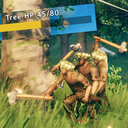
NoCapLumber
Chain attack on trees, Configurable chop damage, Highly configurable tree health UI, Supress lunge distance while chopping
| Last updated | 3 weeks ago |
| Total downloads | 269 |
| Total rating | 0 |
| Categories | Mods Tweaks Server-side Client-side Utility AI Generated |
| Dependency string | sighsorry-NoCapLumber-1.0.0 |
| Dependants | 1 other package depends on this package |
This mod requires the following mods to function

denikson-BepInExPack_Valheim
BepInEx pack for Valheim. Preconfigured with the correct entry point for mods and preferred defaults for the community.
Preferred version: 5.4.2333README
NoCapLumber
Chain attack on trees, Configurable chop damage, Highly configurable tree health UI, Supress lunge distance while chopping
Highlights
- Separate tree chop multipliers for one-handed axes, battle axes, and dual axes.
- Axe combo behavior on trees (prevents chain reset on tree hits).
- Next-swing lunge suppression after a valid tree chop hit.
- Tree health bar + number overlay with in-game drag/resize controls.

You can use chain attacks on trees!
Axe chain attacks have lunge distance but this is suppressed on lumberjacking
So that you don't have to move around to find the appropriate spot for chopping
Also axes' chop damage is configurable per type since this could make chopping too OP

Tree health UI is highly configurable
Adjust UI time showing up to 10s, and use your mouse to adjust UI size and postion
You can also use config manager for this
Lock it up after you are done with configuring UI

Some examples of adjusted Tree health UI
You can make it just text, less text with healthbar or just healtbar UI with no text!
[1 - General]

## If on, the configuration is locked and can be changed by server admins only. [Synced with Server]
# Setting type: Toggle
# Default value: On
# Acceptable values: Off, On
Lock Configuration = On

## Multiplier applied to one-handed axe chop damage (AnimationState.OneHanded) against TreeBase/TreeLog. [Synced with Server]
# Setting type: Single
# Default value: 0.85
# Acceptable value range: From 0 to 2
One-Handed Axe Tree Chop Damage Multiplier = 0.85

## Multiplier applied to battle-axe chop damage (AnimationState.TwoHandedAxe) against TreeBase/TreeLog. [Synced with Server]
# Setting type: Single
# Default value: 0.7
# Acceptable value range: From 0 to 2
Battle Axe Tree Chop Damage Multiplier = 0.7

## Multiplier applied to dual-axes chop damage (AnimationState.DualAxes) against TreeBase/TreeLog. [Synced with Server]
# Setting type: Single
# Default value: 0.55
# Acceptable value range: From 0 to 2
Dual Axes Tree Chop Damage Multiplier = 0.55

## If on, axe combo attacks won't reset to the first swing when hitting TreeBase/Tree targets. [Synced with Server]
# Setting type: Toggle
# Default value: On
# Acceptable values: Off, On
Enable Axe Combo On Trees = On

## If on, player axe hits against stump targets remove slash damage so damage follows chop-based behavior. [Synced with Server]
# Setting type: Toggle
# Default value: On
# Acceptable values: Off, On
Block Axe Slash On Stump Targets = On

## If on, after a player deals chop damage to a woodcutting target with an axe, the next eligible combo swing has no forward lunge (server-synced). [Synced with Server]
# Setting type: Toggle
# Default value: On
# Acceptable values: Off, On
Enable Next Swing Lunge Suppression After Tree Chop = On

[2 - UI]

## How long the tree health UI stays visible after a valid hit. Recommended range: 0.5 to 10. [Not Synced with Server]
# Setting type: Single
# Default value: 1.5
Tree Health UI Duration Seconds = 1.5

## If on, shows tree health bar when you hit with chop damage. [Not Synced with Server]
# Setting type: Toggle
# Default value: On
# Acceptable values: Off, On
Show Tree Health Bar UI = On

## Color used when tree HP is at or above 66.7%. Supports #RRGGBB or #RRGGBBAA. [Not Synced with Server]
# Setting type: String
# Default value: #3ACC57
Tree Health Bar Color High HP = #3ACC57

## Color used when tree HP is at or above 33.3% and below 66.7%. Supports #RRGGBB or #RRGGBBAA. [Not Synced with Server]
# Setting type: String
# Default value: #E6C12A
Tree Health Bar Color Mid HP = #E6C12A

## Color used when tree HP is below 33.3%. Supports #RRGGBB or #RRGGBBAA. [Not Synced with Server]
# Setting type: String
# Default value: #D94A44
Tree Health Bar Color Low HP = #D94A44

## Height of the health bar in UI units. Recommended range: 5 to 50. [Not Synced with Server]
# Setting type: Single
# Default value: 20
Tree Health Bar UI Height = 20

## Width of the health bar in UI units. Recommended range: 50 to 500. [Not Synced with Server]
# Setting type: Single
# Default value: 320
Tree Health Bar UI Width = 105.2

## If on, resizing health bar UI with mouse is disabled. [Not Synced with Server]
# Setting type: Toggle
# Default value: Off
# Acceptable values: Off, On
Tree Health Bar UI Size Lock = Off

## Horizontal position of the health bar in normalized screen space. Recommended range: 0 to 1. [Not Synced with Server]
# Setting type: Single
# Default value: 0.5
Tree Health Bar UI Position X = 0.5631

## Vertical position of the health bar in normalized screen space. Recommended range: 0 to 1. [Not Synced with Server]
# Setting type: Single
# Default value: 0.76
Tree Health Bar UI Position Y = 0.4822

## If on, dragging (moving position) of health bar UI with mouse is disabled. [Not Synced with Server]
# Setting type: Toggle
# Default value: Off
# Acceptable values: Off, On
Tree Health Bar UI Drag Lock = Off

## Number UI mode. [Not Synced with Server]
# Setting type: String
# Default value: Tree HP Current/Max
# Acceptable values: Off, Tree HP Current/Max, Tree Current/Max, Current/Max
Show Tree Health Number UI = Tree HP Current/Max

## Font size of the number UI. Recommended range: 10 to 50. [Not Synced with Server]
# Setting type: Single
# Default value: 22
Tree Health Number UI Font Size = 10.7

## If on, resizing number UI (font size) with mouse is disabled. [Not Synced with Server]
# Setting type: Toggle
# Default value: Off
# Acceptable values: Off, On
Tree Health Number UI Size Lock = Off

## Horizontal position of the number UI in normalized screen space. Recommended range: 0 to 1. [Not Synced with Server]
# Setting type: Single
# Default value: 0.5
Tree Health Number UI Position X = 0.5631

## Vertical position of the number UI in normalized screen space. Recommended range: 0 to 1. [Not Synced with Server]
# Setting type: Single
# Default value: 0.79
Tree Health Number UI Position Y = 0.4823

## If on, dragging (moving position) of number UI with mouse is disabled. [Not Synced with Server]
# Setting type: Toggle
# Default value: Off
# Acceptable values: Off, On
Tree Health Number UI Drag Lock = Off```