
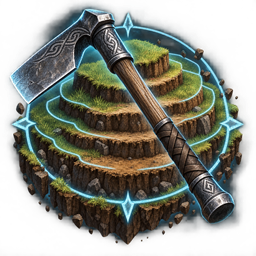
ValAdvancedHoe
A configurable Valheim hoe upgrade for large-scale terrain editing with adjustable area, height, reach, preview, planar mode, and en-US/pt-BR localization.ValAdvancedHoe
ValAdvancedHoe is a configurable upgrade for Valheim's hoe, designed for fast and precise large-scale terrain editing.
Features
- Adjustable terrain raise height using the mouse wheel.
- Adjustable working area radius using the mouse wheel.
- Switch between Area and Height adjustment modes.
- Planar mode is separated from elevation mode and only changes the working area.
- Cumulative terrain raising beyond Valheim's normal 8 m per-operation limit.
- Extended hoe reach, configurable by the user. The default is 20 m.
- Live cylinder preview centered on the terrain under the crosshair.
- Configurable preview colors and opacity for valid and invalid positions.
- Optional camera-zoom suppression while adjusting the hoe.
- Configurable controls, limits, preview distance, planar prefab tokens, and more.
- Localized in-game text and configuration language selector for English (en-US) and Portuguese (Brazil) (pt-BR).
Requirements
- Valheim
- BepInExPack Valheim
Installation
Install through a compatible Thunderstore mod manager, or extract the package contents into the Valheim installation directory.
The plugin DLL must end up at:
BepInEx/plugins/ValAdvancedHoe/ValAdvancedHoe.dll
Controls
The default controls are:
Q: select Area adjustment.E: select Height adjustment.- Mouse wheel: adjust the selected value.
- Left mouse button: apply the terrain operation.
Controls can be changed in the generated configuration file.
Configuration
After the first launch, BepInEx creates:
BepInEx/config/com.vnts.valadvancedhoe.cfg
The configuration exposes terrain limits, area limits, scroll steps, reach, preview behavior, colors, opacity, key bindings, planar prefab name tokens, and the cumulative elevation limit.
To change the in-game language, edit:
[Localization]
Language = en-US
Supported values:
en-US— English (United States)pt-BR— Portuguese (Brazil)
Restart Valheim after changing configuration values.
Compatibility notes
ValAdvancedHoe uses Harmony patches at runtime and does not modify Valheim's game files or world saves. Terrain changes are made through Valheim's own terrain systems.
Large areas and large height changes may require more processing time because the game must update more terrain data at once.
Credits
Created by Matheus Ventura.
License
All rights reserved by the author unless stated otherwise. Valheim and its assets belong to Iron Gate AB.