

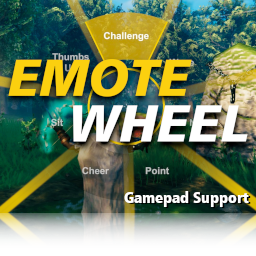
EmoteWheel
This mod adds an user interface for emote animations to let them be used in an easier and faster way.Overview
This mod adds an user interface for emote animations to let them be used in an easier and faster way. The menu will be visible by holding the 'T' key (can be changed). The hotkey for gamepads is the X button by default.
New in version 1.3.0: Gamepad Support
To trigger an emote animation release the Hotkey after selecting an emote. (When TriggerOnRelease = true)
To trigger an emote animation press the left mouse button after selecting an emote. (When TriggerOnClick = true)
Info: This mod should only be installed on the client side.
Manual Installation
BepInEx Modloader must be installed. Can be found here: https://valheim.thunderstore.io/package/denikson/BepInExPack_Valheim/
To install the mod just move the downloaded EmoteWheel.dll to the <valheim-folder>\BepInEx\plugins\ folder.
Config
A config file will be created after running the game once while the mod is installed:
<valheim-folder>\BepInEx\config\virtuacode.valheim.emotewheel.cfg
Source Code
https://github.com/virtuaCode/valheim-mods
Change Log
- Version 1.4.1
- Fix issue with SetButton method
- Version 1.4.0
- Add new Emote Commands
- Version 1.3.2
- Fix issue with Mistlands Patch
- Version 1.3.1
- Fix issue with Hearth & Home Patch
- Version 1.3.0
- Add Gamepad support
- Change text font
- Add toggle mode
- Add support for key combinations
- Version 1.2.1
- Change shader compilation and bundling (fixes pink textures)
- Version 1.2.0
- Add HighlightColor option
- Add GuiScale option
- Add improved graphics (shader)
- Changed gui scale
- Version 1.1.0
- Add TriggerOnRelease option
- Add TriggerOnClick option
- Add audio feedback
- Add min. selection radius
- Add previous emote interruption
- Bugfix AssetBundle already loaded
- Version 1.0.0
- Inital Release