
You are viewing a potentially older version of this package. View Latest Version
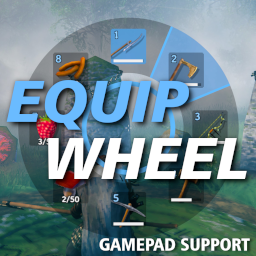
This mod adds an user interface for equipping/using items in an easier and faster way. The menu will be visible by holding the 'G' key (can be changed). On gamepads it's the X button by default.
New in version 1.3.0: Better binding for hotkeys Hotkeys can now be key combos like 'SHIFT + 1'. Also the hotkey for gamepads can be changed in the config.
New in version 1.2.0: Item Type Matching Mode When enabled, it scans the whole inventory for items of the specified types in the config and use them in the equip wheel.
New in version 1.1.0: Gamepad Support Rebinds the gampad X-button to open the equip wheel. The left joystick controls the selected item.
To trigger equipping, release the Hotkey after selecting an item. (When TriggerOnRelease = true)
To trigger equipping, press the left mouse button after selecting an item. (When TriggerOnClick = true)
If you equip an one-handed weapon, the shield (if available) will be equipped automatically.
The mod allows also to choose a different inventory row to use for the equip wheel. The top-left hotkey bar can be optionally disabled.
Info: This mod should only be installed on the client side.
BepInEx Modloader must be installed. Can be found here:
https://valheim.thunderstore.io/package/denikson/BepInExPack_Valheim/
To install the mod just move the downloaded EquipWheel.dll to the <valheim-folder>\BepInEx\plugins\ folder.
A config file will be created after running the game once while the mod is installed:
<valheim-folder>\BepInEx\config\virtuacode.valheim.equipwheel.cfg
https://github.com/virtuaCode/valheim-mods
