

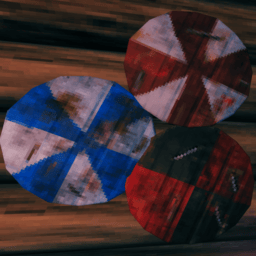
ItemStandFix
Preserves item stand styles and upgrade visuals. Server installs protect placement metadata; client installs also fix hammer-highlight visual resets.Item Stand Fix
Valheim 1.0.16 resolved the item stand issue addressed by this mod. Item Stand Fix is no longer needed when playing on Valheim 1.0.16 or later.
Experimental BepInEx plugin for Valheim 1.0.15. It preserves the quality and variant metadata used by an item stand's periodic visual refresh. The same DLL supports client-side fallback and dedicated-server enforcement. Visual metadata is replaced whenever another item is placed. Client installations also restore the displayed style after the stand is highlighted with a hammer.
Build
Place the required game and mod-loader reference assemblies in lib, then run:
dotnet build .\src\ItemStandFix\ItemStandFix.csproj -c Release
The plugin is produced at
src\ItemStandFix\bin\Release\ItemStandFix.dll.
Install
Copy only ItemStandFix.dll into Valheim's BepInEx\plugins directory. Keep the
reference assemblies out of that directory because Valheim and BepInEx already
provide them at runtime.
For server-wide behavior, install the DLL in the dedicated server's
BepInEx\plugins directory. Clients do not need the plugin for placement metadata
to be preserved. Install it on clients as well to prevent hammer highlighting
from visually clearing an attached item's style after reconnecting. A client
installation also supports singleplayer and unmodded servers.
Server-only limitation
After reconnecting, an unmodded client can visually lose a displayed item's style when highlighting its item stand with a hammer. The stored item and its variant remain correct; this is a client-side rendering issue. Removing and replacing the item restores its style until the client's next reconnect.
Installing Item Stand Fix on the client fully prevents this hammer-highlight style reset. For complete visual behavior, install the same DLL on both the dedicated server and each client.
Test
- Back up the test character and world.
- Start vanilla Valheim with only this plugin enabled.
- Place a styled or upgraded item on an item stand.
- Wait at least ten seconds and confirm its visual style and quality remain.
- Remove the item and confirm its variant and upgrade level remain intact.
- Place an item with a different quality and style on the same stand and confirm it displays its own values.
- With the plugin installed on the client, reconnect, highlight the occupied stand with a hammer, look away, and confirm the attached item retains its style.
- Optionally enable BepInEx debug logging and check
BepInEx\LogOutput.logforStored item stand visual metadata.
For a server-only test, remove the plugin from the client, restart both processes,
and place a styled or upgraded item from the vanilla client. With BepInEx debug
logging enabled, the dedicated server log contains
Server repaired item stand visual metadata.