
You are viewing a potentially older version of this package. View Latest Version
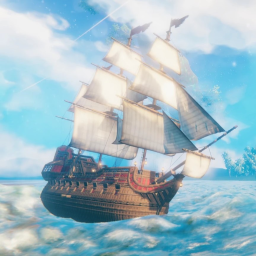

This mod aims to continue support for Water based features of the original ValheimRAFT mod and incorporate more vehicle items and mechanics within the mod and further extends it's capabilities.

This repo is a ValheimRaft fork that works with latest Valheim. The original mod owner Sarcen stopped maintaining the mod, but gave permission to maintain/improve and open source this mod as of 12/25/2023.
Server support may or may not work. In >=1.6.2 ships and loading were mainly
fixed by adding some threading
optimization. There is also a config called ServerRaftUpdateZoneInterval this
allows users to tweak the update
frequency of checks.
The following has been tested:
Join us on discord to get the latest information, upcoming features, and discover other mods.
| ConfigName | Description |
|---|---|
| InitialRaftFloorHeight | Lets you set the height of the floors so they do not clip. Recommended to stay between 0.4 and 0.6. |
| ServerRaftUpdateZoneInterval | Set interval in seconds for the server update to trigger and re-render pieces if in view |
| pluginFolderName | Allows you to specify the plugin folder if it's been renamed. See the meshes section below for more details |
| raftHealth | Set the raft health for wear and tear. I set it to 500 default, but it was originally 10000 which is not balanced |
| fixPlanBuildPositionIssues | Turn on/off the patches for PlanBuild, only needed if the user has PlanBuild and it adds support for ValheimRaft coordinates. The planbuild plugins requires a specific naming convention. Make sure in the plugins folder it is named either "MathiasDecrock-PlanBuild" or "PlanBuild" |
| DisplacedRaftAutoFix | Should automatically regenerate the displaced raft. Only useful if the command raftoffset 0 0 0 works for this issue. |
| Removed in 1.6.7. Use the propulsion controls below | |
| EnableCustomPropulsionConfig | Enables custom propulsion overrides (For customization and testing) |
| HasShipWeightCalculations | (propulsion) -> enables ship weight calculations for sail-force (sailing speed) and future propulsion, makes larger ships require more sails and smaller ships require less |
| HasShipContainerWeightCalculations | (propulsion) -> enables ship weight calculations for containers which affects sail-force (sailing speed) and future propulsion calculations. Makes ships with lots of containers require more sails |
| MassPercentageFactor | (propulsion) -> Sets the mass percentage of the ship that will slow down the sails. |
| SpeedCapMultiplier | (propulsion) -> Sets the speed at which it becomes significantly harder to gain speed per sail area, the ships will still be capped at their maxSailShip.Speed. |
| MaxPropulsionSpeed | (propulsion) -> Sets the absolute max speed a ship can ever hit. Prevents or enables space launches. Will be used as a cap for all propulsion introduced in future versions. |
| MaxSailSpeed | (propulsion) -> Sets the absolute max speed a ship can ever hit with sails. Prevents or enables space launches, cannot exceed MaxPropulsionSpeed. |
| SailTier1Area | (propulsion) -> Sets the tier1 sail area. |
| SailTier2Area | (propulsion) -> Sets the tier2 sail area. |
| SailTier3Area | (propulsion) -> Sets the tier3 sail area. |
| SailCustomAreaTier1Multiplier | (propulsion) -> sets the area multiplier the custom tier1 sail. Currently there is only 1 tier |
| AdminsCanOnlyBuildRaft | (Server config) -> ValheimRAFT hammer menu pieces are registered as disabled unless the user is an Admin, allowing only admins to create rafts. This will update automatically make sure to un-equip the hammer to see it apply (if your remove yourself as admin). Server / client does not need to restart |
In Mod versions at or lower than 1.4.9 there were problems with the folder
being renamed. In >=1.5.0 there is a
configuration
manager option to change the path to resolve the ValheimRAFT folder.
If you want meshes (IE sails and ropes ) to render automatically, your mod must
either be named ValheimRAFT
or zolantris-ValheimRAFT.
Otherwise make sure to edit the pluginFolderName key and add the folder name
for ValheimRaft located
within the BepInEx\Plugins path. Afterwards relaunch the game. There should be
no mesh issues.
If you have a bug, please create an issue under the repo's issues section.
Click here to create an issue now.
In 1.6.0+ this mod supports PlanBuild a popular blueprinting mod.
Support is added via a patch that makes PlanBuild use the Raft localPosition
instead of world position which each item
could be moving/swaying and updating as the PlanBuild iterated through the
items. This easily breaks the Plan save.
Noting that Planbuild does not register well with harmony so searching for it is
not possible (from what I saw). There
is a path resolution and a config flag to enable coordinate fixes. Disable the
config value fixPlanBuildPositionIssues
and it should not longer cause errors for not having PlanBuild installed.
This project supports both Vulkan and Direct3D11 as of >=1.6.11. Previously it only supported Direct3D11.

These packages may contain logging. Logging can be opted out by any user by
unchecking enableMetrics. If you choose to opt-out, please be aware, this will
make it more difficult to troubleshoot issues.
Paths related to Valheim Game directory
Paths related to ValheimRAFT / ValheimVehicles plugin directory such as symlinked directories from vortex mod installer or directories created by r2modman or thunderstore.
Health related to the ValheimRAFT mod. It will track performance, slowdowns, and bottlenecks making it significantly easier to debug.
This logging has yet to be implemented.
use Rider and click nuget (should be bottom left panel, one of the items), and search for the package
..\..\programs\nuget.exe install Sentry -Version 3.41.3 -OutputDirectory Packages`
The example above is if the path for nuget exists 2 directories above this repo and within programs folder.
Please reference the getting started docs.
Add this to your powershell profile. This will allow your to highlight only logs from ValheimVehicles and ValheimRAFT mods as well as errors.
These commands are for powershell users. If you are running things on linux there are simpler (and similar) commands for syntax highlighting. I advise googling them.
function Get-LogColor {
    Param([Parameter(Position=0)]
    [String]$LogEntry)

    process {
        if ($LogEntry.Contains("ValheimRAFT") -or $LogEntry.Contains("ValheimVehicles")){
          if ($LogEntry.Contains("Debug")) {Return "Green"}
          elseif ($LogEntry.Contains("Warn")) {Return "Yellow"}
          elseif ($LogEntry.Contains("Error") -or $LogEntry.Contains("NullReferenceException")) {Return "Red"}
          else {Return "White"}
        }
        if ($LogEntry.Contains("NullReferenceException")) {Return "Red"}
        else {Return "White"}
    }
}
When launching the game just run the following command to output the latest logs.
gc -wait -tail 10 C:\Users\fre\AppData\LocalLow\IronGate\Valheim\Player.log | ForEach {Write-Host -ForegroundColor (Get-LogColor $_) $_}
