
Please disclose if any significant portion of your mod was created using AI tools by adding the 'AI Generated' category. Failing to do so may result in the mod being removed from Thunderstore.
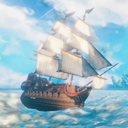
ValheimRAFT
ValheimRAFT - a vehicles mod for valheim. Build a ship, build a land vehicle. Explore valheim! This is release channel. Features should be released slower and should be more stable. Use the beta channel if you want to see new features sooner.
| Date uploaded | a month ago |
| Version | 4.2.2 |
| Download link | zolantris-ValheimRAFT-4.2.2.zip |
| Downloads | 9998 |
| Dependency string | zolantris-ValheimRAFT-4.2.2 |
This mod requires the following mods to function

ValheimModding-Jotunn
Jötunn (/ˈjɔːtʊn/, 'giant'), the Valheim Library was created with the goal of making the lives of mod developers easier. It enables you to create mods for Valheim using an abstracted API so you can focus on the actual content creation.
Preferred version: 2.27.0README
ValheimRAFT

This mod aims to continue support for Water based features of the original ValheimRAFT mod and incorporate more vehicle types, items, and mechanics within the mod and further extends its capabilities.
This mod has both a beta and a non-beta on Thunderstore. Please make sure you are using non-beta if you want a stable experience. If you want to test previews, swap to the beta variant.
Tutorials
Video Tutorials
- [Swivels Visual Tutorial](https://youtu.be/wtnUCGz2zek)
- [Vehicle Dock (LandVehicles to WaterVehicle)](https://youtu.be/iJSqmvJZlzo)
Mod Info
:warning: Warning. If you are reading this readme on the ValheimMods/ValheimRAFT repo :warning:
- There likely will be features listed that do not yet exist within the game.
- Always read the readme
from the latest official releases instead
- thunderstore page Quickest way is to look at the last readme post on thunderstore.
- Releases Alternatively look at the release source code. TBD this may be made easier.
Background
This repo is a ValheimRaft fork that works with latest Valheim.
The original mod owner Sarcen stopped maintaining the mod August 2023. They gave permission to maintain and open source the mod on 12/25/2023.
Contents
- ValheimRAFT
Features
- Build a RAFT on the water using Valheim's building prefabs.
- Cannons (both on and off vehicle)
- Adds a climbable ladder
- Add piers that reach the ocean floor (stone and log)
- Adds anchors
- Adds custom sails (requires meshes to be working)
- Players can add their own patterns to the meshes folder FYI, you can have more than the stack or pirate logo, just add what you want.
- Adds ropes (requires meshes to be working)
- Sails now will each contribute to the total shipShip.Speed. Custom Sails do an area calculation while Tier 1-3 sails are preset values.
- Vehicles can be made to Fly.
- Vehicles can go underwater [>=2.4.0]
- There are tools to hide water. It looks pretty cool, but unrealistic for now
Cannon Controls
- Use the cannon
- Hold block. W to tilt forward. S to tilt backwards.
- Tap Block. To fire.
- A/D to swap groups. Each group has a number representing the size.
- Groups are based on the orientation of the vehicle or the placed vehicle control center (telescope direction).
Community
Join us on discord to get the latest information, upcoming features, and discontain other mods.
Items
| Name | Icon | Description |
|---|---|---|
| Vehicle Hammer |  |
Valheim Raft's Main build tool. Has a custom menu with all prefabs located under these tabs |
| Cannon (handheld) | 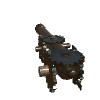 |
A mobile cannon that can be loaded by the player. Uses the same aiming mechanics as an auto turret. Fully multiplayer compatible. Uses it's own projectile system similar to cannons. |
| Cannonball (solid) |  |
A cannonball that can hit hard and penetrate through prefabs based on the material. Can be equipped by handheld and fixed cannons. |
| Cannonball (explosive) |  |
A blackmetal cannonball that can hit and explode delivering a powerful area effect blast. Can be equipped by handheld and fixed cannons. |
Prefabs
| Name | Icon | Description |
|---|---|---|
| Boundary Chunk Addition (8x8) and (16x16) |  |
Added based on request from many players that there were bugs with their ships and having problems with collisions vastly exceeding safe areas of the ship.
This tool allows you to constrain the boundary of a vehicle within the box placed.
Viewing the boxes areas
Tips/Warnings :warning: Making a small area but large ship will break some raft logic if the player is not within the onboard zones. :brain: Try to add a box at front, back, and max height of ship and max lowest point of ship. This will encapsulate whole ship. |
| Boundary Chunk Clear |  |
Individually Clear the Boundary Chunk Additions boxes placed. Clearing is based on intersection and multiple boxes will be removed if the clear box hits both of them. |
| Cannon (fixed) | 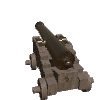 |
Introduced in 3.6.x updates. The cannon can be added to a any vehicle or base and be fired from a single controller. On Vehicles this is the wheel. Anywhere else this is the Cannon Control Center which is a telescope. |
| Cannon Control Center | 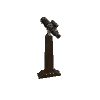 |
Introduced in 3.6.x updates. The cannon control center controls all logic for manual cannons. Hold [Block] to use the hotkeys. This applies for wheel controls too.There are 4 groups for forward, left, right, backwards. Block + S will tilt all cannons upwards in a group. Block + W will tilt all cannons downwards in a group. Block + W (cycles backwards in Groups) Block + D (Cycles forwards in groups). Pressing Block and not holding will immediately fire the selected group of cannons. These directions are determined by the Wheel/Control center position. |
| Hull (Wood) |  |
V2 Raft Hull. See more info on Hull Mechanics |
| Hull (Iron) |  |
V2 Raft Hull Iron, See more info on Hull Mechanics |
| Hull Slab (Wood) |  |
V2 Raft Hull Slab 2x2 and 4x4 variants. See more info on Hull Mechanics |
| Hull Slab (Iron) |  |
V2 Raft Hull Slab Iron 2x2 and 4x4 variants. See more info on Hull Mechanics. |
| Hull Wall (Wood) |  |
V2 Raft Hull Wall 2x2 and 4x4 variants. See more info on Hull Mechanics. |
| Hull Rib Side (Wood) (Iron) |
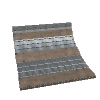
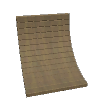
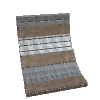
|
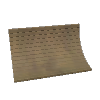
V2 Raft Hull Rib, a curved hull wall going for 0-90 degrees a combo of 3 hull walls. See more info on Hull Mechanics. |
| Ship Prow (Wood)(Iron) |

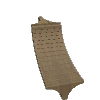
|
Allows for creating a front/back of the ship. Pairing this with a Rib side and a rib corner will seal the ship completely. |
| Ship Prow (sleek) (Wood, Iron) |


|
Makes ship more angular and compatible with 1x8 floor seals |
| Ship Prow (cutter+seal) (Iron) |


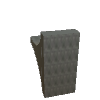
|
Makes ship more angular and compatible with 1x8 floor seals |
| Ship Hull-Rib Corner (Wood, Iron) |


|
Allows for sealing a hull for a ship. Useful when adding hull sides and prow pieces to seal a ship from all directions. |
| Ship Hull Corner floor (Wood left & right, Iron left & right) |


|
Allows for sealing a hull for a ship. Useful when adding hull sides and prow pieces to seal a ship from all directions. |
| Rudder Basic |  |
Basic Raft Rudder, turns with wheel. First rudder on ship will also move ship's wake effects to its location. Future updates may add functionality |
| Rudder Advanced (Iron) |  |
Advanced Rudder, a larger rudder that turns with the ship. First rudder on ship will also move ship's wake effects to its location. No other functionality. |
| Rudder Advanced (Wood) |  |
Advanced Rudder, a larger rudder that turns with the ship. First rudder on ship will also move ship's wake effects to its location. No other functionality. |
| Rudder Advanced Twin (Wood) |  |
Advanced Rudder, a larger rudder that turns with the ship. First rudder on ship will also move ship's wake effects to its location. No other functionality. |
| Rudder Advanced Twin (Iron) |  |
Advanced Rudder, a larger rudder that turns with the ship. First rudder on ship will also move ship's wake effects to its location. No other functionality. |
| Steering Wheel |  |
Steer the vehicle. Steering will be fast on slow speed, medium on half speed, and slow on fast speed. Previously all steering was slow. The direction it faces will determine the direction the boat sails. |
| Raft Sail |  |
Tier 1 Raft Sail. Offers modest sailing power. |
| Karve Sail |  |
Tier 2 Karve Sail offers mid-level sailing power. |
| Viking Sail |  |
Tier 3 Viking Sail offers high-level sailing power. |
| Drakkal Sail | |
Tier 4 Drakkal Sail offers high sailing sailing power and looks great. |
| Custom Sail (3) or (4) corners |  |
Tier 1 Custom Sail, Offers a customizable sail of 3 points or 4 point sails. Each sail cubic foot is counted for sailing force. The sails are a balanced at tier1 sailing. |
| Rope Anchor |  |
Connect an infinite number of ropes from this anchor point to the target prefab's center position. To disconnect grab a rope from the anchor point and re-attach to the already attached prefab. It should disconnect the rope. Ropes will not have any affect on physics. They do not anchor the ship. |
| Rope Ladder |  |
Connect a rope ladder to a boat or any building to allow for climbing from the ground up to the building. Will automatically extend to seafloor or ground every couple seconds if the terrain changes. |
| Boarding Ramp (normal, Wide) |  |
Boarding ramp can extend out from 1 - 50+ units. Each unit adds an additional expanded plank. There are no resource costs to increasing the extension bridge size. Boarding ramps collide with the sea so they will effectively hover over the sea. Ramps require network connection in multiplayer to properly work if the player is not the owner. |
| Dirt Floor (1x1, 2x2) |  |
Allows for growing vanilla Valheim crops. Currently does not support mods that utilize heightmaps to determine placement. Each dirt section is not a heightmap. |
| Ram Stake (Wood,Iron) (1x2 2x4) |


|
Allows for ramming ships, destroying rocks, and hitting monsters/characters. Rams impact within an area. A ram stake is better for piercing damage but will not do any slash or hurt trees. |
| Ram Blade (Iron-Only) (left, right, top, bottom) |


|
Has the largest area of effect hit, will crush rocks and by design is meant to be used as armor to bash and shred enemy ships. This ram is inspired (and part of) the nautilus project |
| Watermask creator - hides water |  |
Hides water, can be used to see through water from inside and outside. Allows for placing custom cubic shapes and other ships. Ships are generated via a point system each point creates a Bounds and each additional point increases the bounds. Final output is a volume which then is applied to the shape (Cube) or other ones if picked. Cube is only stable one working right now. Place 8 points. To generate the custom water mask. Can be deleted when in edit mode. vehicle colliderEditMode to toggle the edit mode. Edit mode has blue boxes around all watermesh hiders |
| Window Porthole Walls and floor (2x2, 4x4, 8x4) (4x4 floor) (v2.5.0+) |


|
Protects the user against external threats and allows clear visibility of outside. Has half the health of the Iron / Yggdrassil reinforced wood prefabs. |
| Anchors (v2.5.0+) |


|
Allows for physically anchoring the ship when the anchor touches the land. This will sync across clients. Users will need to get to the swamp and find materials to make it there. Without an anchor you will not be able to immediately stop the ship. _ This excludes flight. Flight can always immediately anchor the ship_. |
| Swivels (v3.4.0+) |  |
Allows for rotating or moving any prefab in the game using mechanism toggles as a trigger._. |
| Mechanism Toggle (v3.4.0+) | 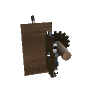 |
Allows for customizing the swivels and activating them at a distance. Requires power by default to activate a swivel. Additionally defaults to opening the vehicle debug panel which can toggle creative mode and other things._. |
| Eitr Power Generator (v3.4.0+) | 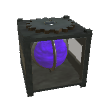 |
A way to use eitr and generate energy. Refined Eitr converts at a configurable rate into power. This power can then be used to power swivels or charge players through the charge panels. |
| Eitr Power Storage (v3.4.0+) | 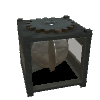 |
Stores energy. Required for charge/drain panels to work. Additionally required for swivels to work. |
| Drain/Charge Activator Plate (v3.4.0+) |

|
Charges the player with eitr. Converted from the system eitr at the inverse of the drain rate. Default is 10 eitr (regen) per second at a loss of 1 energy. The Drain panel allows the player to use their regen to charge a panel with a 10 eitr (regen) per second cost. |
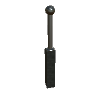
| Pylons (unavailable) |
|
Allow extending the grid much further. Have electrical arcs. Will be useful in determining which networks are connected via the visible discharge of the electricity. This is a beta feature until it's ready. |
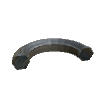
| Vehicle Dock |
|
Allows for docking of ships. A single land vehicle can be attached to the dock and then undocked. This allows players to drop a land vehicle near the shore and the redock it when returning. Docks can also work in the air and can allow an air vehicle to drop a land vehicle and then later grab it from the ground. |
Experimental Prefabs
These prefabs are not fully ready or may be broken into smaller pieces. Please follow the description when using these prefabs and please be mindful that they are only available early so people can test them out and/or have fun with them. They are not meant to be balanced.
| Name | Icon | Description |
|---|---|---|
| Nautilus |  |
Nautilus is inspired by Jules Verne's 20,000 Leagues Under The Sea. Built with original assets by RacerX and given free to Zolantris on discord. This Prefab has all the meshes from the boat included, but the hatch is pulled back to players can enter the boat. It's not meant for serious play, and the recipe needs to be more balanced + the ship needs to be fully rigged for propulsion (propellers do not move, nor do the fins) |
Installation Guide
:warning: The Raft Mod must be installed correctly in order to resolve Custom Sail materials. :warning:
- Folder must be placed within
<ValheimGameFolder>/BepInEx/plugins/ - The folder must be named
ValheimRAFTorzolantris-ValheimRAFTand contain aAssetsfolder
Noting that in future updates this may not be required, however loading custom textures will always be supported. This allows players to drag and drop their favorite logos or custom sail textures and see them in game.
Current logos
| Name | Image |
|---|---|
| Stag Logo |  |
| Pirate Logo |  |
Hull Mechanics
These mechanics apply only to V2 WaterVehicles. The older V1 rafts will never support this feature.
Every piece of hull added to a ship will adjust the ship's floatation.
Floatation is determined by the key HullFloatationColliderLocation.
| Value | Floatation Calculation Description |
|---|---|
| Average | Average is the total number of vehicle pieces height averaged together. Example: 4 pieces are used with 0 height and 1 piece at height 5. The average would be (sum of height)/(number of pieces) or 5/5=1 height. If a hull is 4 pieces high the mid point (top of second piece) would be the floatation point |
| AverageVehiclePieces | The average of hull pieces only on the vehicle. This makes it ignore things like masts making hull calcs a bit more legitimate. |
| Center | The center point between the max height hull piece on a raft and the lowest height hull piece placed on a raft. No quantity will be factored in to determine the center point. |
| Fixed | Fixed a 0. This will never move making it the most stable way to build boats. This is the default config. Other values will mutate the floatation as more pieces are added or removed. |
| Custom | Direct way to control each vehicle. This will only be allowed on local vehicles. Place the FloatationPrefab on a surface of the boat. The surface's height will become the new float position. Placing another FloatationPrefab will unset and revert the vehicle back to the global default EG Fixed,Center,Average,AverageOfHull. This can launch the player beware of moving the custom float marker while on the vehicle without fall-protection. |
Client/Server/SinglePlayer Support
Server support may or may not work. In >=1.6.2 ships and loading were mainly
fixed by adding some threading
optimization. There is also a config called ServerRaftUpdateZoneInterval this
allows users to tweak the update
frequency of checks.
The following has been tested:
- SinglePlayer
- boats will load
- FPS issues with giant ships
- Client only with a server IE (connecting to server without mod),
- creating a boat and logging on and off the server does not destroy the boat.
- sailing and teleporting does not destroy the boat.
- The client will still be able to create items and the server will keep those raft items. (unless you have mods that garbage collect unused ZDOs)
- restarting/stopping/starting server keeps the boat.
- Removing the ValheimRAFT mod from the client will make the server glitch out the boat items.
- joining back (after adding the mod again) will render the items correctly.
- Loading a ship into view will possibly
- Server & Client
- Loading a 4500 build plan ship. Traveling around a couple sectors. The ship remained as built.
- Moving away from the ship until it unloaded. Moving back immediately and
attempting to land on the ship while it
renders. It works and still loads. Looks a bit funny as it spawns.
- Warning to anyone that builds property next to a large ship, when it renders it's possible a wave could briefly flip it and the top part of the ship rolls and hits property.
Config
ValheimRAFT has extensive config. If you do not like the current balance, you are capable of editing this config and setting thing the way you like.
Please feel free to share the config if you feel it is more balanced than default. Maintainers will need to test it before accepting it as the default though.
Please download the mod Official BepInEx Configuration Manager to be able to edit ValheimRAFT config while playing. Most of the config can be set while playing.
Excludes
- prefabs
- patches
- zone related content or first render content
There is auto-documentation for this config at this link. Please go here to read up on all the config. config auto-generated document
Commands
ValheimRAFT has many commands. Please read below to see what is possible. All
Commands start with vehicle and then have a argument.
I highly recommend installing Server DevCommands by Jere if you want to get code completion for these scripts. (I believe it's this mod that does this. Also allows flight and other hacks on servers and automating it if you want to debug a build.)
| name | type | description |
|---|---|---|
help |
everyone | Shows command help text. |
debug |
admin | Opens the vehicle debug menu and related tools. |
destroy |
admin | Deletes the current nearby vehicle and destroys all of its pieces. |
recover |
everyone | Recovers nearby vehicles/pieces within recovery range. |
report-info |
everyone | Prints a diagnostic report for the current/nearby vehicle. Useful for bug reports. |
move |
admin | Moves the vehicle by relative x y z offset. Example: vehicle move 0 0 -50. |
moveUp |
admin | Moves the vehicle vertically by the provided offset. |
rotate |
admin | Resets tilt or rotates using explicit Euler input. |
toggleOceanSway |
everyone | Toggles ocean sway behavior for the nearby vehicle. |
creative |
everyone | Toggles vehicle creative mode and moves the raft into creative edit positioning. |
colliderEditMode |
everyone | Toggles water/collider edit mode for vehicle water mesh editing. |
resetLocalOwnership |
everyone | Forces local ownership takeover for the nearby vehicle when applicable. |
clearBoundaryChunkData |
everyone | Clears boundary chunk data on the nearest vehicle and forces a boundary rebuild path. |
fixAllVehiclePositions |
admin | Fixes the position of vehicle and all prefabs that are part of the vehicle. Applies to the entire world. Use fixNearbyVehiclePositions if you are not an admin or want to fix a vehicle in your area.Optional args: minHeight maxHeight. Warning this will potentially kill players if they are mid-flight or on a vehicle that this command runs on. |
fixNearbyVehiclePositions |
everyone | Fixes the position of vehicle and all prefabs that are part of the vehicle. Applies only to vehicles in a radius around the player. Optional args: radiusX radiusZ minHeight maxHeight (radius defaults to max of 250 250. Players can provide values that are lower eg 50 50).- This is less disruptive than fixAllVehiclePositions which runs everywhere including on potentially active vehicles. |
Debug-only commands are intentionally omitted from this production README section.
Issues
If you have a bug, please create an issue under the repo's issues section.
Player.logis required to properly debug many issues. Otherwise, you will not be providing enough information for maintainers to help. Please copy paste the log or /drag drop it into the github issue.- Player.log can be found under the User directory's AppData path for
valheim (Same location as worldsaves). This path should work if copy
pasting
into Windows explorer
%USERPROFILE%\AppData\LocalLow\IronGate\Valheim\ - Full path
example
C:\Users\bob_smith\AppData\LocalLow\IronGate\Valheim\Player.log- bob_smith - is the example username.
- Use the
%USERPROFILE%to skip having to add your username or drive path before it. (more detailed)
- Player.log can be found under the User directory's AppData path for
valheim (Same location as worldsaves). This path should work if copy
pasting
into Windows explorer
- Please respect the form. Adding the relevant information makes it easier to triage the problem.
Click here to create an issue now.
Mod Support
In 1.6.0+ this mod supports PlanBuild a popular blueprinting mod.
Support is added via a patch that makes PlanBuild use the Raft localPosition
instead of world position which each item
could be moving/swaying and updating as the PlanBuild iterated through the
items. This easily breaks the Plan save.
- Hopefully this logic can be incorporated within PlanBuild directly. There is a config toggle to turn this patch off to future-proof things.
- Alternative approaches for this could be doing a detection if the game object is attached to a parent object and calculating coordinates of the items after all object positions have been fetched.
Noting that Planbuild does not register well with harmony so searching for it is
not possible (from what I saw). There
is a path resolution and a config flag to enable coordinate fixes. Disable the
config value fixPlanBuildPositionIssues
and it should no longer cause errors for not having PlanBuild installed.
FAQs
Please read these if you are experiencing trouble.
Help My Vehicle
Help My Raft is A Box
- Did you install the ValheimRAFT mod correctly?
- No? Install it correctly following this guide, otherwise the commands may not work or sails will not be generated.
- Did you upgrade from v1.x.x to >=v2.0.0?
- Run
vehicle recoverthis command works in>=2.0.2 - v2.0.0 had to make a plugin GUID change which likely broke the prefab registry of the v1 raft. This GUID change was in order to reset older mods from pointing to the updated ValheimRAFT and breaking features.
- Run
- Are you manually installing?
- A: Yes? Don't do it.
- Install r2modman and have it manage your mods. This prevent a bunch of installation problems with raft and other mods especially as valheim updates.
- https://thunderstore.io/package/ebkr/r2modman/
- No: Good Job, debugging the problem should be as simple as unchecking your mods, automatically updating things, and editing your configs.
- A: Yes? Don't do it.
- Did you install a mod that is crashing the bepinex plugins?
- Try to remove mods that are older. Many mods are not meant to endure updates from valheim and need a fix to make their code stable again. Disable all older mods and only include ValheimRAFT, Jotunn, and BepInEx.
- Did you install a mod that overrides ValheimRAFT code?
- Mods that override
Player.PlacePiecewill cause problems with piece placement.- Example Gizmos overrides the rotations and angles of pieces so it is
not compatible for a boat in motion. Use
vehicle creativeorraftcreativeto make the ship stop moving and place pieces.
- Example Gizmos overrides the rotations and angles of pieces so it is
not compatible for a boat in motion. Use
- Mods that override
Player.GetControlledShipwill cause the boat to be unable to interact or update hud or be controlled. - Mods that adjust or change
ShipValues from Valheim will no longer affect the V2 WaterVehicle. This means the Vehicle is much more resilient and more compatible with mods that add new ships but also means it has it's own logic so the ship will not benefit OR break from those mods.
- Mods that override
Help My Raft Turns into a Box when I load the area
- Are you on a dedicated server?
- No? Switch to a dedicated server. The raft mod may not be stable when hosting from a LAN IP. This likely was fixed in >=2.0.0. But will continue to be an issue if you are using a v1 raft.
- No, But I'm on single player...
- Submit a bug report. Single player should render correctly. If you only have ValheimRAFT + Jotunn and absolutely trust your mod list.
Help My Raft went underground
- For now there is no command to save your raft.
-
Download Unity Explorer
-
Under Object list search for
WaterVehicleShipit should show up asValheimVehicles_WaterVehicleShip
ValheimVehiclesis a prefix for anything related to V2 RAFT/Vehicles mod.- If you see multiple ships, make sure you click the green box to Enable/disable them to confirm you are changing the correct ship.
- Change the height of the vehicle by clicking on the Object and
within
inspector- another pannel, click on local position and change the Y coordinate to +20 height or more.- Make sure you never change the x or z positions otherwise the boat might be removed from rendering and be sent to the other side of the world.
- Example
Position 1600.084 29.7749 1685.39Set to1600.084 50 1685.39
Help My Raft Is Sinking When I Build Hulls
- Please read the guide on Vehicle Hulls? Each Hull affects the floatation of the vehicle.
- Select the correct config and add or remove a piece to see the ship update based on the new config value.
My Bed does not update
This is a known issue do the following work-around.
- Every time the raft is moved and then stopped. Rebuild your bed and then set your spawn again.
This may be resolved in future updates.
Graphics
This project supports both Vulkan and Direct3D11 as of >=1.6.11. Previously it only supported Direct3D11.
Contributing
- Please fork the codebase and make a pull request via your fork branch.
- Changes need to be feature based IE keep the changes minimal and single focused. Larger changes are welcome, but they have higher chance of breaking other things and are harder to maintain.
- If you want to directly get involved. Reach out on discord.
- Please read the Contributing.md document for more information
Maintainers
| Name | Date | Active |
|---|---|---|
| Zolantris | 12-2023 - present | Active |
| Sarcen | 04-2021 - 08-2023 | Inactive |
Attribution
Support Open Source

Videos and Promos
Logging Metrics
NOT APPLICABLE YET.
These packages may contain logging. Logging can be opted out by any user by
unchecking enableMetrics. If you choose to opt-out, please be aware, this will
make it more difficult to troubleshoot issues.
- Logging does not do anything without a SentryUnityPlugin package that has not been made available to the community (yet). In future updates Sentry logging will be recommended to beta testing players so benchmarks can be collected related to Vehicle performance.
What information will be collected
- Paths related to Valheim Game directory
- Paths related to ValheimRAFT / ValheimVehicles plugin directory such as symlinked directories from vortex mod installer or directories created by r2modman or thunderstore.
- Health related to the ValheimRAFT mod. It will track performance, slowdowns, and bottlenecks making it significantly easier to debug.
This logging has yet to be implemented.
CHANGELOG
Changelog
All notable changes to ValheimRAFT are documented here. For full commit history see the GitHub Releases page.
[4.2.2] - 2026-03-14
Fixed
- ensure that sails request a sync to other peers
- ensure peers can send a message that sail has been updated.
- ensure sail data is not corrupted
- ensure a failed claim of a sail can be recalled to request ownership.
[4.2.1] - 2026-03-14
Fixed
- fixes a constant stutter issue with valheim raft on non-dedicated servers and likely fixes dedicated server stuttering. Issue introduced in 4.2.0 with server sync fixes
- ensure that syncs only happen on vehicles for servers within 250 unit radius of an active player. This ensures only active vehicles are force synced to these positions.
[4.2.0] — 2026-03-13
Added
- Vehicle Name field — set a custom name per-vehicle, saved to ZDO and shown on
the minimap pin as
V:<name>. - Custom minimap pin icons for all vehicle types (water, land, air) sourced from the asset bundle.
AddTextInputRowUI helper — reusable TMP input field that scales to its container, withonChangedandonEndEditcallbacks.- Documentation overhaul — new tutorials for Basics, Cannons, Power System, and a Changelog.
Fixed
- Map pin sync stability improvements and NRE guards on server reconnect.
- Vehicle config panel input text rendering white-on-white (was inheriting label colour instead of input text colour).
- Server sync and GUI inconsistencies across clients.
[4.1.3] — 2025-12-04
Fixed
- Archive step in the release build pipeline.
[4.1.2] — 2025-12-03
Fixed
- Optimised
HumanoidOnAttackTriggerpatch to better support external mods that hook the same method. - Versioning chores and dependency bump to Jotunn 2.27.
[4.1.1] — 2025-10-20
Fixed
- Sail normals rendering incorrectly on some mesh variants.
- Flight stability issues when sails were attached to a flying vehicle.
[4.1.0-beta.1] — 2025-10-14
Added
- Vehicle chunk boundary limits — constrain the physics bounds of a vehicle to a defined area using Boundary Chunk Addition prefabs.
[4.0.4] / [4.0.3] — 2025-10-12
Fixed
- Removed the 4×4 Dirt Planter prefab which was accidentally included in the release build.
[4.0.2] — 2025-10-12
Added
- Vehicle boundary safety — prevents hull collision bounds from expanding dangerously when pieces are placed at extreme offsets.
[4.0.1] — 2025-10-03
Fixed
- Unity 6 compatibility for Water Vehicle ships and Air Vehicles.
[4.0.0] — 2025-08-25
Added
- Full Unity 6 compatibility pass across all vehicle types.
- Power System: Eitr Power Generator, Eitr Power Storage (battery), Power Pylons (BETA), and Drain/Charge Activator Plates.
- Swivels — rotate or move any placed prefab using Mechanism Toggle triggers. Requires power by default.
- Mechanism Toggle (mechanism switch) — configure swivels, open the vehicle debug panel, and trigger docking sequences.
Changed
- Swivels now require a connected power network and charge to activate ( configurable).
[3.7.2] — 2025-08-24
Added
- Prefab naming snapshots — prefab names are now stable across saves.
- Various quality-of-life improvements to piece placement and snapping.
[3.7.1-beta] — 2025-08-16
Added
- New hull pieces and updated existing hull geometry.
[3.6.6] — 2025-07-31
Fixed
- Steering wheel not detecting the player when standing at certain positions.
[3.6.5] — 2025-07-30
Fixed
- Null reference exception on equip patch affecting some item interactions.
[3.6.4] — 2025-07-26
Added
- Cannonballs (solid bronze, explosive blackmetal) added to the items section.
Fixed
- Multiple stability fixes across the 3.6.x cannon release series.
[3.6.3-beta] / [3.6.1-beta.2] / [3.6.0-beta.1] — 2025-07-21
Added
- Fixed Cannons — mount to any vehicle or base. Controlled from the Steering Wheel on a vehicle or from the Cannon Control Center off-vehicle.
- Cannon Control Center (telescope) — fire-control station for fixed cannons. Manages all cannons within its discovery radius (default 15 units). Supports four directional groups (forward / port / starboard / aft).
- Handheld Cannon — mobile cannon with auto-aim mechanics. Fully multiplayer compatible.
- Cannonball ammunition — solid (piercing) and explosive (AoE blackmetal) variants.
[3.5.4] — 2025-07-03
Fixed
- Compile error in swivel stability changes.
[3.5.3] — 2025-06-24
Fixed
- Missing prefabs added back to the build.
- Scale of corner floor hull pieces corrected.
[3.5.2] — 2025-06-23
Added
- Improved vehicle docking — child vehicles now align anchor-to-anchor with lerp smoothing.
- Mast ZDO syncing across clients.
Fixed
- Sail mesh and rotation sync issues.
[3.4.3] — 2025-05-30
Fixed
- Eitr Drain Conduit multiplayer sync issues.
- Swivel multiplayer sync reliability.
- Power network logic sync across clients.
[3.4.0-beta.1] — 2025-05-10
Added
- Swivel GUI improvements — configure rotation axes, speed, and power requirements from a dedicated panel.
- Swivel rotators with visible connection lines.
[3.3.0] — 2025-04-29
Added
- Custom masts with crow's nest — tier 1–3 mast variants with a climbable crow's nest platform.
- Vehicle Save & Spawn system — save a vehicle blueprint to disk and spawn it later anywhere. See Vehicle Storage Tutorial.
[3.2.1] — 2025-04-28
Added
- Russian and Chinese Simplified translations.
[3.2.0] — 2025-04-28
Added
- Vehicle Hammer — dedicated build tool replacing the vanilla hammer for all ValheimRAFT pieces. All vehicle prefabs now live under its tabbed build menu.
- Custom floatation height per vehicle — set a fixed height or use the Floatation Prefab for per-vehicle control.
- Toggle switch persistence — mechanism switch state is now saved to ZDO.
Changed
- Removed V1 raft support. Use
vehicle recoverto migrate old V1 rafts. Customfloatation mode is now locked to local vehicles only to prevent sync bugs on shared ships.
[3.1.0] — 2025-04-04
Added
- Collision object parenting optimisations — large ships with many pieces load faster.
[3.0.8] / [3.0.7] / [3.0.5] / [3.0.4] — 2025-04-01
Fixed
- NRE in collection rebuild bounds on ship load.
- Convex hull optimisation — large ships compute collision bounds significantly faster.
- Valheim game update regressions.
- Land vehicle stability and tread rotation logic.
[3.0.0-beta] — 2025-02-01
Added
- Land Vehicle (tank) — wheeled/tread ground vehicle. Drive it overland or load it onto a water vehicle for transport.
- Tank tread rotation logic — treads animate based on vehicle velocity and turning.
- Boundary alignment tools for large vehicle builds.
[2.5.3] — 2025-01-20
Added
- Anchor HUD — shows anchor state on screen when near your vehicle.
Fixed
- Stability tweaks for anchor physics and multiplayer sync.
[2.5.0-beta.1] — 2025-01-12
Added
- Anchors — physically anchor the ship when the anchor touches the seabed or terrain. Synced across clients. Requires swamp-tier materials.
- Window Porthole walls and floors (2×2, 4×4, 6×4, 8×4 iron variants) — see through hull sections with half the health of solid iron pieces.
- New hull geometry: corner floors (2×2, 2×4, 2×8 left/right wood and iron).
[2.4.3] — 2024-11-30
Fixed
- Player control responsiveness tweaks while helming a vehicle.
- Ship lean cosmetics towards wind direction.
- Boat ownership transfer stability.
[2.4.2] — 2024-11-24
Fixed
- Water damping minimum and maximum values clamped correctly — ships no longer oscillate uncontrollably in rough weather.
[2.4.1] — 2024-11-11
Fixed
- Auto-ascend/descend logic for flying ships.
- Target height offset when flying causing incorrect vertical positioning.
[2.4.0] — 2024-11-10
Added
- Water ballast mass system — hull pieces affect buoyancy dynamically.
- Flight mode — vehicles can be made to fly using ballast controls.
- Vehicle map pins — vehicles now show on the minimap.
- Translocations (teleport vehicle to player position, admin only).
- Rope Ladder — climbable ladder that extends to the ground or seafloor automatically.
[2.4.0-beta.1] — 2024-11-09
Added
- Water mesh masking (water opacity bucket) — hide water inside or around a sealed hull to create submarine-like interiors.
- Dynamic location system for world-space vehicle placement.
[2.2.4] / [2.2.3] / [2.2.2] — 2024-08-25
Fixed
- Ship floatation logic regressions.
- Flying vehicle height and ballast stability.
- Sail asset and ladder tweaks.
- Hull piece sizing corrections.
[2.2.0] — 2024-07-06
Added
- Fully sealable hull — new rib, corner, prow, and seal pieces allow building a watertight ship.
- Yggdrassil iron reinforced prefab variants for hull walls and floors.
Fixed
- Rudder turning speed optimisations.
- Sail rotation, physics, and anchor behaviour tweaks.
- Many hull wall and floor collision bug fixes.
[2.1.1] / [2.1.0] — 2024-05-22
Fixed
- Sail 3-point mesh not rendering correctly.
raftcreativerotation fix — no longer rotates the vehicle unexpectedly.- Multiplayer RPC stability improvements.
[2.0.3] / [2.0.2] / [2.0.1] / [2.0.0] — 2024-05-17
Added
- V2 WaterVehicle — completely rewritten vehicle system with proper physics, ZDO syncing, and hull floatation.
vehicle recovercommand — migrates V1 raft pieces to the new V2 system.- Boarding Ramp — extendable ramp (1–50+ units) for boarding ships from the water or shore.
- Dirt Floor (1×1, 2×2) — grow vanilla Valheim crops on your ship.
Changed
- Plugin GUID changed from the original ValheimRaft GUID to
zolantris.ValheimRAFT. Existing V1 ships must be recovered withvehicle recover.
Fixed
- ZDO logging spam on rope anchors removed.
- Multiplayer ship sync regressions from 2.0.x patch series.
[1.6.14] — 2024-01-21
Fixed
- Local server (LAN host) ship rendering on connecting clients.
[1.6.13] — 2024-01-20
Fixed
- Rendering regression introduced in 1.6.12 for locally hosted servers.
[1.6.12] — 2024-01-07
Fixed
- Nexus/Vortex folder structure install path.
[1.6.11] — 2023-12-30
Added
- Vulkan graphics API support (Windows and Linux).
Fixed
- Collider placement moved below the lowest deck to stop clutter items flipping the boat.
- Config options added for collider sensitivity.
[1.6.9] / [1.6.10] — 2023-12-30
Fixed
- Anchor now correctly stops a flying raft.
- Sail component NRE guards to prevent log spam.
[1.6.7] / [1.6.8] — 2023-12-29
Added
- Boat size-based sailing calculations — larger ships are proportionally faster.
- Admin-only build mode config option.
Fixed
- Thunderstore folder structure for manual installs.
[1.6.5] / [1.6.6] — 2023-12-27
Fixed
- Sail mesh generation errors.
- Rope anchor duplicate WearNTear NRE spam.
[1.6.4] — 2023-12-26
Added
- Sail area calculations — sail speed is now based on the cubic volume of each sail.
[1.6.3] — 2023-12-24
Fixed
- Stable dedicated server and client raft rendering.
[1.6.2] — 2023-12-21
Fixed
- Server stability for zone-based raft updates.
- Plugin patch compatibility fixes for mods hooking ValheimRaft classes.
