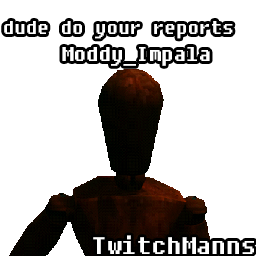
TwitchMannequins
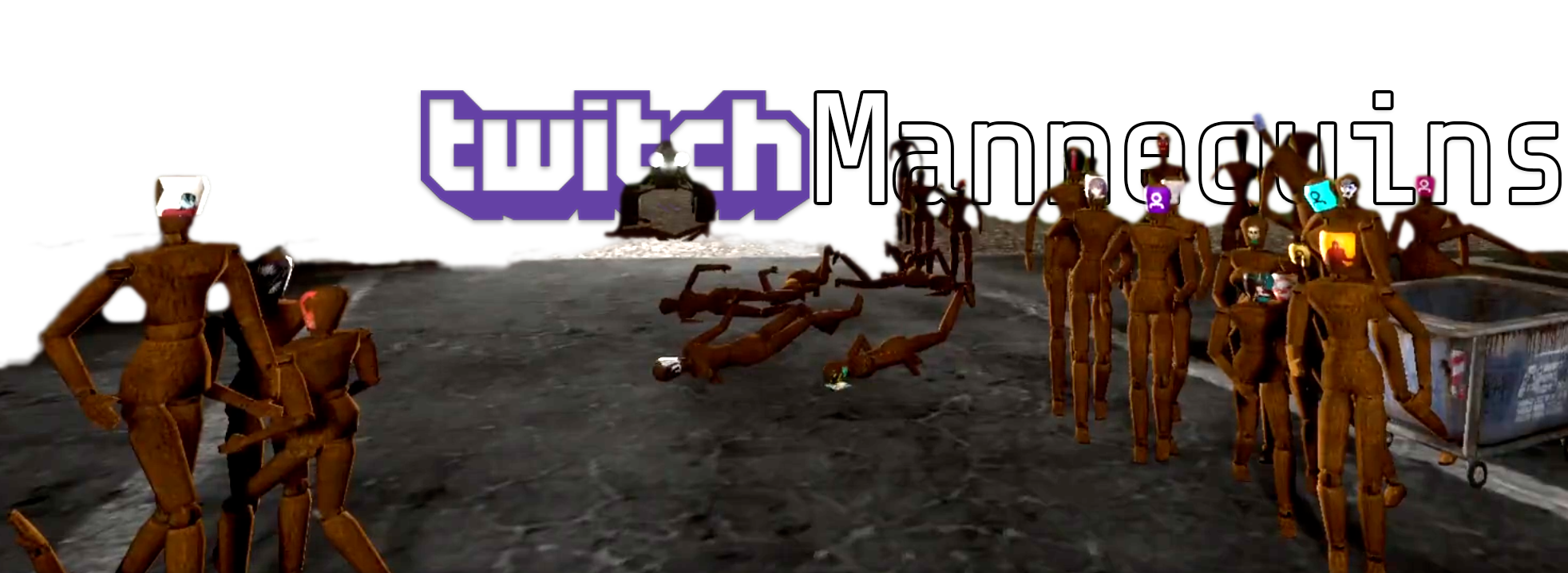
New Twitch integration mod for VotV! Your viewers join the void - spawn mannequins from subscribers and channel points; See their chat in-game! Includes Speaker.bot TTS support.

Feeling lonely searching for signals? Ever felt like Voices of the Void lacked actual voices in the void?
Give your chatters an in-game voice with TwitchMannequins!
This mod allows users to spawn Mannequin props with their name attached, and chat in-game respectively. It even allows TTS integration with Speaker.bot and plays audio in-engine.
Based on the original concept and tested by DaveKap and his wonderful community.
Having issues with the mod? Please make sure you're on the correct "Preferred version" of unreal-shimloader.
What can this mod do?
-
Subscriber Mannequins: Automatically spawns mannequins when viewers subscribe or gift subs to your channel
-
Channel Points Integration: Viewers can redeem channel points to spawn their own mannequins
-
Interactive Chat: Spawned mannequins can display chat messages from their respective viewers
-
Text-to-Speech: Optional TTS integration using Speaker.bot for spoken chat messages. Spoken in-game!
Quick Setup Guide
Step 1: Install the Mod
Step 2: Connect Your Twitch Account
-
When you first start the game with the mod, it will open a browser window
-
Log in to your Twitch account and authorize the application
-
The authorization will automatically close and connect to your stream
Step 3: Configure Your Settings
The mod creates a TwitchMannequins.json file in your mod dll directory. The directory will be something like AppData\Roaming\r2modmanPlus-local\VotV\profiles\[profile name]\shimloader\mod\Moddy-TwitchMannequins\dlls
This json file includes many options to customize your mod experience. Configuration should automatically reload if modified while running. This file should show up automatically in r2modman's Config Editor section.
This is a complex mod with many options. Please see below for an explanation of all the configuration options.
Features Explained
Subscriber Mannequins
-
When someone subscribes to your channel, a mannequin automatically spawns in your game
-
Works for regular subscriptions, gift subscriptions, and renewed subscriptions
-
Mannequins persist and nametags are saved
Channel Points Rewards
-
The mod automatically creates a channel points reward called "Become A Mannequin" (customizable)
-
Viewers can redeem this to spawn their own mannequin even if they're not subscribers
-
Failed spawns should automatically refund the channel points (if the mod is running)
-
Configurable cooldowns prevent spam
Interactive Chat
-
Once a viewer has a spawned mannequin, their chat messages can appear in the game
-
Can configure to only allow subscribers and moderators to chat in game
-
Messages appear as floating text above their mannequin (nametag style)
Chatter Commands
-
Chatters can use "!" prefix-style commands in chat to interact in-game.
-
!angry: Become hostile towards the player, walking towards them. -
!walk: Walk towards the player without causing damage. -
!stand: Stop moving and become un-hostile.
Text-to-Speech (Optional)
If you want spoken chat messages, you can integrate with Speaker.bot:
-
Download and install Speaker.bot (separate application)
-
Enable TTS in config, and optionally customize WebSocket URL:
{

"enable_tts": true,

"speaker_bot_ws_url": "ws://localhost:7580/",

}
Speaker.bot Setup
Speaker.bot setup can be somewhat complex, if help is needed please check in the Speaker.bot Discord or my personal Mod Support Discord.
Go to the Settings tab.
-
Start the WebSocket server (recommended: enable
Auto Startfor it as well) -
Ensure you have at least one Speech Engine added and configured.
-
Create at least 1 voice alias (recommended to create many for user experience)
-
Enable
Save TTS audio to fileand set a location. You may have to periodically clear this folder. -
Set
Application Volumeto0%. -
Important: If using
"tts_use_direct_mode": falseyou must connect your Twitch Account and enable Speaker.bot inSettings -> General. If using"tts_use_direct_mode": trueit is recommended to Disable Speaker.bot in this tab instead. -
Optional: If using a
Random Voicealias, configure theIgnored Voices/Localestab to ignore certain locales. For English, you may want to disable things like bn-*, he-*, ta-*, te-*, th-*, tr-*, etc.
Direct Mode: Customizing User's Voices
Direct mode uses a custom voice alias system stored in a file called voice_mappings.json located in your VotV\Binaries\Win64 folder. Twitch usernames are tied to predefined Speaker.bot voice aliases you must create in the Speaker.bot application. Simply edit this file to assign specific aliases to users.
TTS messages are played in-game using Unreal Engine's audio system, and receive full attenuation (proximity).
Custom Console Commands
This mod adds a few new custom console (terminal) commands to interact with the mod in-game.
Commands start with a manns. prefix.
manns.check Shows confirmation message that mod is installed successfully.
manns.config Dumps current config file into console.
manns.respawn Re-spawns all mannequins at the Radio Tower.
manns.delete Deletes all spawned mannequins.
manns.spawn Twitch_Chatter78 Spawns a mannequin for a specific user.
Configuration Options
The mod creates a TwitchMannequins.json file in your mod dll directory. The directory will be something like AppData\Roaming\r2modmanPlus-local\VotV\profiles\[profile name]\shimloader\mod\Moddy-TwitchMannequins\dlls
This file should show up automatically in r2modman's Config Editor section.
Configuration should automatically reload if modified while running.
Basic Settings
-
enable_redemptions: Enable or disable mannequin spawning redemptions entirely -
enable_chat: Enable or disable in-game chat entirely -
enable_random_spawn_locations: "False" will spawn at the Radio Tower. "True" will spawn at any of the vanilla mannequin spawns -
command_prefix: Character used for commands (default: "!") -
prevent_command_chat: Prevent command messages from appearing as chat
Mannequin Behavior Settings
-
create_mannequin_for_gifters: Create mannequins for users who gift subscriptions -
create_mannequin_for_gifted_subs: Create mannequins for users who receive gifted subscriptions -
create_mannequin_for_all_chatters: Create mannequins for all chatters (not just subscribers, will spawn on first chat) -
mannequin_walking_speed: Speed at which mannequins move (default: 250.0)
Visual Settings
-
chatter_avatars: Attempt to add avatars onto the face of a mannequin -
chatter_colors: Change the color of chatter nametag to Twitch chatter color -
nametag_visibility_distance_scale: Scale factor for nametag visibility distance (default: 1.0)
Chat Settings
chat_sub_only: Only allow subscribers and moderators to chat through mannequins
TTS Settings
-
enable_tts: Enable or disable TTS entirely -
only_show_tts_chat: For piggyback mode - if enabled will not show chat until TTS is processed through Speaker.bot -
tts_use_direct_mode: -
True: Send TTS commands direct to Speaker.bot using WebSocket.
-
False: Use Speaker.bot speech commands and listen for TTS generation events.
-
This is slightly complex to explain, but when "true" the mod dispatches TTS generation events directly to the Speaker.bot application using WebSocket messages. It uses a custom voice alias system stored in a file called
voice_mappings.jsonlocated in yourVotV\Binaries\Win64folder. Twitch usernames are tied to predefined Speaker.bot voice aliases you must create in the Speaker.bot application. -
tts_use_concurrency: Use Unreal Engine concurrency settings. Attempts to limit number of voices played at once, and dampens old/distant voices. -
speaker_bot_ws_url: WebSocket URL for Speaker.bot connection (default: "ws://127.0.0.1:7580/")
TTS Voice Aliases (Direct Mode Only)
-
tts_use_random_voice_assignment: -
True: Chose a random voice alias from a list of every voice alias you have created through Speaker.bot.
-
False: Use the default voice alias defined below.
-
tts_default_voice_alias: The name of a specific alias you've created in Speaker.bot that users should be assigned to automatically on first chat.
TTS Audio Settings
-
vol_mult_min: Minimum volume multiplier for TTS audio variation (default: 0.85) -
vol_mult_max: Maximum volume multiplier for TTS audio variation (default: 1.25) -
pitch_mult_min: Minimum pitch multiplier for TTS audio variation (default: 0.85) -
pitch_mult_max: Maximum pitch multiplier for TTS audio variation (default: 1.25)
TTS Message Processing
-
strip_tts_prefixes: Remove TTS command prefixes from TTS messages before speaking -
chat_prefixes_to_strip: Array of prefixes to remove (default: ["!say", "!", "!"", "!tts"])
TTS Rate Limiting (Direct Mode Only)
-
tts_max_messages_per_window: Maximum TTS messages allowed per time window (default: 10) -
tts_rate_limit_window_seconds: Time window for rate limiting in seconds (default: 60) -
tts_min_message_interval_ms: Minimum time between TTS messages in milliseconds (default: 1000) -
tts_max_queue_size: Maximum number of TTS messages that can be queued (default: 50)
TTS Technical Settings
-
tts_max_consecutive_json_errors: Maximum consecutive JSON parsing errors before giving up (default: 3) -
tts_request_timeout_seconds: Timeout for TTS requests in seconds (default: 30) -
tts_connection_timeout_seconds: Timeout for WebSocket connections in seconds (default: 5) -
tts_maintenance_interval_seconds: Interval for maintenance tasks in seconds (default: 30)
Channel Points Reward Settings
Configure the channel points reward in the redemption_options section:
-
title: Display name of the reward (default: "Become A Mannequin") -
cost: Channel point cost (default: 500) -
prompt: Description shown to viewers (default: "Spawn a mannequin with your name!") -
background_color: Hex color code for reward background (default: "#9146FF") -
global_cooldown_enabled: Enable global cooldown between redemptions -
global_cooldown_seconds: Seconds between any redemptions (default: 60) -
max_per_user_enabled: Enable per-user limits -
max_per_user_per_stream: Maximum redemptions per user per stream (default: 3) -
auto_fulfill: Automatically fulfill redemptions. This is NOT recommended to enable as this will prevent the mod from refunding failed spawn redemptions. (default: false) -
user_input_required: Require user text input when redeeming. Not recommended.
Technical Settings
-
client_id: Twitch application client ID (should not be modified for most use cases) -
local_port: Local port for OAuth callback (default: 3000) - may need to be changed if you are already hosting a service on this port.
Troubleshooting
Mod Not Connecting to Twitch
-
Check that you completed the browser authorization
-
Restart the game if the connection seems stuck
-
Check the game logs (UE4SS.log) for error messages
Mannequins Not Spawning
-
Ensure you're on the regular VotV map
-
Check UE4SS.log for errors
-
Verify your Twitch connection is active
Chat Messages Not Appearing
-
Confirm the viewer has a spawned mannequin
-
Check that
chat_sub_onlysetting matches your needs
TTS Not Working
-
Ensure Speaker.bot is running and accessible, and that the WebSocket server is running
-
Check the WebSocket URL in your config
-
Verify TTS is enabled in both the mod config and Speaker.bot
-
Check that you have voice engines added
-
Ensure you have at least 1 voice alias configured
-
Make sure to enable
Save TTS audio to filein Speaker.bot settings and configure a proper directory. You may have to clean this directory periodically. -
Check Speaker.bot
Event LogorProcessingtabs for WebSocket connections, processing events, etc.
Double TTS Speaking / No Proximity
Your Speaker.bot is playing TTS through the actual application after TTS is generated (as it normally would for streaming).
Ensure Settings -> Application Volume is set to 0%.
Tips for Streamers
Managing Mannequin Spawns
-
Set reasonable per-user limits to keep the game manageable
-
Consider higher channel point costs for non-subscribers, or disabling redemptions entirely
Map Changes
-
Mannequins should save with nametags and when loaded pre-cache all existing mannequins
-
That means viewers shouldn't have to redeem or resub to appear in-game again (unless destroyed)
Support
If you encounter issues:
-
Check the game's log files for error messages
-
Verify your configuration file syntax is correct
-
Try restarting the game if connections seem stuck
-
Share your UE4SS.log on GitHub or my support Discord below
The mod logs plenty of info in UE4SS.log and you can share logs on GitHub or Discord for support.