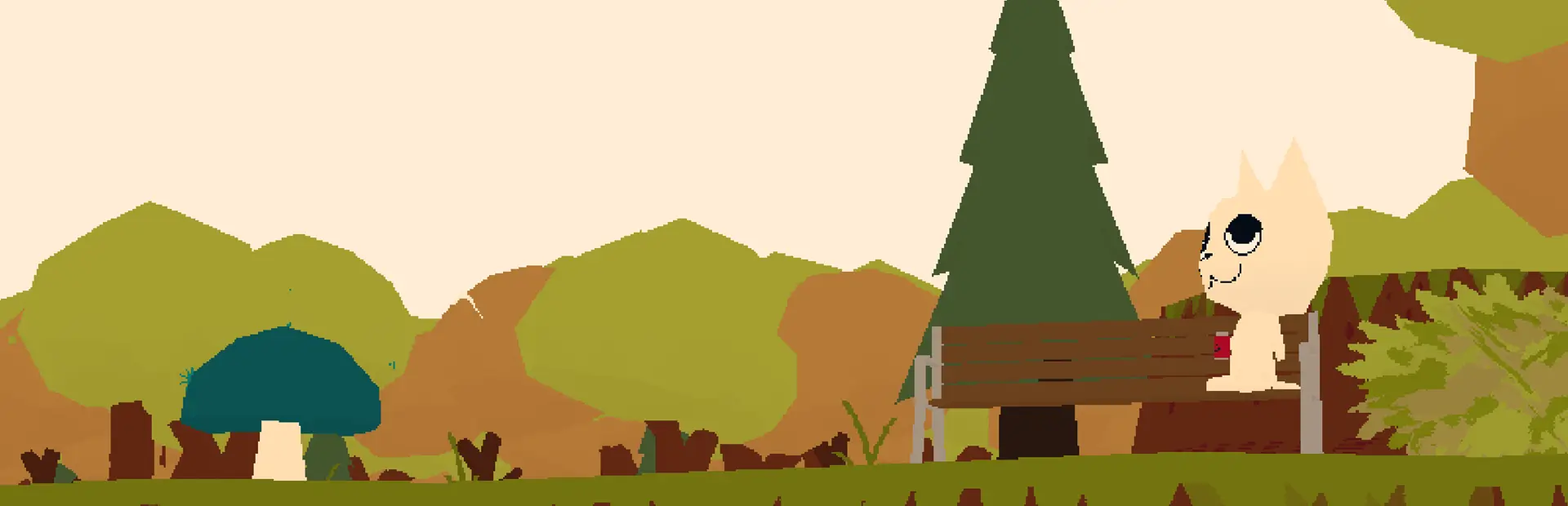
ChalkPP
A collection of handy tools for chalk artists - dither brushes, masking, color fillingChalk++
 <center>Chalk++ art by Ame
 </center>
Installation
Make sure you don't have an older version of Chalk++ installed at the same time!
Manually unzip in your GDWeave directory to install
Or import this zip as a local mod through R2MM etc.
Usage
Y is the default hotkey and is changeable. While using Chalk++,
the trees and benches on canvasses are made invisible and intangible.
Modes
- Checkerboard (Half) dithering
- Dotted (1/9th) dithering
- Masking (freehand drawing)
- Fill
- Symmetrical Mirroring
Controls
-
Equip a chalk to activate Chalk++
-
Press
Ycycle modes, hold down<shift>+Yto cycle backwards -
You can hold down
<SHIFT>while using checkerboard pattern to offset the cells targeted by -- It's hard to explain but you'll see what I mean. -
you can mask while using dithering brushes, by holding
<CTRL> -
In addition to alpha masking you can select a specific masking color by holding
<ALT>and scrolling your mouse wheel-- any chalk that you draw outside of this color will be discarded -
While holding down
<ALT>click on a canvas cell to select the color of the cell as your masking color -
To fill, equip the chalk/color you'd like to apply, select
fillmode from the menu, and click on the color/area you wish to fill
Options
Chalk++ options can be changed in-game using the Tacklebox UI in settings
or by manually editing the GDWeave\configs\Toes.ChalkPlusPlus.json file.
useEraserAsChalk(Default:true): whether or not holding eraser should be considered the same as holding a chalk. I.e., a 'brown chalk'. Changing this tofalsewill allow you to use the eraser while in any mode. Setting this totrueallows you to use the eraser as a chalk with Chalk++ features.
Project
Contributing - pull requests welcomed
Known Issues
Report an issue / Feedback
Roadmap and feature requests
Changelog
v1.3.0 - Mirror Mode 🪞
- Added new mode:
Symmetrical Mirroringthat replicates your chalk drawings horizontally over the Y-axis!- Masking works for this mode and applies to both transformations being applied (This could change potentially later...)
- We will consider adding X and/or Y symmetry toggling upon request, if we receive any feedback or requests about this.
- We tried out X+Y symmetry and it was neat but not super useful-seeming 🤷
- While holding down
<CTRL>to enable the masking utility, or using the masking tool, the UI overlay will now indicate that masking is active.
v1.2.0 - Eraser++
- Eraser now behaves by default just like a chalk. See options for more details and how to toggle this feature on/off.
- While using Chalk++, benches and trees on canvasses will be hidden.
- If using Calico, a small config change is needed in order for this to work, for now.
- Restored warning when attempting to fill the incompatible aquarium canvas.
v1.1.0 - Fixes galore
- UI Overlay style refinement
- Fixed eraser being blocked by Chalk++
- Fixed large fills not propagating to peers (and therefore not persisting)
- This shouldn't happen but please report if you are auto-kicked by an anti-Stamps mod for filling
v1.0.2
- Hotfixed white chalk not working
v1.0.0
- Now requires Tacklebox as a dependency to manage hotkeys (since BlueberryWolfi's APIs haven't been updated in nearly a year and are dysfunctional- not actually saving any of the player's keybind changes. Somebody should make a better Webfishing API ...🤔)
- Minor changes/fixes
- Code overhaul
v0.2.0 - UI Hotfix, Typeface change
- Hotfixed dangling UI dependency causing issues for some players
- Added cute font typeface for Chalk++ UI
v0.1.0 - UI
- Added basic UI/HUD overlay for keeping track of mode selection and mask picking
v0.0.12 - Performance and Quirk Fixes
- Now requires Socks 0.4.0 - be sure to update that!
- Fixed Alt-tabbing while drawing - will no longer continue drawing as if your mouse is still held-down (Vanilla bug)
- Performance improvements!
- Your mode, masking color, etc. now consistently reset to default between different lobbies
- Mostly unseen/internal code refactoring
v0.0.11 - No-More-Stamps Mod Circumvention/Fix
- Large canvas fills are now batched when larger than 1000 cells in order to prevent tripping Stamp-mod detection (this would be extremely rare)
v0.0.10 - Minor control enhancements
- You can now pick a masking color from a cell (
<alt>clicking) while in any mode, not just masking - If you press
<shift>in combination with your cycle-mode hotkey, it will cycle backwards instead of forwards
v0.0.7 - Misc. Fixes and Cleanup
NOTE: You may need to rebind your hotkey, once!
- (FIX) Filling a blank canvas should now constrain pretty close to the canvas's circular shape rather than the entire square canvas
- Many misc. UI cleanup changes
v0.0.6 - Fill feature
- (NEW FEAT) Color filling ("Paint bucket fill")
v0.0.5 - Masking UX Improvements and fixes
- (NEW FEAT) Masking color picker: While in masking mode, hold down
<ALT>and click on a canvas cell to select the color of the sell as the new masking color! - (FIX) You should no longer make accidental chalk marks unintentionally when using your inventory screen
- (CHANGE) Masking selections should no longer reset when changing chalks