
YapyapMinimap
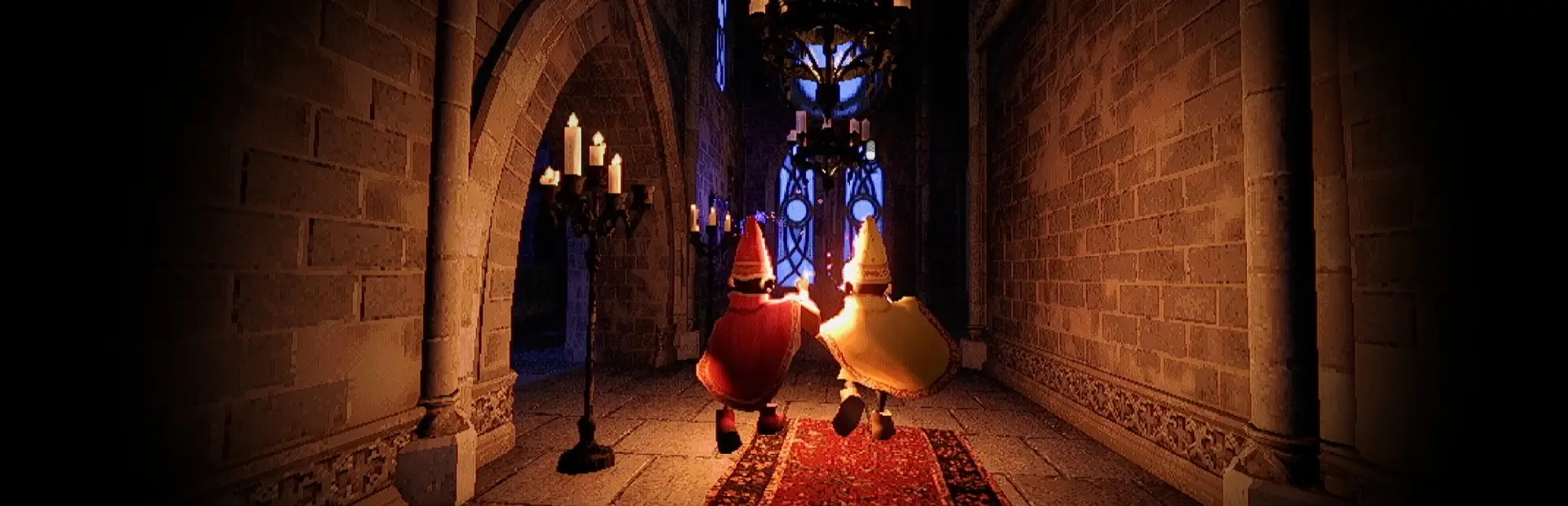
Client-side minimap: your position, teammates, rooms/hallways, an extraction pointer, and hold-to-enlarge.YAPYAP Minimap
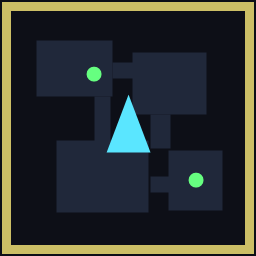
A lightweight, client-side minimap for YAPYAP. It shows:
- You — a cyan arrow at the centre, rotating to show which way you're facing (the map stays north-up).
- Teammates — green dots tracking the other human players (AI guardians/monsters are filtered out). Off-map teammates clamp to the rim so you still see their direction.
- Rooms & hallways — a live top-down view of the actual tower around you (the ceiling is clipped away so you can see inside).
- Extraction pointer — an amber marker that points toward the extraction once it exists in the level.
- Hold-to-enlarge — hold a key to blow the map up to the centre of the screen and zoom out for an overview; release to return to the corner.
It's fully client-side and read-only: it only reads positions the game already shares and draws an overlay on your own screen. It sends nothing, changes no gameplay, and works whether or not anyone else has it installed. It also scales to any resolution/aspect ratio.
Install
Thunderstore / r2modman: click Install (it pulls in BepInEx automatically), then launch with Start modded.
Manual import: in r2modman use Settings → Import local mod and select the zip. Make sure BepInEx-BepInExPack is also installed in the same profile.
Controls (default)
| Key | Action |
|---|---|
| M | show/hide the minimap |
| Tab (hold) | enlarge the map to screen-centre + zoom out; release to return |
| F8 | reload the config from disk (config also auto-reloads on save) |
Configuration
Settings live in BepInEx/config/com.patty.yapyap.minimap.cfg (created on first launch). Edits apply live — save the file and it updates within ~1 second, no restart. Highlights:
| Setting | Default | What it does |
|---|---|---|
General/ToggleKey |
M | show/hide key |
Layout/Circular |
true | round map (false = square) |
Layout/SizePercent |
0.075 | map size as a fraction of screen height |
Layout/Anchor |
1 | corner: 0=TL 1=TR 2=BL 3=BR |
Layout/OffsetX · OffsetY |
0.139 · 0.103 | corner→centre offset (fraction of height) |
Layout/BorderColorHex |
B5B9C2 | ring colour (hex RRGGBB) |
Layout/ExpandKey |
Tab | hold-to-enlarge key |
Layout/ExpandSizePercent |
0.7 | enlarged size (fraction of height) |
Layout/ExpandWorldRadius |
45 | enlarged zoom (world units to edge) |
Layout/FlipVertical |
false | flip the round map if it looks mirrored on your GPU |
Camera/WorldRadius |
18 | normal zoom — smaller is more zoomed in |
Camera/CeilingClearance |
3 | lower if ceilings hide the rooms |
Camera/FloorDepth |
12 | raise if stairs/lower floors get cut off |
Camera/RotateWithPlayer |
false | false = north-up; true = map turns with you |
Extraction/ShowExtractionMarker |
true | show the extraction pointer |
Extraction/MarkerColorHex |
FFB432 | extraction marker colour |
Players/OnlyHumanControlled |
true | show dots only for human teammates, not AI |
Performance/MapRefreshHz |
0 | map image updates per second; 0 = every frame. Lower (e.g. 10) on slower machines / macOS to cut redraw cost |
Positioning on a different setup
Position and size are expressed as fractions of screen height, anchored to a corner, so they hold across resolutions and aspect ratios. If the corner map doesn't line up with your HUD, nudge Layout/OffsetX / OffsetY (and SizePercent), or set Anchor to a different corner.
Notes
- First-person game, so the centre arrow sits exactly on your position.
- The extraction pointer only appears once an extraction point exists in the level.
- Safe to remove at any time — just disable/uninstall the mod.