
StockAlert
Warns on low stock, supports consumer-based auto-adjustment, and highlights useful recipe buildings. Builder icons, worker queues, seasonal alerts.
CHANGELOG
Changelog
All notable changes to this project will be documented in this file.
[1.2.3] - 2026-06-05
Changed
- The zero-building hover now appears on the bottom blightrot icon instead of the blueprint reward button.
- The zero-building hover now opens as a fixed bottom-right panel, includes building icons, and excludes houses.
[1.2.2] - 2026-06-05
Added
- Hovering an assigned worker slot or a race portrait in the worker selection wheel now highlights the relevant villager in the world with a bright ring at their feet.
- Hovering the blueprint reward button now shows unlocked buildings that you currently have zero of, excluding decorations, warehouses, hearths, hydrants, roads, gathering posts, geysers, and similar source-only buildings.
[HUD] ShowWorkerHoverHighlight = false ShowZeroBuildingBlueprintHover = false
Changed
- When assigning a villager from the builders pool, Stock Alert now keeps the base game's normal builder scoring formula of break status plus distance, but adds a penalty for builders who are currently carrying goods. This makes hauling builders less likely to drop their delivery when another suitable builder can be assigned.
- Building shortage indicators now turn grey when a building has enabled shortage recipes, but none can currently be produced because ingredients are missing.
[Workers] AvoidAssigningCarryingBuilders = false
[1.2.1] - 2026-06-03
Added
- Event modifiers with repeating time-based triggers, such as Friend or Foe, now show a countdown badge on their bottom-left HUD icon.
- The base-game top-left builder counter now shows
available/needed, whereneededis how many additional builders could immediately work on active construction sites. It is enabled by default and can be disabled inBepInEx/config/StockAlert.cfgwith:
[HUD] ShowBuilderDemandCounter = false
Changed
- Warehouse hauler icon looks nicer.
[1.2.0] - 2026-05-28
Added
- Added a trade routes screen checkbox that makes the profit calculator only use recipe chains with enough current raw inputs for at least one required production cycle.
- Building shortage indicators now also mark farm buildings when fields in range need sowing, harvesting, or plowing.
- Warehouses with assigned haulers now show one world indicator with the current hauler count.
Fixed
- Season-ending trade route reminders now automatically disappear when the season changes.
[1.1.9] - 2026-05-19
Changed
- Trade route profit now shows percentage profit compared to selling the raw material inputs at the bottom of the production chain, using live recipe output amounts from buildings including perks and showing a calculation breakdown when hovering the profit text or accept button.
- Builder status icons now have separate F8 sub-options for idle builder icons and busy builder icons.
[1.1.8] - 2026-05-17
Added
- Building shortage indicators now show up to four shortage product icons next to the worker icon, with a red border when that product cannot be produced due to missing ingredients.
Changed
- Eligible recipes for automatic production limits no longer depend on placed buildings, and now use recipes available from unlocked blueprints.
Fixed
- Item finder no longer reveals ore veins in undiscovered glades.
[1.1.7] - 2026-05-14
Added
- Added an optional embarkation cost range display that shows the possible cost range on the top-left of each bonus and the current cost on the top-right.
- The current cost is colored green for the lowest possible roll, yellow for a middle roll, and red for the highest possible roll.
- The embarkation cost range display is off by default. Since the F8 settings window is currently only available while in a mission, players who want to enable it before embarking should launch the game once with this mod version to generate the config option, quit the game, then set
ShowEmbarkationCostRanges = truein the BepInEx config. - Added an optional trade route profit display that shows estimated profit per good on route offers.
- Trade route profit is off by default and uses final amber rewards plus the current trader sell value of material and packs of provisions costs.
- Builder status icons now also mark race portraits in the building worker assignment wheel when that race has an idle builder.
- Added an F8 option to anchor the Stock Alert HUD to either the bottom-right or bottom-left corner.
[1.1.6] - 2026-05-09
Added
- Added an item finder overlay that can be used by Ctrl+clicking an item's icon.
- The overlay appears above buildings, events, and resource nodes that contain or provide that item.
- Building overlays show how much of that item is there, including goods already in transit to that building.
- Resource nodes do not show a count.
[1.1.5] - 2026-05-09
Added
- Added an optional ingredient wheel building stock display that shows how much of each insufficient ingredient is currently sitting in non-warehouse buildings.
- Extended building shortage indicators so gathering/source posts can also be marked when they can provide missing ingredients for goods that are marked red in the stock HUD.
Fixed
- Fixed the F8 options window to no longer click through to the game behind it.
- Fixed building shortage indicators to reapply correctly when the game hides the icon state underneath them.
- Potentially fixed stock alert state carrying over incorrectly between missions.
- Potentially improved F8 settings window text display on Linux/Proton.
[1.1.4] - 2026-05-07
Fixed
- Fixed the building icons indicating buildings without workers for goods below threshold to no longer be interactible.
[1.1.3] - 2026-05-06
Changed
- Queued worker assignments now use Ctrl+click on a race portrait, and can queue races whether or not a free villager of that race is currently available.
[1.1.2] - 2026-05-05
Added
- Stock below production limit that cannot be produced further (after current in-progress productions), are now marked in red.
[1.1.1] - 2026-05-04
Changed
- possibly fixed Options Menu text display issue on Linux/Proton and improved overall window visibility and design
- added optional alert for idle builders that auto updates with the count of idle builders
- added optional alert+pause 3 seconds before season ends to check if you have a trade route you still want to start before it changes
[1.1.0] - 2026-05-04
Added
- Added optional queued worker assignments for building worker slots.
- You can now reserve a race for a slot even when no matching free villager is currently available.
- Queued workers only auto-fill when the slot later becomes empty and a matching free villager becomes available.
- Queued races appear as a second icon to the left of the normal worker slot icon, and can be changed or cleared from there.
Changed
- Queued worker assignments are disabled by default.
- When multiple slots are waiting for the same race, the oldest queue is filled first.
- Queued worker assignments are session-only and do not persist across restarts.
[1.0.9] - 2026-05-02
Added
- Added an optional
F8setting to auto-adjust the Purging Fire production limit in blight posts toexisting cysts + 1.
Changed
- The Purging Fire auto-adjust option is separate from the general consumer-based production limit automation and is off by default.
[1.0.8] - 2026-05-01
Added
- Integrated Builder Icon mod into my mod, because I wanted to make some changes to it. Credit to ~DGH! (off by default for those who still want to use the original mod separately)
- My version of the builder icons now shows the exclamation marker over idling builders, while the other builders show the hammer icon.
Credits
- Builder status icon feature adapted from
BuilderIconsource by~DGH.
[1.0.7] - 2026-05-01
Changed
- Changed the HUD pin to the bottom-right corner. It should no longer leave empty space below the HUD after the list shrinks, and instead moves the list down to stay anchored.
- A pin placement option may be added in a future version.
[1.0.6] - 2026-05-01
Changed
- Building shortage indicators now only consider recipes that are currently enabled in each building.
[1.0.5] - 2026-04-30
Added
- Added optional world-space staffing indicators for recipe buildings tied to current shortages.
- Added optional red indicators for buildings that can produce under-threshold goods but have no workers assigned.
- Added optional yellow indicators for buildings that can produce under-threshold goods and are partially staffed.
Changed
- Unmanned recipe buildings without current shortage relevance now keep the normal white vanilla worker icon.
- Updated the README to explain the new optional building indicator behavior.
[1.0.4] - 2026-04-30
Added
- Added an
F8option to automatically adjust global production limits from villager consumption counts. - Added an editable auto-adjust multiplier field from
1.0to9.0.
Changed
- Auto-adjusted limits now round up to the next whole number.
- Auto-adjust only affects goods for recipes currently available in the settlement.
- Updated the README to document the new automation behavior and that it is off by default.
[1.0.3] - 2026-04-29
Changed
- Simplified the
F8settings window to only show HUD controls. - Updated the README to reflect the current
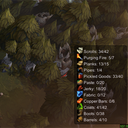
F8behavior. - Refreshed the Thunderstore package with the new screenshot-based icon.
[1.0.2] - 2026-04-29
Added
- Added
Show HUDtoggle in theF8settings window. - Added
Movable HUDtoggle in theF8settings window. - Added saved HUD position persistence for dragged HUD placement.
Changed
- Stock thresholds now mirror the game's global production limits from the Recipes menu.
- HUD alerts now sort by newest triggered shortage first.
- HUD now switches to two columns when more than 15 goods are listed.
- HUD box now auto-sizes more tightly to its visible content.
- HUD now hides automatically outside active missions.
[1.0.1] - 2026-04-28
Changed
- Updated Thunderstore metadata to depend on ATS API 3.7.0.
[1.0.0] - 2026-04-25
Added
- Initial release of Stock Alert mod
- UI window with F8 toggle key
- Per-good threshold configuration
- Real-time alert window showing goods below threshold
- Persistent threshold storage via BepInEx config
- Robust reflection-based game integration
- Red alert styling for critical goods
- Comprehensive logging for debugging
- Draggable UI windows
