GridLock
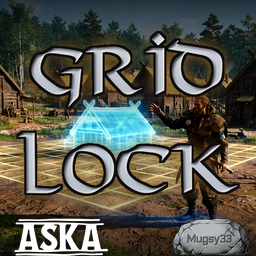
Align your settlement to a global grid. Structures and terrain fields snap in the build preview - position and rotation - so everything lines up. Hold Shift to place off-grid.Grid Lock
Align your whole settlement to a single global grid. Grid Lock snaps the building placement preview — both position and rotation — so what you see is exactly what you place, and every structure lines up with the next.
It also snaps the Terrain Level Field and farm-field start point, so the ground you flatten lines up with the buildings you put on it. When you want to break the grid, hold a key to place freely and let go to snap back.
Features
- Snaps structure placement to a global grid — position and rotation — in the live preview.
- Snaps the Terrain Level Field / farm-field start point so leveled ground aligns with your builds.
- Hold Shift to move the ghost freely off the grid, keeping its rotation; release to re-snap.
- Configurable grid spacing and rotation increment.
- Composes with Moving Day — a moved building snaps to the grid too.
Usage
Build as normal. The placement ghost steps to the grid in both position and rotation. Hold Shift (default) to move off-grid freely, then release to snap to the nearest grid pose. For terrain, place the Terrain Level Field's start point — it snaps, and the field extends from there on the grid.
Configuration
After first launch, edit BepInEx\config\mugsy33.gridlock.cfg, section [Grid], with the
game closed:
| Setting | Default | Description |
|---|---|---|
Enabled |
true |
Master switch. When false the mod snaps nothing. |
SnapTerrain |
true |
Snap the Terrain Level Field start point to the grid. |
Spacing |
0.5 |
Snap increment in terraforming squares. One square is 2 world units, so 0.5 = a 1.0-unit step. |
RotationStep |
15 |
Rotation snap increment, in degrees. |
FreeMoveKey |
LeftShift |
Hold to move the ghost freely off the grid. |
Requirements
- BepInEx (IL2CPP build) — install it into the game folder first. Follow the official BepInEx installation guide (use the IL2CPP build for this game).
Installation
- Install BepInEx (IL2CPP) first, if you haven't already.
- Extract this mod into your Aska game folder (the same folder as
Aska.exe), so the DLL ends up atBepInEx\plugins\GridLock\GridLock.dll. - Launch the game.
Known issues
Incompatible with GridSnap. Grid Lock was specifically created to replace GridSnap (apologies to guilhermu) to work with my other mod Tidy Terrain. Grid Lock and GridSnap are incompatible, as they do mostly the same thing using different internal mechanics.
Grymm's Builder Buddy — the Shift key overlaps. Grid Lock uses Shift for free placement (turn snapping off in game). Builder Buddy uses Shift as its slow-rotation modifier. If both mods are active, holding Shift triggers both features at once. You can disable the modifier in Builder Buddy's config or change the key for Grid Lock in this config.
Compatibility
Built on the local-authority pattern and confirmed in single-player; treat multiplayer as untested.