
Echolocation
Sound-driven echolocation, rotating sonar and hand-controlled LiDAR for BONELAB PCVR, with black vision, adjustable dots and optional Fusion player detection.Echolocation
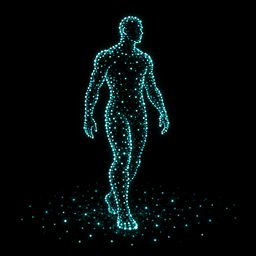
See BONELAB through sound, rotating sonar or hand-controlled LiDAR. Black vision fills with fading dots on nearby surfaces.
For Windows PCVR with MelonLoader and BoneLib. Fusion is optional. This package is not a standalone Quest build.
Install
Close BONELAB, then copy Mods/Echolocation.dll into your game's Mods folder. Replace the old DLL and keep only one copy. You can also install the ZIP through a compatible mod manager.
Controls
Open BoneMenu > Echolocation.
- Scan Mode: Sound: dots react to walking, microphone and nearby sounds. This is the default.
- Scan Mode: Sonar: a rotating sweep circles you once every 0.5 seconds, leaving a fading trail. Hits appear as the sweep reaches them.
- Scan Mode: Lidar: hold either empty hand's index trigger and aim to scan. Both hands work. Release to stop. On desktop, hold F5 to scan where you look.
- Send Pulse: send a full surroundings pulse. F5 does this in Sound and Sonar modes.
- Enabled: toggle the mod. Desktop shortcut: F6.
- Double Clap: 360 Pulse: clap your empty hands together twice, separating them between contacts.
- In Sound and Sonar modes, hold both empty-hand index triggers for 1.5 seconds to toggle black vision. In LiDAR, use the menu's Blackout toggle.
- Sound Inputs: control walking, microphone, game sounds and Fusion voice.
- Sonar Visuals: change dot size, brightness, range and ray limits.
- Clap and Pulse Sounds: toggle the sonar ping and clap feedback.
Remote players
Detected players appear green when visible and red behind cover. All modes use the same walking, sound and optional proximity rules for players. Sonar and LiDAR alone do not reveal a silent, stationary player.
Remote Walking Detection (Even Without Audio) is on by default. It detects another player's grounded movement even when Fusion plays no footstep sound. Keep Walking and Landing on too. Standing still, head movement and your own walking do not count as their footsteps.
Turn off Remote Walking Detection for audio-only reveals. Remote Footstep Sensitivity adjusts detection of actual footstep audio; it does not affect the movement detector.
Faint Nearby Players optionally shows quiet people within a small radius. Turn it off when testing walking detection. After detected movement or sound stops, the stronger silhouette fades within half a second.
Notes
- Hearing and reveal ranges reach 3000 m, but loaded geometry, camera limits and actual audio playback still matter.
- Keep Optimize Walking and Sound Echoes on to reduce overlapping dots.
- Opening the quick menu restores normal vision and pauses sonar and hand scanning.
- Effects stay local. Other players do not need Echolocation, and it sends no extra network messages.
- Some custom avatars need a simple tracked-body outline when their mesh cannot be drawn safely.
- Use Print Input Levels to Console when reporting detection problems.
Version 1.10.0 adds rotating sonar, hand LiDAR and fixes for custom gun audio and avatar visibility. Scans use bounded work and refresh nearby dots. Native VR and multiplayer behavior still need in-game verification.