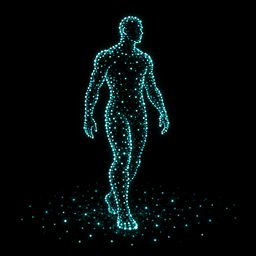
Sound-driven echolocation, rotating sonar and hand-controlled LiDAR for BONELAB PCVR, with black vision, adjustable dots and optional Fusion player detection.
Change Sonar to a rotating sweep, completing a turn every 0.5 seconds. Surface hits appear immediately as the sweep passes.
Add LiDAR mode: hold either empty hand's index trigger to scan where it points. Desktop uses held F5. Both hands share the scan budget.
Keep owned gun, prop and NPC sound reveals active in every mode. Keep the current player detection rules.
Improve detection of direct custom gun audio, including hybrid and gun-owned 2D sources. Keep actual audio and range checks.
Improve custom avatar transform selection and add a bounded tracked-body fallback when a body mesh is rejected.
Keep menu/pause guards, ray limits and deduplicated dots. Release the trigger to stop LiDAR; use the Blackout menu toggle in LiDAR mode.
1.9.0
Add Scan Mode in BoneMenu: Sound keeps the existing sound-driven scans; Sonar sends a 360-degree surface scan every 0.5 seconds.
Keep current player walking, sound and proximity rules in both modes. Manual pulses and double claps remain available.
Pause automatic sonar while menus or the game are paused. Resume without replaying missed scans.
Limit repeating scans to 2,048 rays per pulse and 256 rays per frame, within the configured lower limits. Refresh nearby dots and replace unfinished sonar work instead of building a backlog.
Use the existing Clap and Pulse Sounds toggle and volume for the sonar ping. Save the selected mode.
1.8.2
Detect remote walking even when Fusion produces no footstep audio. Track each player's body and foot movement near the floor, independently of voice.
Add Remote Walking Detection under Sound Inputs, enabled by default. Turn it off for audio-only detection. Walking and Landing controls both walking inputs.
Reject planted-foot leaning, idle movement, unsupported feet, ladders, seats, teleports and stale tracking. Remove moving-platform motion and preserve stride across static floor tiles or compound platform colliders.
Keep ground checks limited to eight every 50 ms. Audio takes priority when footsteps are playing, and surface dots keep the existing limits.
Try an alternate avatar transform only when it passes the same bounds checks. Keep a small head marker when a body mesh is rejected, even if an accessory still renders.
Add separate diagnostic counts for detected audio and walking steps.
1.8.1
Check remote players' actual footstep AudioSources directly from the Fusion player registry. Short footsteps no longer depend on the general scene-audio discovery queue, and no prior speech is needed to begin checking a player.
Add Remote Footstep Sensitivity under Sound Inputs, default 4x and adjustable from 1x to 12x. This lowers the detection threshold for identified remote footsteps without changing saved general sound or microphone settings.
Run the dedicated input with Walking and Landing enabled, independently of microphone, Fusion voice and Nearby Game Sounds toggles. Actual playing audio, source/listener volume and hearing range still apply; movement alone does not create a sound reveal.
Accept the live source of a disabled native FootstepSFX behavior on an active player object. Reject detached, inactive, replaced and ambiguously shared owners, muted/stopped/silent output, and stale samples.
Bound the dedicated sampler to eight PCM reads every 50 ms with round-robin scheduling. Keep surface echoes inside the existing queue, ray and dot limits, and preserve the half-second sound fade and optional faint proximity cue.
Keep playback and multiplayer state unchanged. No native audio hooks are added.
1.8.0
Add a faint proximity silhouette for remote Fusion players, including quiet players. It defaults to a 2 m radius, fades with distance and keeps the existing green/red visibility colors. Sound still produces a stronger reveal.
Add Faint Nearby Players and Nearby Player Distance controls under Sonar Visuals. Disable the proximity toggle to return to sound-only player reveals.
Raise hearing and reveal range limits to 3000 m across settings, menus, voice input, world audio and surface raycasts. Fresh installs start at 3000 m; saved old 200 m maximums upgrade once. Lower custom settings remain available, and a menu button sets both ranges to 3000 m.
Increase dot brightness to 1.8x and add a 0.25x–3x brightness control. Preserve colored, feathered dots and normal fading.
Scale distant wave travel so the pulse radius is reached in at most 1.25 seconds, followed by the normal dot lifetime. Pending distant automatic returns cannot displace all currently visible nearby dots in a full cache.
Keep existing ray, dot and avatar workload limits. Loaded geometry, camera clipping and actual game/Fusion audio audibility still limit what can be detected or seen; the range controls do not extend Fusion's own voice cutoff.
Include the avatar scale, missing-speaker and high-detail rendering corrections from 1.7.6 and 1.7.7.
1.7.7
Detect remote speech from the audio currently playing. A quiet new Fusion packet no longer suppresses buffered speech, and silent output still cannot reveal a player.
Isolate and retry unavailable voice sources so one broken source or an avatar change cannot disable everyone else's voice echoes.
Use the tracked player's head for hearing range and visibility, preventing displaced mesh bounds from hiding nearby speakers.
Ignore disabled avatar variants when choosing mesh parts. Support more parts, material slots and meshes up to 500,000 vertices, with four bakes and 500,000 baked vertices per frame, a bounded cache and the existing overall draw ceiling.
Give each player's mesh parts their own turn under the bake budget, including during low frame rates and simultaneous speech.
Show a small red/green marker at the tracked head when no safe avatar mesh can be drawn. It follows the same sound-driven fade and cannot inherit an avatar's oversized scale.
Include the 1.7.6 oversized-silhouette correction. Silent-player filtering, saved settings and the half-second reveal window are preserved.
1.7.6
Fix oversized or displaced green/red avatar silhouettes by drawing baked skinned meshes with their Transform position and rotation, without applying their scale a second time.
Recalculate owned snapshot bounds and skip snapshots that are nonfinite or extend far outside the source avatar renderer's bounds.
Refresh cached snapshots after avatar, mesh, root-bone or scale changes. A pending or failed rebake cannot draw an old-scale snapshot.
Keep the existing four-bake frame budget and independent static-mesh transforms. Sound thresholds, silent-player filtering and the half-second player fade are unchanged.
1.7.5
Prepare a Thunderstore package with a manifest, icon and public documentation.
Use a text-free icon showing a human figure outlined by echolocation dots.
Use neutral mod-author metadata and an optimized, deterministic Release build without debug symbols or personal build paths.
Preserve the gameplay behavior of 1.7.4.
1.7.4
Reduce automatic dot-merging cell width from 12 cm to 9 cm for moderately closer walking and sound echoes.
Preserve automatic ray limits, duplicate refresh and short fades.
1.7.3
Resolve standard gunshot audio to the exact firing gun and capture the muzzle position.
Reveal the gun's visible exterior alongside nearby surfaces.
Apply muzzle distance to gunshot hearing and strength, including delayed ownership resolution.
1.7.2
Expand hearing and reveal range controls to 200 m.
Allow dot sizes down to 0.002 m with 0.001 m adjustments.
1.7.1
Replace native audio patches with bounded monitoring during game updates to improve startup compatibility.
1.7.0
Add exterior sound echoes for identified NPCs and props.
Improve detection and ownership tracking of pooled impact sounds.
1.6.0
Extend blackout to desktop views.
Reduce overlapping automatic echoes with bounded ray work, dot merging and short fades.
1.5.0
Improve gentle double-clap detection.
Add local pulse audio feedback and a complete 360-degree double-clap wave.
1.3.0
Require each remote player's own detected sound to reveal them.
Keep quiet players hidden during local footsteps, speech and deliberate scans.
Thunderstore development is made possible with ads. Please consider making an exception to your adblock.