You are viewing a potentially older version of this package. View Latest Version
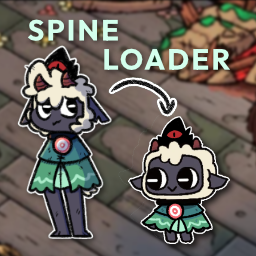
CotLSpineLoader
Helper to Load Spine Skins and overwrite existing SkinsLinks
- Read more about my mods at my Website
- Join the discord server for support, feedback, suggestions and general modding talk: modding discord
- If you like the mod, consider donating here! Thank you for checking out the mod!
Custom Spine Loader
Currently features:
- Custom Player Spines with multi skin select
- Custom Follower Color Control
More features to come soon!
How to Load Player Skins
After installing this plugin correctly, you should be able to navigate to Bepinex > plugins > CotLSpineLoader > PlayerSkins folder and setup your custom spine skins there.
Base Player Template Skin
- If you want to build your own skins, you may get the Base Player Template Skin via NexusMods
Exporting a usable Spine Skin
- Ensure that you have exported the Spine Skin via
3.8.99 Spine - Export as a JSON file.
- Output:
Nonessential data: TRUE, Animation cleanup: TRUE, Warnings: TRUE - Texture atlas:
Pack TRUEwith default Pack Settings - If any warnings occur, it may be best to fix them, or the skin may not load into game.
Setting up the Player Spine Skin for Custom Spine Loader
- In the
PlayerSkinsfolder, create a new folder for each individual spine that you want to load into game - The folder should be named as your skin name, for this example, we will use
DEBUGSKINas the skin name - In the folder
PlayerSkins/DEBUGSKINadd the following files - A .json file that is your exported Spine Skeleton
- An .atlas file that is your exported Spine Atlas
- Any amount of .png files that are packed together with it
- A config.json file which specifies settings, more info below.
A Complete Skin folder would look something like this
| CustomSpineLoader.dll
| PlayerSkins
    | DEBUGSKIN
        | player-main.json
        | player-main.png
        | player-main.atlas
        | config.json
Config File For Spine Skins
Each Spine Skin folder must have a config.json file in it. The following is how you should create the file:
{
    "defaultSkin": "CustomSkinName",
    "skins": [
        "CustomSkinName",
        "CustomSkinName2"
    ]
}
defaultSkin will be the first skin that is loaded when the game starts
skins is an array of any amount of strings of the Skins that exist in your Spine Skeleton that you want to load into game
Known Issues
- The Custom Player Spines may not have the correct color when attacking with certain weapons.
Developed by InfernoDragon0
Try CotLMiniMods for lots of custom stuff, or Supercharged Tarots for overpowered tarots, and Supercharged Followers to bring your followers to battle!