You are viewing a potentially older version of this package. View Latest Version
GK2 Move Buildings
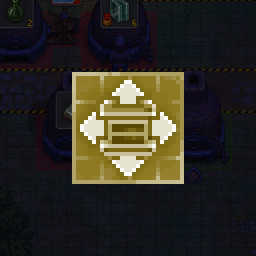
Adds a Move button next to Remove in the build menu. Pick a building up and put it down somewhere else. Nothing spent, nothing refunded.GK2 Move Buildings
Built it wrong? Just move it.
The build menu gets a Move button next to Remove. Pick a building, and it goes back on your cursor. Put it down wherever the game lets you build, with the same zones and snapping as always. Nothing spent, nothing refunded.
- Contents are dropped beside the building. Or turn on Carry the contents and chests keep what they hold.
- Workbench extensions (buckets, tool racks, bellows) link back to their workbenches after a move.
- A building can be shifted by a cell or two.
- In remove mode, hold Left Ctrl and click to move instead of demolish.
- In remove mode, a click on something the game won't remove tells you why.
- Unlock protected layouts (off by default): remove or move the graveyard layouts the game protects, once they're empty. At your own risk.
- Move graves: a finished grave keeps its body, decor and quality. Put it on any free grave place.
- Upgrade in place: build a better one of the same kind on top of the old one, or press the small arrow next to a station's portrait. The old one hides under the construction site and becomes the new one when it's finished, with everything it held. Normal price, usual refund for the old one.
- A working station is moved with its crafts: the queue and progress stay.
- Hold Left Ctrl and click a graveyard layout to remove it together with its empty grave places.
- Destroy rusty tools (off by default): get rid of the rusty starting tools once you carry a better one.
- Give back the rusty tools: destroyed them too early? Get one of each back, if it's nowhere in your save.
- Underground workshop: belts, splitters and machines can be moved too; they reconnect to their neighbours.
- Keep moving (on by default): after a move you stay in move mode for the next building.
- Garden scarecrows: remove them, or move them anywhere; "Bring the scarecrows back" restores them.
- Upgrade arrow setting: hide the arrow in station windows if it's in the way.
- Works with Linked Storage.
- Right click or Escape cancels. Gamepad supported.
Settings
In the Mods menu (with GK2 Mod Framework), in ConfigurationManager, or in BepInEx/config/gk2.movebuilding.cfg.
Manual install
Put GK2MoveBuilding.dll and move_icon.png into BepInEx/plugins/GK2MoveBuilding/. Needs BepInEx 5.4.23.x (x64).
Move icon by Axness. Thank you!
Questions and bug reports: Nexus page.