

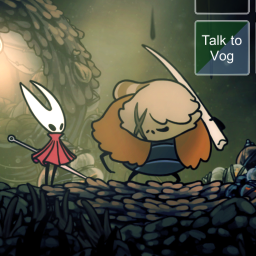
VogsBingoMod
This mod adds a Bingo gamemode to Silksong and supports both multiplayer and automarking for a custom-made goalset. See the Github README for more information.README
This mod adds a Bingo gamemode to Silksong, where you'll have small tasks to complete on a grid of squares (e.g. "Complete 7 wishes" or "Defeat Skull Tyrant").
You and others can join a Bingo room, which then allows you to track which goals have been completed. There are many ways to play, such as first to three lines, lockout, or a co-op blackout.
If you use the custom-made set of goals maintained by the Silksong Bingo community, the mod will also automatically mark squares as you complete them. Goals outside this set will be listed with an (M) for "manual mark", which you will have to click yourself by clicking on the square. Goals that automark due to other add-on mods will have a * symbol at the end of them.
Keybinds
B: Shows or hides the current UI. Helpful for only showing the board (or hiding it completely) during gameplay.
O: Changes the opacity of the current UI. Helpful for being able to see both gameplay and the board at the same time.
(Unmapped): Reveals the current board, effectively starting the bingo. You can also click the button manually.
(All of these can be remapped in the config options)
Setup
First, you need to make a bingo room. Here's a video walkthrough for creating one.
Then, open the game, and enter the room link, your nickname, and the room password.
Once you've joined the room and are ready to go, start a new file, reveal the board, and have fun!
If you have any questions or are interested in seeing more about Silksong Bingo, check out our community Discord! We're super inclusive and have a bunch of resources to help newer players learn how to play.
You can also ask in the discord if you find any bugs, or if you want to make additions/suggestions!
Adding Custom Goals
Modders can add their own automarking support for goals in their own mods!
To set up the dependencies, follow these steps:
- Go to your .csproj file and add the nuget package by adding
<PackageReference Include="Silksong.VogsBingoMod" Version="1.4.0"/>, preferably with whatever the latest version is at the time. - Add the dependency to your thunderstore.toml:
AtlasOfSouls-VogsBingoMod = "1.4.0" - Lastly, add this line into your plugin class below the BepInAutoPlugin attribute:
[BepInDependency(Silksong.VogsBingoMod.VogsBingoModPlugin.Id)]
Once you have this set up, you can register a custom goal by using CustomGoal.Create(string goalName) which will return a CustomGoal object that can be marked on the board by calling myCustomGoalObject.TryMark(). The goal will be registered by name, and all goals on the board with the given name will be marked when TryMark() is called.
Credits:
Abby, for curating the goalset and hosting caravan
Bingosync, for hosting the servers that the mod connects to
The Hollow Knight/Silksong Modding Discord, for various help getting me started with modding Silksong
The Silksong Bingo Discord, for helping with feedback and suggestions
Everyone who helped with playtesting before release
The lack of an explicit license on this project is intentional.
© 2026 AtlasOfSouls