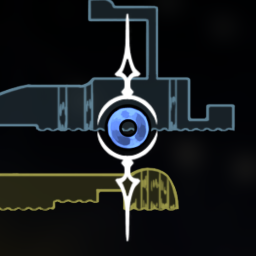
一个丝之歌的Mod,用于截图并标记在地图上。
A mod for Hollow Knight: Silksong used for taking screenshots and marking them on the map.
安装
- 与RenoDX/Luma-Framework不兼容,请先卸载
- 下载并安装 BepinEx。
- 下载本 Mod,将 dll 文件解压到
BepInEx\plugins 文件夹。
Installation
- Not compatible with RenoDX/Luma-Framework, please uninstall first
- Download and install BepinEx.
- Download this mod, and extract the dll file to the
BepInEx\plugins folder.
使用
- 键盘按P键截图并标记在地图中(可编辑
BepInEx\config\mod.silksong.screenshotmarker.cfg 文件改键)。
- 手柄先按弹琴再按快速地图截图并标记在地图中。
- 打开地图蓝色的标记即截图标记,可以像普通标记一样进行移除,选中后按截图键或者快速地图键则可以进行查看。
- 截图保存在
BepInEx\config\ScreenshotMarker\Save_X 文件夹中,X代表第几个存档。
Usage
- Keyboard user: Press the P key to take a screenshot and mark it on the map (change the key by editing the file
BepInEx\config\mod.silksong.screenshotmarker.cfg).
- Controller user: First press the needolin button first, then press the quick map button to take a screenshot and mark it on the map.
- Open the map, the blue markers are the screenshot markers, which can be removed like normal markers. After selecting, press the screenshot key or the quick map button to view the screenshot.
- Screenshots are saved in the
BepInEx\config\ScreenshotMarker\Save_X folder, where X represents the save slot number.
预览 / Preview