

You are viewing a potentially older version of this package. View Latest Version
MapWarp
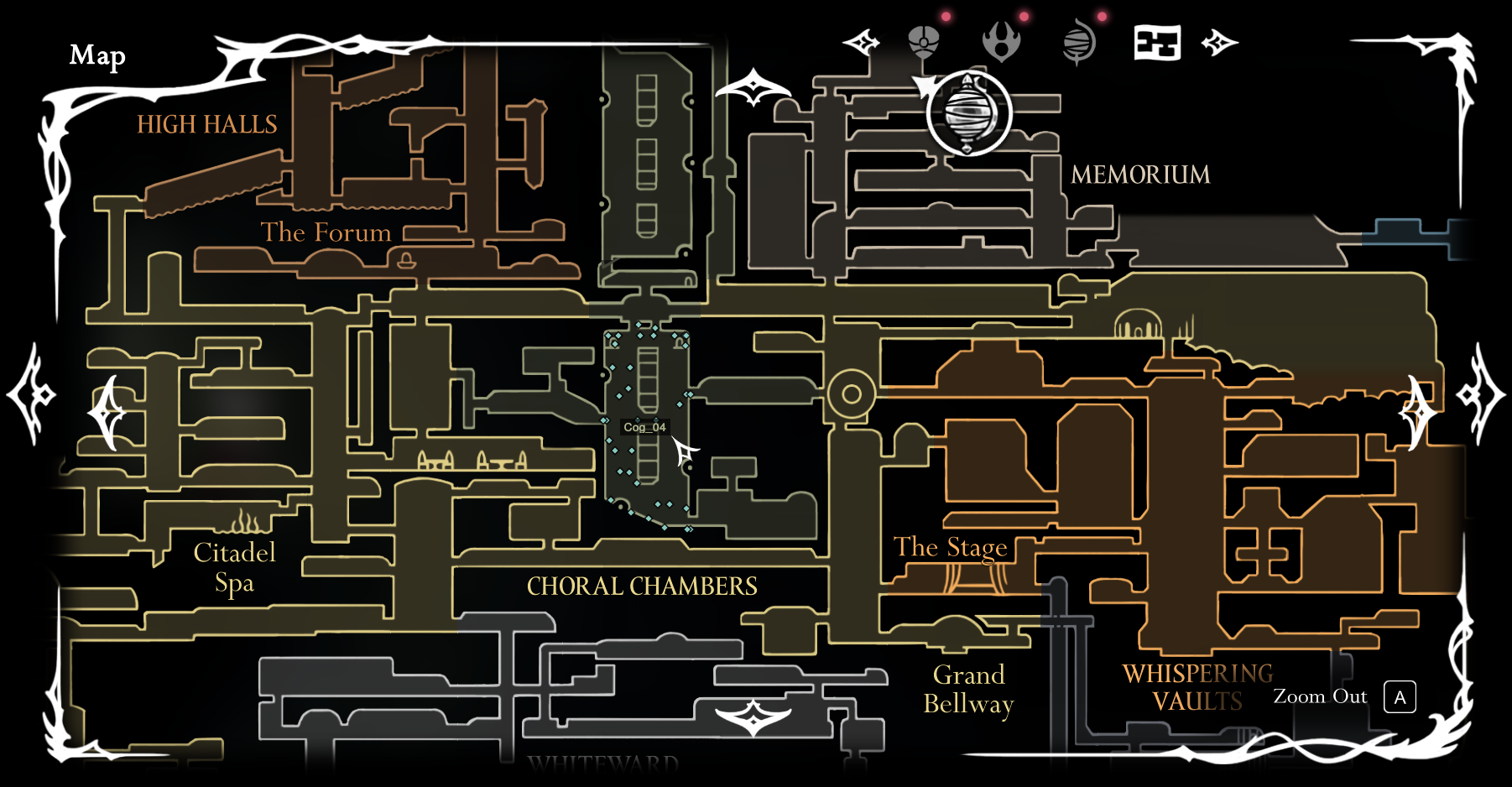
Right-click anywhere on the map to warp there, with pan/zoom mouse controls. Plus options to reveal the full map, always show compass and outline rooms.
MapWarp
Right-click anywhere on the map to warp there, with pan/zoom mouse controls. Plus options to reveal the full map, always show compass and outline rooms.
Features
- Zoom & pan — scroll to zoom toward the cursor, click-drag to pan. Works on both the world map and the quick map, and the cursor stays visible while a map is open.
- Click to teleport — right-click a room to warp Hornet there. By default you land at the nearest transition / safe respawn point (so you never end up stuck in terrain or spikes); hold Shift to drop at the exact clicked position instead. A label next to the cursor shows which scene you're aiming at.
Config
Editable in BepInEx/config/io.github.jakobhellermann.mapwarp.cfg (or via
Configuration Manager):
Teleport
- Enable teleport (default on) — right-click a room on the map to warp to the nearest safe spot (hold Shift for the exact spot).
- Show respawn points (default on) — when hovering a room on the map, mark its safe respawn points.
Map
- Unlock entire map (default on) — open and pan the whole map even in zones you haven't acquired it for.
- Show full map in quickmap (default off) — show the entire map instead of just the current area in the quickmap.
- Instant map open (default on) — open the quick map instantly instead of waiting for the open animation.
- Always show compass (default off) — always show your position on the map, as if the Compass tool were equipped.
Debug
- Show Room Borders (default off) — outline each room on the map and label it with its scene name.