

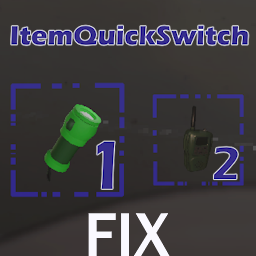
ItemQuickSwitchFix
Use keybinds to access your items directly!Lethal Company ItemQuickSwitchFix
This is a simple fix attempt for a Hotbar/Item quick switch mod for Lethal Company by ItemQuickSwitch. It allows you to use your Keyboard to access item slots directly.
This mod aims for a close to vanilla experience and implements the same checks that the vanilla game does, like not being able to switch slots when carrying a two-handed item, and so on.
Installation
Thunderstore install:
Install the package using the Thunderstore App or any other mod manager that is compatible with Thunderstore. Note that this mod is dependant on BepInEx Pack.
Manual install:
If you do not already have BepInEx
- Download this version of BepInEx 5.
- Extract the contents of this
.zip-File into your Lethal Company directory. - Start the game once and then quit after reaching the main screen.
Usage
Default Keybinds
- Press 1 to access item slot 1
- Press 2 to access item slot 2
- Press 3 to access item slot 3
- Press 4 to access item slot 4
- Press F1 to perform emote 1 (dance)
- Press F2 to perform emote 2 (point)
Custom Configuration
Upon first startup of the game with this mod active, a config file will be generated
under BepInEx/config/PaLaS0.ItemQuickSwitchMod.cfg. Close the game and edit the config file to your liking.
Note
This mod is currently coded to support 4 inventory slots just like the vanilla game.
If you use any other mods which increases the amount of slots you have available, the quick switch will only work with slots 1 through 4 and incompatibilities may arise.
Uninstall
Remove the ItemQuickSwitchMod.dll file from your plugins folder.