

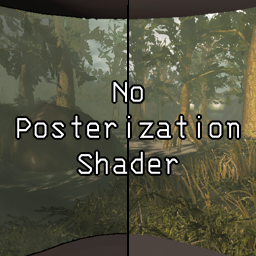
No Posterization Shader
Disables Lethal Company's posterization/cel-shading ("outline") effect.No Posterization Shader
Disables Lethal Company's posterization/cel-shading ("outline") effect. Useful if you don't like the effect, or want to use a program like ReShade to inject your own post-processing effects.
Tested on v80 only. Earlier versions (v73 or below) should use LethalSponge v1.3.6 or lower, with removePosterizationShader set to true and both useCustomShader and useLegacyCustomShader set to false.
Installation
Mod Manager
- Install a mod manager if you don't have one already (e.g. Gale or r2modman).
- On this mod's Thunderstore page, click "Install with Mod Manager".
- You can also search for "No Posterization Shader" in your mod manager of choice.
- To configure this mod in-game, install LethalConfig (optional).
- Despite the warning this mod will give when changing settings, you do not need to restart the game to apply config changes.
Manual install
See this Steam Community post. Releases can be downloaded from Thunderstore, or this mod's releases page on Codeberg.
Screenshots
Screenshots (click to expand)

Remove weird lighting artifacts! (before, after)


See (slightly) farther in dark rooms*! (before, after)


* WARNING: may be considered cheating by some people!
Compiling
- Install Visual Studio with the
.NET Desktop Developmentworkload checked.- This mod was made using Visual Studio 2022, however the link above will download Visual Studio 2026 instead. See here for older downloads (requires a Microsoft account that has joined the free Dev Essentials service).
- Download the code repository, or clone it with
git(download link for Windows). - Extract the downloaded code, if needed.
- Copy your game's
Assembly-CSharp.dll,Unity.RenderPipelines.HighDefinition.Runtime.dllandMMHOOK_Assembly-CSharp.dllto thelibfolder of your downloaded code.- See the
libfolder's README for details on how to locate these files.
- See the
- Open
LCNoPosterization.slnin Visual Studio. - Click
Build>Build Solutionto build everything. - Your output, assuming eveything went well, should be located in
bin\Debug\netstandard2.1\(with the defaultDebugconfig). - ???
- Profit!
License and Copyright
Copyright © 2026 Sparronator9999.
This mod is licensed under the MIT License.