

CustomClipboardImages
Adds custom clipboard page images for Lethal Company.Custom Clipboard Images

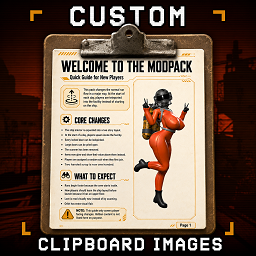
Custom Clipboard Images adds custom image pages to the Lethal Company clipboard.
This is made for modpacks that want a simple in game guide players can flip through while playing. Use it for rules, tips, controls, warnings, lore, or a quick welcome guide for new players.
It supports more than the original 4 clipboard pages, so bigger packs do not have to cram everything onto a few pages, default max is 999 pages (untested).
Features
- Custom clipboard page images
- More than 4 clipboard pages
- Great for modpack guides
- Good for rules, tips, warnings, controls, and lore
- Works in multiplayer
- Tested in multiplayer with no known de-sync issues
- Good for new player welcome pages
- Useful for heavily customized modpacks
Why Use This?
Some modpacks change a lot.
New players may not know what changed. They may need quick rules. They may need controls. They may need warnings before starting a run.
This mod lets you put that information directly on the clipboard.
Players can read it in game instead of digging through Discord messages or outside documents.
Good Uses
- Welcome pages
- Beginner guides
- Modpack rules
- Control pages
- Warning pages
- Custom lore
- Server instructions
- Feature overviews
- Tips for new players
Multiplayer
This mod has been tested in multiplayer with no known de sync issues.
For best results, every player should have the same clipboard page images installed.
Known Issues
- If you use ModelReplacementAPI, turn Custom Generated Viewmodels off. Leaving it on can make the clipboard inspect animation buggy or blurry on some models when pressing Z.
- To avoid the clipboard looking blurry, turn Motion Blur off in the game settings. Motion blur can make the pages hard to read.
Image Tips
Use clear images that are easy to read in game.
Recommended:
- Big text
- Simple layouts
- High contrast
- Short sections
- One idea per page
- Vertical page designs
Avoid tiny text. It may look fine outside the game but be hard to read on the clipboard.
Usage:
To make your own custom clipboard mod, manually download this one, unzip it. go into BepInEx\plugins\THISMOD\TutorialClipboardPages\TutorialClipboardPages then replace the pages there.
They must be named page1,page2,page3,page4,page5,page6... etc Also make sure they are .pngs like page1.png
Then re-zip all the contents and upload as a mod to thunderstore (I reccomend that you make your own mod icon and update the manifest)
Make sure every player has the same pages when using this in multiplayer or bugs can happen.
Requirements
- BepInExPack
- AdditionalNetworking - (Fixes a De-Sync error related to playerslots, held anim, and pages if a player has the clipboard in their inventory when someone else joins the game)- This is caused by vanilla