

MissionRandomizer
Random missions with fresh danger and loot every run. No more moons. Just interior.This mod requires one BepInEx setting to be changed.
Open:
BepInEx/config/BepInEx.cfg
Find:
HideManagerGameObject = false
Change it to:
HideManagerGameObject = true
If this setting is not changed, the mod may not work correctly.
Mission Randomizer
Mission Randomizer is a gameplay overhaul for Lethal Company. It replaces the normal moon focused gameplay loop with randomized interior missions. Instead of picking moons for their surface maps, the game uses a mission route and changes the interior stats each run.
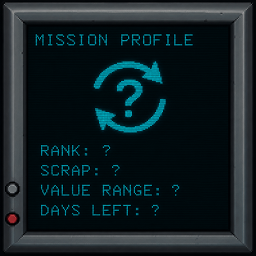
Each mission can have a different rank, scrap count, scrap value range, enemy power, map size, and threat level. The goal is to make each run feel like a new assignment instead of just another normal moon landing.
Mission Randomizer is designed for modpacks where players do not use the surface. It works best with the Extraction mod, where players start inside the facility and bring loot to an extraction zone.
Important LethalLevelLoader Compatibility Requirement
Mission Randomizer works with LethalLevelLoader custom interiors, but your LethalLevelLoader dungeon config must include the Mission Randomizer level name.
Mission Randomizer may show the active route as:
Mission Zone
Because of that, LethalLevelLoader may match the dungeon pool using Mission Zone instead of only Experimentation.
If your custom interiors are only injected into:
Experimentation:100
then LethalLevelLoader may find no viable custom interiors and fall back to the vanilla Facility interior.
If your log says something like this:
Viable ExtendedDungeonFlows: Loading Facility DungeonFlow to prevent infinite loading!
then your custom interiors are not matching the Mission Zone level name.
How To Make Custom Interiors Work
Open your LethalLevelLoader config file.
Find each custom dungeon section you want Mission Randomizer to use.
Look for this setting:
Dungeon Injection Settings - Manual Level Names List =
Make sure the list includes both:
Experimentation:100 Mission Zone:100
Example:
Dungeon Injection Settings - Manual Level Names List = Experimentation:100,Mission Zone:100
Keep Experimentation in the list. Do not replace it. Just add Mission Zone too.
LethalLevelLoader Settings To Check
For each custom interior you want active:
Enable Content Configuration = true
Then make sure this line has Mission Zone in it:
Dungeon Injection Settings - Manual Level Names List =
If you use manual dungeon injection and have this set:
Inject Dynamic Matching Weights = false
then the manual level name list matters even more. Mission Zone must be included or LethalLevelLoader may not pick the custom interior.
Recommended Interior Setup
Mission Randomizer is not meant to be used as a normal moon expansion mod.
The surface does not matter much because this mod and its required mods are built around interior missions.
For best results:
- Install multiple custom interior mods
- Add those interiors to Experimentation
- Add those interiors to Mission Zone
- Keep the weights equal if you want every interior to have the same chance
- Do not build the pack around visiting different surface moons
- Use interior variety instead of moon variety
Good custom interior setup example:
Experimentation:100,Mission Zone:100
Better full list example:
Rockwell:100,Praetor:100,Baykal:100,Makron:100,Mazon:100,Espira:100,Lithium:100,Halation:100,Ultimatum:100,Calypso:100,Kaleidos:100,Pandoramus:100,Adamance:100,Offense:100,Assurance:100,Experimentation:100,Mission Zone:100,Liquidation:100,Embrion:100,Vow:100,March:100,Artifice:100,Dine:100,Titan:100,Rend:100
Do Not Rely On Custom Moon Configs For This Mod
Mission Randomizer controls mission stats itself.
It changes things like:
- Scrap count
- Scrap value range
- Enemy power
- Factory size
- Mission rank
- Threat level
Because of that, it is usually better to avoid enabling custom level configs just to make the mod work.
Custom dungeon configs are fine. Custom level configs are not required for Mission Randomizer.
If you enable custom level configs, other mods may change scrap, enemies, route prices, or moon behavior in ways that fight Mission Randomizer.
Use custom dungeon injection for interiors. Let Mission Randomizer handle the mission stats.
Features
Random Mission System
The normal moon progression is replaced with randomized missions.
- Missions are generated from quota progress
- Higher quota progress can create harder missions
- Missions show a rank like C, B, A, S, or higher
- Mission stats are shown on the ship monitor
- The same main mission route is used instead of normal moon travel
- The Company route is still allowed
Difficulty That Grows Over Time
The mission gets harder as the game goes on.
- Enemy power can increase
- Interior size can change
- Scrap count can change
- Scrap value range can increase
- Threat level can change
- Mission rank reflects danger and reward
Scrap Value Range System
Scrap is balanced around a value range instead of one exact number.
- A mission can have a minimum and maximum value range
- The mod does not force the level to equal the max value every time
- Scrap should land somewhere inside the mission value range
- Scrap should not go above the mission max value
- Scrap value rises as quotas get higher
- Physical scrap count is capped separately to help avoid lag
Extraction Mod Support
Mission Randomizer is built to work with the Extraction mod.
- Players can start inside the facility
- Players bring loot to the extraction zone
- The surface becomes less important
- The gameplay becomes more about surviving the interior mission
- Works best in modpacks where players do not walk around outside
Optional Cleaning Company Support
Mission Randomizer can work with Cleaning Company.
With Cleaning Company, some scrap is replaced with messes and garbage. Players clean the messes and turn them into items like Dirty Water or Full Garbage Bags. Mission Randomizer preserves the value when those items are cleaned so the reward does not randomly change.
Supported Cleaning Company conversions:
Scav Goop -> Dirty Water Thumper Drool -> Dirty Water Bone Pile -> Full Garbage Bag Nail Pile Item -> Full Garbage Bag BrackenDustItem -> Full Garbage Bag Ethereal Essence -> Full Garbage Bag Hoarding Bug Eggs -> Full Garbage Bag Spore Pile -> Full Garbage Bag
Cleaning Company is optional, but it makes the mod feel more unique. Instead of only grabbing normal scrap, players can clean up garbage and bring the finished items to the extraction zone.
Recommended Companion Mods
Recommended companion mods:
- Extraction
- LethalLevelLoader
- Multiple custom interior mods
- Cleaning Company
- Mods that make interior gameplay more interesting
Recommended gameplay style:
- Players spawn inside the facility
- Players collect or clean loot
- Players bring loot to the extraction zone
- The mission ends around surviving and extracting from the inside
- The surface is mostly ignored
Config
Mission Randomizer config file:
BepInEx/config/yellowcube.lc.mission_randomizer.cfg
Useful options:
DebugEnabled Turns debug logging on or off.
WriteDebugFiles Writes Mission Randomizer debug files when debug is enabled.
HostCanPressPToTeleportScrap Allows the host to press P to teleport scrap for testing. This is for testing only.
MaximumMissionScrapCount Caps the max physical scrap count a mission can spawn. This helps prevent too many physical items from causing lag.
CleaningCompanySupport Enables value preservation for Cleaning Company mess conversions.
Troubleshooting Custom Interiors
If you always get vanilla Facility:
- Open the LethalLevelLoader config.
- Find the custom dungeon section.
- Make sure Enable Content Configuration is true.
- Make sure Manual Level Names List includes Mission Zone:100.
- Keep Experimentation:100 in the list too.
- Launch the game again.
If the log says there are no viable dungeon flows, the custom interior is not matching the current level name.
If the log says Facility was loaded to prevent infinite loading, LethalLevelLoader had no custom interior available for that landing.
Notes
Mission Randomizer is best used as part of a full interior focused modpack. It is not trying to make moons better. It is trying to make moons unnecessary.
The mission, the interior, the danger, and the loot are what matter.
If you want the mod to stay fresh, install a lot of interiors and assign them to both Experimentation and Mission Zone. That gives Mission Randomizer more variety while keeping the simple mission based gameplay loop.