
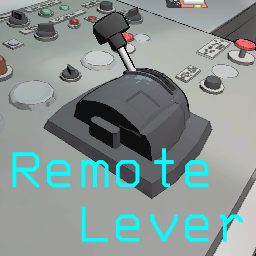
RemoteLever
Adds the ability to remotely operate the ship's lever.RemoteLever
This mod adds the ability to remotely operate the lever on the ship. This allows the host to operate the spaceship's departure lever using a designated key, without having to interact with the lever directly.
It also provides an optional automatic departure feature that can return the ship to orbit at a configured in game time.
Features
The ship lever supports both manual and remote operation and is fully compatible with multiplayer gameplay.
Remote Ship Control
The Remote Lever Key can be configured to remotely operate the ship lever. The default key is F5.
Pressing the key once performs the appropriate ship operation based on the current game state.
Orbit → Moon:
- Starts the trip to the current moon when the ship is in the ship phase and has not yet landed.
Moon → Orbit:
- Returns the ship to orbit after it has landed on a moon.
Remote lever operation is available exclusively to the host. Other players can continue to operate the lever manually as usual. If a non-host player presses the configured key, the operation is ignored and a notification is displayed.
Remote lever input is also ignored while the player is using the terminal or chat, preventing unintended ship operations during these interactions.
This restriction also applies to Automatic Departure.
Automatic Departure
The mod can automatically return the ship to orbit at a configured in-game time.
Automatic Departure is disabled by default.
When enabled:
- The ship lands on a moon.
- he configured departure time is monitored.
- When the in-game time reaches or passes the configured time, the mod automatically activates the ship lever.
- The ship returns to orbit.
The configured time uses a 12-hour format with AM/PM.
Terminal and Chat Input Protection
Remote lever input is ignored while the player is using the terminal or typing in chat.
This includes:
- The terminal menu being open.
- The player typing in chat.
- The terminal currently being in use.
This prevents the configured Remote Lever Key from unintentionally activating the ship while the same key is being used during another interaction.
Config
You can change the settings in the config file. Edit the config if desired. We recommend editing the file using LethalConfig by AinaVT.
If old configuration source files remain, the configuration settings may not be applied correctly. In that case, please follow the steps below.
-
Access the profile in the Thunder Store's local files.
Thunderstore Mod Manager/DataFolder/LethalCompany/profiles/(Optional profiles) -
Delete the RemoteLever configuration source file from the BepInEx directory.
BepInEx/config/azumi.remotelever.cfg -
In the Thunder Store, click Modded on the relevant profile to launch the game. This will automatically generate a new configuration file.
Controls
You can optionally set the assignment for the following key in the config.
| Setting | Default | Consideration |
|---|---|---|
| Lever Key | F5 | Host only. |
Auto
You can optionally configure Automatic Departure using the following settings.
| Setting | Default | Consideration |
|---|---|---|
| Enable Auto Departure | False | Host only. |
| Auto Departure Hour | 6 | Min: 1 / Max: 12 (12-hour format) |
| Auto Departure Minute | 0 | Min: -237.0 / Max: 237.0 |
| Auto Departure AM/PM | PM | AM or PM |
Installation
In addition to installing and managing mods through the Thunder Store, if you wish to install this mod directly via the mod manager linked to the Thunder Store, please follow the steps below.
-
Access the profile in the Thunder Store's local files.
Thunderstore Mod Manager/DataFolder/LethalCompany/profiles/(Optional profiles) -
Place RemoteLever.dll in the BepInEx directory.
BepInEx/plugins/azumi-RemoteLever/RemoteLever.dll -
In the Thunder Store, click Modded on the relevant profile to launch the game.
Notes
- This mod is primarily intended for the host. Remote ship control and Automatic Departure cannot be performed by non-host players.
- Automatic Departure uses the in-game time system and does not use the computer's real-world clock.
- Remote lever input is intentionally blocked while the terminal is being used or the player is typing in chat.
- The mod relies on internal game objects and methods accessed through Harmony patches and existing game components. Future game updates may change these structures, which could cause some features to become inaccurate or stop working until the mod is updated.
- The behavior of this mod is based on the current implementation of Lethal Company's ship, lever, time, and player reset systems. Changes to these systems may affect compatibility.
- This mod operates based on the current implementation of the vanilla game's systems for spaceships, levers, time, and player resets. Compatibility may be affected if these systems are modified by other mods.
- This mod has not been tested on versions prior to v81.