

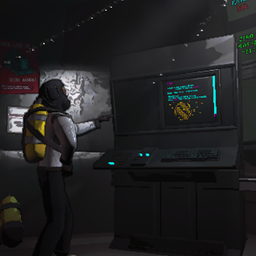
darmuhsTerminalStuff
(V80 Compatible) All-In-One Terminal expansion mod with lots of customization!darmuhsTerminalStuff (All-In-One Terminal Expansion Mod)
For vanilla compatibility, disable ModNetworking in config (found in the "Networking" section)
Compatibility with earlier versions of Lethal Company (v73 or earlier)
- For compatibility with earlier versions of Lethal Company please use version 3.10.1 or earlier.
Development on new features for this mod has ended
- This all-in-one project has become too much to both maintain and add new features.
- With development of Openlib ending, I will be porting features of this mod to individual (separate) new mods using Dawnlib.
- In order to utilize Dawnlib fully, work is on-going to migrate features from Openlib into Dawnlib (pending approval on review)
- This mod will still receive bug fixes until the new individual mods have been released in it's place.
&replace=%241&style=for-the-badge&logo=thunderstore&label=thunderstore&color=%2300BC8C&link=https%3A%2F%2Fthunderstore.io%2Fc%2Flethal-company%2Fp%2Fdarmuh%2FdarmuhsTerminalStuff%2F)

[ Features ]
Networked Terminal Nodes:
- See what other people are doing at the terminal with this setting enabled.
- Requires all players in the lobby to be running the mod with the same config.
- Also while this should be pretty obvious, if the screen is not set to be on while another person is using the terminal you will not see what they are doing.
- Compatible with almost everything that is done on the terminal, including bodycams being shown.
StorePlus (BETA):
- Completely replace the vanilla store or use along-side it
- Creates an interactive menu to select and purchase store items from
- Built-in compatibility with other modded store menus
- Built-in compatibility with refund command.
MoonsPlus (BETA):
- Complete replace the vanilla moons page or use along-side it
- Creates an interactive menu to select and purchase routes to different moons.
- Built-in compatibility for LLL, LethalConstellations, etc.
- Customizable filters and interactions with moon prices and status
Purchase Packs:
- Create your own bundled store item that includes multiple store items to purchase at once
- Name, items, and item count are all completely configurable
- Compatible with upgrades, furniture and your standard buyable items
- Works with both the vanilla store and StorePlus!
Customization:
- Completely customize the look and feel of your terminal
- Create your own personalized home page
- Color configuration items for every aspect of the terminal
- Font style & size customizations
- Decide whether you want to enable automatic resizing of the credits background to always contain it's text
- Completely customize the
Morepage text if the page is enabled - Specify your own keywords for almost every command added by this mod via the CustomKeywords section
- There is no limit to how many keywords can run one specific command
- For certain commands you can also specify your own custom message whenever the command is run
- Below is a list of all text variables that can be used in your custom text fields:
[leadingSpace](ADDED BY THIS MOD) a single space[leadingSpacex4](ADDED BY THIS MOD) 4 spaces[thisPlayerName](ADDED BY THIS MOD) local player name[thisPlayerHealth](ADDED BY THIS MOD) local player health[currentPlanetName](ADDED BY THIS MOD) Moon you are currently orbiting or landed on[GetMaxPossibleItems](ADDED BY THIS MOD) Gets max possible items as defined byTerminalMaxOrderedItemsconfig item[planetTime](VANILLA) Used in moons catalogue to display information about each moon[currentPlanetTime](VANILLA) Used for a moon's purchase page to display the weather on the moon[warranty](VANILLA) When you have a warranty ticket (for the cruiser), will displayYou have a free warranty Displays ALL of the information from thebestiarycommand[buyableItemsList](VANILLA) Displays ALL of the buyable store items from the store[buyableVehiclesList](VANILLA) Displays ALL of the buyable vehicles from the store[currentUnlockedLogsList](VANILLA) Displays a listing of all of the unlocked story logs[unlockablesSelectionList](VANILLA) Displays ALL of the unlockables from the store[storedUnlockablesList](VANILLA) Displays ALL of the information fromstoragecommand[scanForItems](VANILLA) Displays ALL of the information from thescancommand[numberOfItemsOnRoute](VANILLA) Displays the number of items that are in the dropship waiting to be delivered[currentDay](VANILLA) Displays the real-life day of the week[variableAmount](VANILLA) When playerDefinedAmount is set (usually when ordering multiple items) will display the item amount provided by the player[playerCredits](VANILLA) Displays the ship credits amount[totalCost](VANILLA) When ordering something this is the total cost of your order[companyBuyingPercent](VANILLA) The current company buying rate
Terminal Shortcuts:
- Set keybinds to run any terminal command via
TerminalShortcuts- Keybinds are saved in the config item
KeyActionsConfig - Keybinds can be set in-game, read more about them here
- Keybinds are saved in the config item
Quality of Life:
- Set your own starting page when loading the terminal via
TerminalStartPage- Vanilla Terminal loads the
helpcommand, which is this setting's default - Set to
noneto stop from loading a page when you first start using the terminal
- Vanilla Terminal loads the
- Enable binds for using a walkie while in the terminal via
WalkieTerm- Binds are set via
WalkieTermKey(key) andWalkieTermMB(Mouse button)
- Binds are set via
- Add a clock infographic to the terminal via
TerminalClock- Will only display while you are landed on a moon
- Disable looking around in the terminal with
LockCameraInTerminal - Set terminal screen & light behaviors via
TerminalLightBehaviour&TerminalScreen- Determine if the screen can be on while you're dead via
ScreenOnWhileDead - Add a delay for turning the screen off via
ScreenOffDelay
- Determine if the screen can be on while you're dead via
- Save terminal command history and access them via up/down arrows with the
TerminalHistoryfeature (Requires TerminalShortcuts) - Auto-complete your input to a valid command with the
TerminalAutoCompletefeature (Requires TerminalShortcuts) - Resolve conflicts between similar keywords and your input by using the
TerminalConflictResolutionfeature.- Fixes the common issue of resolving between teleporter and television using the Levenshtein algorithm
- Change the default zoom level of the map radar via
TerminalRadarDefaultZoom - Autofill any page with empty space via
TerminalFillEmptyText - Save your last input when leaving the terminal via
SaveLastInput - Set your starting credits amount via
StartingCredsfrom 0 to 20000 (Host Only) - Change the maximum input per your standard page via
TerminalInputMaxCharsor leave as -1 to leave unchanged. - Set the maximum items you can order in the dropship via
TerminalMaxOrderedItems
Terminal Delay Command (BETA):
- Allows for setting a command to run after a specified amount of seconds by using a keyword specified under
DelayKWs - Delayed commands will not run if:
- Ship phase changes (in orbit vs not in orbit)
- The terminal is in-use
- The delayed command is canceled via
StopDelayKWskeyword being run and a matching delayed command is found
Custom Upgrades:
- Vitals: Will check a specified player's vitals and display them in the terminal.
- Configuration items for initial cost and an ugpraded version are availble
- Bioscan: Will scan the current moon for all life non-employee life-forms
- Configuration items for initial cost and an upgraded version with more specific information are available
Some Noteable Commands:
- Mirror: Add a mirror to the terminal to see what's behind you
- Cams/Map/Minimap/Minicams/Overlay: Different styles of monitoring that utilize the radar map and bodycams
- Can utilize external mod bodycams or this mod can create it's own version of bodycams
- fcolor: Allows for changing the color of both pro and regular flashlights, including a custom rainbow mode!
- scolor: Allows for changing the color of the ship lights.
- video: Allows for playing custom videos from the terminal (requires an pack of videos)
- route random: Route to a random moon for a configurable price (compatible with lethalconstellations)
- restart: Skip the fired cutscene and immediately reset the ship
Commands By Category:
- Comfort: lobby, quit, clear, heal, fov, mods, kick, alwayson, shortcut commands (bind/unbind)
- Controls: lever, restart, danger, door, lights, clock, radarzoom, tp, itp
- Extras: loot, vitals, bioscan, cams, map, minimap, minicams, overlay, mirror, link, link2, listitems, lootdetail, refund, previous
- Fun: gamble, fcolor, scolor, video, randomsuit, route random, refresh customization
- Not categorized: more, home
[ FYI Section ]
Compatibility:
- Cams commands are compatibile with every major bodycam mod: OpenBodyCams, Helmet Cameras, and Solos Bodycams
- Extensive work has been done especially for OpenBodyCams compatibility. Including checking if the bodycam upgrade has been purchased.
- Loot commands have added compatiblility with ShipInventory
- Special config items for CruiserTerminal compatibility!
- Choose which commands you'd like to work with the CruiserTerminal!
- Compatibility features added for when Lethal Level Loader is present
- If you are a mod developer looking to add compatibility with this mod please feel free to reach out to me on the modding discord or via github. I try my best to keep all of my projects as compatibile with others as possible and do have some public methods/bools/etc. already created with compatibility in mind.
Debugging:
- If you are experiencing any issues with this mod please do the following:
- Provide clear steps to reproduce the issue
- Provide a profile code where the issue is present
- Go to the
Debugsection of your config and enable both options. Once enabled, reproduce the issue and provide your logs in the bug report. - The bug can be reported on either github or in this discord thread
Credits:
- Duskwise for created/provided the videoclip for hidden moons in MoonsPlus!
- DiFFoZ for their help in figuring out custom font support that is provided in this mod.
- DanHarltey for their Fastenshtein algorithm which is used in the ConflictResolution feature
- Rattenbonkers, whose TVLoader mod was the inspiration behind the TerminalVideos feature in this mod.
- NotAtomicBomb for their work on TerminalAPI which was used in earlier versions of this mod. Their API is what inspired my own terminal command creation/management solutions in OpenLib
- Zaggy1024, who has helped me countless times in improving my code and resolving issues.
- mrov, who has also been a huge help in improving my code.
- Thank you to Endoxicom, Lunxara, Seeya, Moroxide, nickham13, explodingturtles456, and all others in the Modding discord who continue to help improve this mod with their feedback/suggestions.