
AutoUpgradeForked
Automatically selects weapon and tome upgrades during level-ups based on a customizable priority list. Supports multi-word weapon names like Lightning Staff and Fire Staff.AutoUpgrade Forked - Ultimate Auto-Upgrade & Skip Mod
all credits to anro for the code https://thunderstore.io/c/megabonk/p/anro/AutoUpgrade/
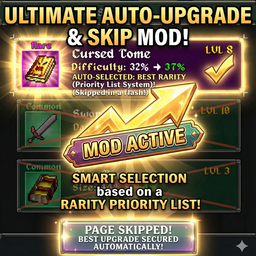
Automatically selects weapon and tome upgrades during level-ups based on a customizable priority list. Never miss a perfect upgrade roll again!
Features
✅ Smart Automatic Selection - Intelligently picks upgrades based on your priority list
✅ Multi-Word Weapon Support - Correctly identifies weapons like "Lightning Staff" and "Fire Staff"
✅ Rarity-Based Priority - Prefers higher rarity upgrades while respecting your priority order
✅ New Item Priority - Automatically grabs new unowned items to fill slots first
✅ Visual Notifications - See what was selected and what other options were available
✅ Customizable Priority List - Full control over upgrade selection order
✅ Manual Override - Easily skip auto-selection when you want to choose manually
Installation
- Install BepInEx if you haven't already
- Download this mod from Thunderstore
- Extract the mod into your
BepInEx/plugins/folder - Run Megabonk - the mod will generate its config file on first run
Configuration
After the first run, your configuration will be saved. You can configure the mod in-game by:
- Opening the mod menu
- Adding weapons and tomes to your priority list
- Setting maximum levels for each item
- Reordering items by priority
The mod prioritizes items based on:
- Rarity - Higher rarity items (Legendary > Epic > Rare > Uncommon > Common)
- New Items - Unowned items get selected first to complete your build
- Priority Order - Your custom ordering in the priority list
What's Fixed in v1.2.1
- CRITICAL DISPLAY NAME FIX: Fixed weapon and tome name discovery to use correct display names
- Problem: Mod was showing internal names in UI but game used different names during level-up
- Examples Fixed:
- UI showed "LightningBolt" but game showed "Lightningstaff" → Now shows correct names ✅
- UI showed "FlameWalkers" but game showed "Flamewalker" → Now shows correct names ✅
- Solution: Discovery now uses display names from the game, not internal names
- Result: Items in "Add Items" section now match exactly what appears during level-up
What's Fixed in v1.2.0
- CRITICAL BUG FIX: Two-word weapon name matching is now 100% reliable
- Fixed: "Magic Wand", "Fire Staff", and other two-word weapons now correctly identified
- Fixed: The mod no longer treats each capitalized letter as a separator
- Improvement: Names can now be entered in ANY format - game will find them!
Changelog
See GitHub repository for full changelog: https://github.com/anro772/AutoUpgrade
STILL WORK IN PROGRESS (MINOR BUGS MIGHT APPEAR)
- Complete UI redesign with intuitive button controls
- Per-item max level system
- Real-time notification log with rarity colors
- Auto-selection toggle (ON/OFF)
- Fixed UI transparency during gameplay
- Improved selection reliability
v1.1.0
- Priority list system
- Two-phase selection logic
v1.0.0
- Initial release
Credits
Made by anro
If you encounter any issues, please report them!