

InventoryExpansion
Expand your inventory with additional backpack slots. Toggle between standard inventory and backpack with a configurable key. Features animated UI, visual key hints, and automatic cleanup when leaving the game.MIMESIS - InventoryExpansion
🛟 Need help or found a bug? Get support at support.doodesch.de/inventoryexpansion.
Adds extra backpack inventory slots you toggle on demand with a configurable key, shown in a custom animated panel that slides in and out. Carry more loot without permanently cluttering the standard 4-slot hotbar. Standalone, no MimicAPI required.




Features
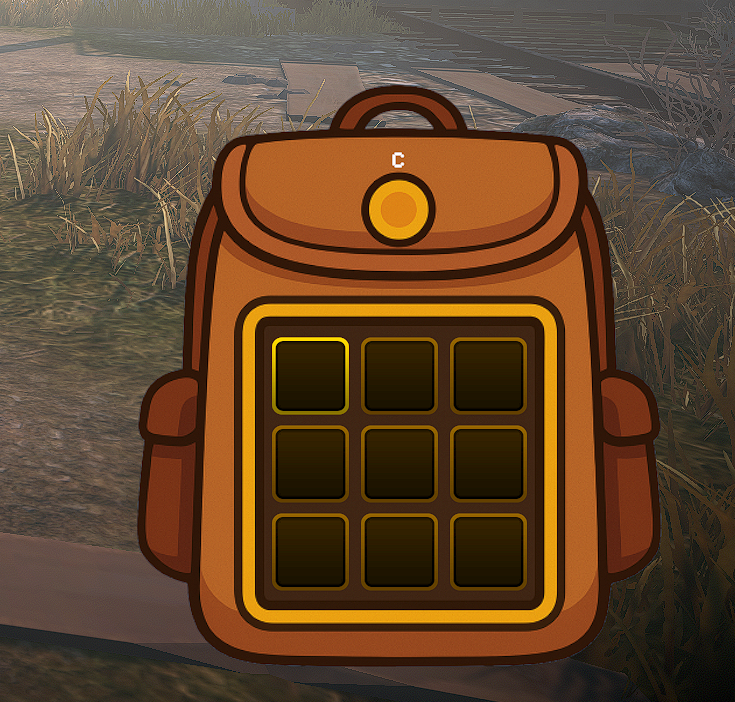
- Adds 4, 9, or 16 extra inventory slots laid out as a square grid (2x2, 3x3, or 4x4); the count is configurable. The new slots are real, usable inventory, not just a visual overlay.
- Toggle between the standard hotbar and the backpack with a configurable key (default
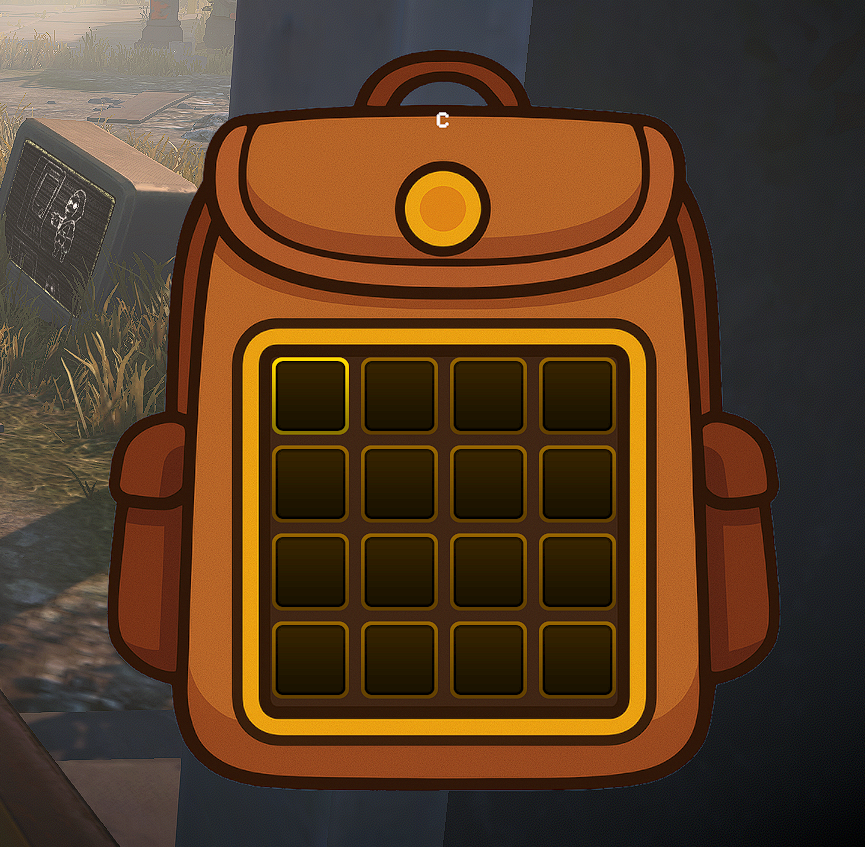
C); the mod reads the key live each frame. - Extra slots render in a custom backpack UI panel that uses the embedded sprite and slides in and out with a short eased animation. If the image cannot load it falls back to a translucent black panel.
- Shows a visual key hint on the panel displaying the currently configured toggle key.
- Context-aware slot scrolling: while the backpack is open, slot cycling affects only the backpack slots; while it is closed, it affects only the standard 4 slots.
- Cursor handoff on toggle: opening the backpack moves your selection to the first backpack slot, and closing it returns the selection to the standard inventory, so the cursor never stays stuck on a hidden slot. Each direction is configurable.
- Optional backpack-first pickup: while the backpack is open, items you pick up fill the backpack slots before the standard inventory (host / single-player only).
- Optional movement-speed reduction to 50% while the backpack is fully open, restored automatically when it closes.
- Blocks large items from entering the open backpack and prevents opening it while holding one; configurable through
BlockLargeItemsInBackpack. - Automatically hides the panel during loading screens and map changes, and when you leave the game or return to the title screen.
Screenshots
Open with loot - the extra backpack slots hold real items.
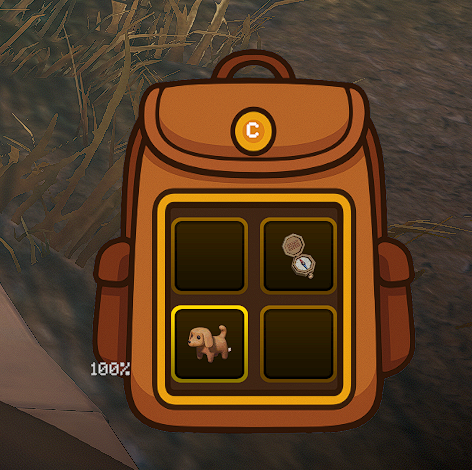
Toggle with a key (default C).
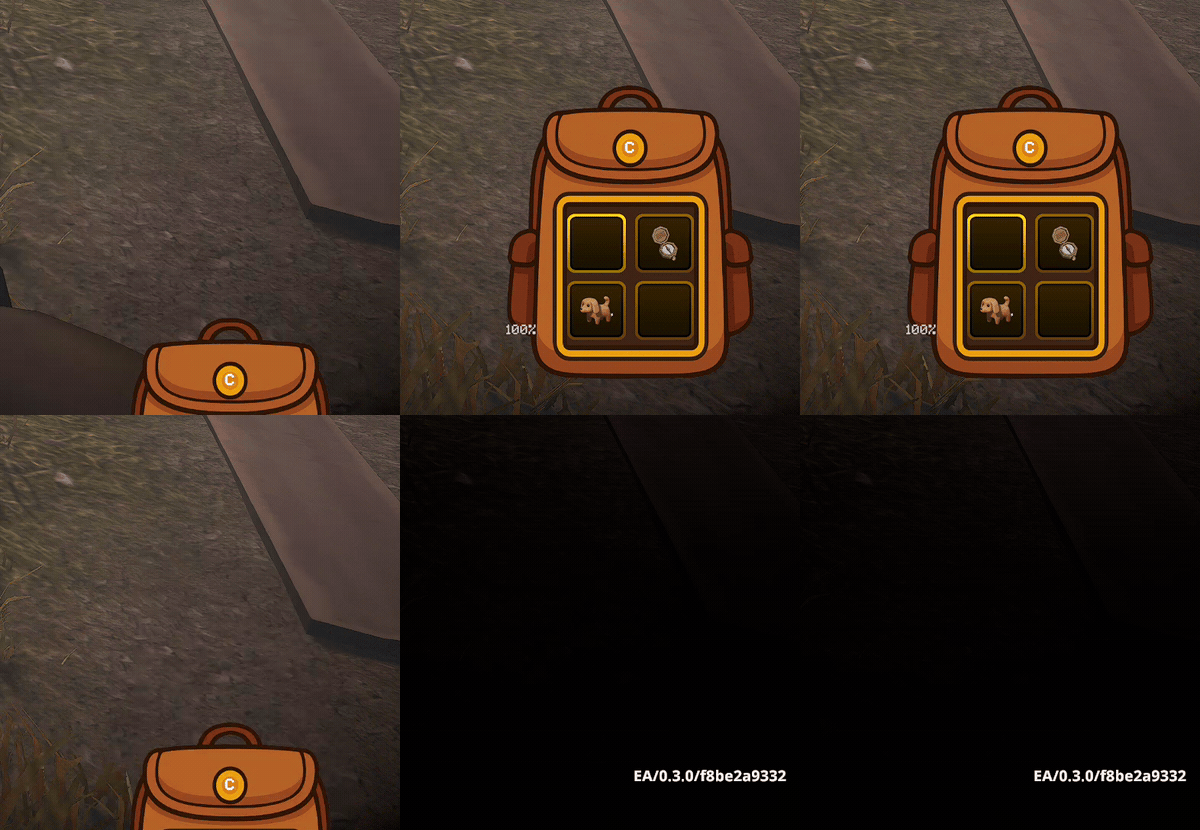
Configurable grid sizes (AdditionalSlots) and the resting peek state with the key hint.

Requirements
| Component | Version |
|---|---|
| MIMESIS | 0.3.2 |
| MelonLoader | 0.7.3+ |
Dependency: LavaGang-MelonLoader-0.7.3.
Installation
Recommended: Thunderstore mod manager
Install through a Thunderstore mod manager such as r2modman or Gale. The MelonLoader dependency and the backpack asset are handled automatically.
Manual
- Install MelonLoader 0.7.3 into MIMESIS.
- Download this package and place
InventoryExpansion.dllintoMIMESIS/Mods/. - Launch the game once to generate the configuration file at
UserData/MelonPreferences.cfg.
The backpack image is embedded in the DLL. To use your own image, place it at MIMESIS/Mods/Assets/Backpack.png.
Configuration
Stored in UserData/MelonPreferences.cfg under the [InventoryExpansion] category. You can also edit these through a MelonPreferences UI.
The host controls Enabled, AdditionalSlots, ReduceMovementSpeed, FillBackpackFirst, and BlockLargeItemsInBackpack for the lobby. Joining clients use those values automatically without changing their local config. BackpackKey, SelectBackpackSlotOnOpen, and RestoreStandardSlotOnClose stay local. A host without InventoryExpansion uses the standard 4-slot inventory and no backpack. Shared-setting changes apply to the next lobby.
| Option | Description | Default | Values/Range |
|---|---|---|---|
Enabled |
Enable InventoryExpansion functionality. When disabled, the mod will not modify game behavior. | true |
true / false |
AdditionalSlots |
Number of extra inventory slots to add on top of the game's default inventory size. Valid values: 4, 9, or 16 (square grids 2x2, 3x3, 4x4). Other values are rounded to the nearest valid option. | 4 |
4, 9, or 16 |
BackpackKey |
Key to toggle backpack visibility. Press to switch between standard inventory and backpack. | C |
A UnityEngine.KeyCode name that is also supported by the Unity Input System. Invalid or empty values fall back to C. |
ReduceMovementSpeed |
When enabled, player movement speed is reduced to 50% while the backpack is fully open. | true |
true / false |
SelectBackpackSlotOnOpen |
When opening the backpack, move the selected slot to the first backpack slot. | true |
true / false |
RestoreStandardSlotOnClose |
When closing the backpack, return the selected slot to the standard inventory (the slot selected before opening). | true |
true / false |
FillBackpackFirst |
While the backpack is open, picked-up items fill the backpack slots before the standard inventory. Host / single-player only. | true |
true / false |
BlockLargeItemsInBackpack |
Block large items from entering the open backpack and prevent opening it while holding one. | true |
true / false |
Usage
- Press the configured toggle key (default
C) to slide the backpack panel in and out. The panel sits at the bottom-right of the screen and shows a key hint. - When the backpack is open, slot scrolling and selection cycle only the backpack slots; when it is closed, they cycle only the standard 4 hotbar slots.
- Opening the backpack jumps your selection to the first backpack slot; closing it returns the selection to your previous standard slot, so the cursor is never stuck on a hidden slot (toggle each via
SelectBackpackSlotOnOpen/RestoreStandardSlotOnClose). - With
FillBackpackFirston, items you pick up while the backpack is open go into backpack slots first. This changes server-side placement, so it only applies when you host or play single-player. - With
ReduceMovementSpeedon, you move at 50% speed while the backpack is fully open, and full speed is restored when it closes. - The panel auto-hides during loading screens and map changes, and when you leave the game or return to the title screen.
In multiplayer, install the mod on the host and clients using the extra slots. Clients automatically use the host's slot count and gameplay settings. Backpack-first pickup applies to the host's own inventory.
Source code and issues: github.com/DooDesch-Mods/Mimesis-InventoryExpansion.
AI disclosure
The mod icon is AI-generated.
Built against MIMESIS 0.3.2 / MelonLoader 0.7.3.