You are viewing a potentially older version of this package. View Latest Version
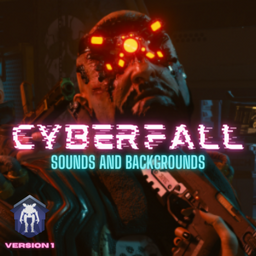
Cyberfall Collection by Rwyn
Cyberpunk 2077 theme sound and 3 animated backgrounds. Preview available. Please read the description.Cyberfall Collection (weapon sounds and stuff will be added in the future)
What is this Cyberfall Mod?
- This is the first release of Cyberfall Collection. (Please read the Instructions.txt)
- It contains 3 Cyberpunk themed background and Cyberpunk OST as Main Menu & MP Lobby music.
- A couple weapon sounds will be added in the future.
- I'm making my own sounds so once I'm done with them and figure out how to sync, I will add them here :clueless:
- If you have cool animated Cyberpunk themed backgrounds, feel free to contact me on Discord rwyn#9860 so maybe I can add them here.
Can't decide and want a preview?
THESE ARE ANIMATED BACKGROUNDS, THE ONES YOU SEE RIGHT NOW ARE JUST SCREENSHOTS!
There's a folder in the archieve called "Previews" there you can find "video previews" of all 3 backgrounds. But i'll leave image version of them here to give you example:
1. B2 Cyberpunk
2. The Eye 
3. Mantis Blade 
How do I install?
- Please! I strongly recommend you to read the "Instructions.txt" everything explained there.
- If you can't see the "Instructions.txt" keep reading. If you dont want to use some of these just skip those steps.***
1. Installing Menu Background:
FIRST OPEN "BACKGROUNDS" AND CHOOSE ONE OF THEM! IF YOU CANT DECIDE, WATCH PREVIEWS! they can be found in --Previews-- folder.
- Go to this location: "titanfall2\r2\media" and find "menu_act01.bik" (keep it somewhere else just in case)
- And then open "Backgrounds" folder, you'll see 3 folder, choose the one you want.
- You'll find a .bik file inside.
- Drag -or copy- this new .bik file to your "titanfall2\r2\media"
- That's all! You have successfully changed your background.
2. Installing Sound Mods:
- Find "Rwyn.Cyberfall.Sound" folder inside the "mods" folder and simply drag -or copy- it to your Titanfall2\r2northstar\mods folder. That's all!
3. Installing Avalar's (Avalar#2742) Weapon Laser Mod
- Find "WeaponLaser" folder in this archieve, and or move it to your "Titanfall2\r2northstar\mods" folder.
- If you want to change colors and stuff you can go"WeaponLaser\mod\scripts\weapons" here and take a look at them.
Find me on Discord and Instagram
My Instagram ||| My Discord: rwyn#9860 ||| Join Northstar Discord!
Release History
You can see Release History here once I've finished making and syncing.
Material Sources:
- Nier Art's artist link: https://www.artstation.com/nixeu