You are viewing a potentially older version of this package. View Latest Version
Cyberfall Collection by Rwyn
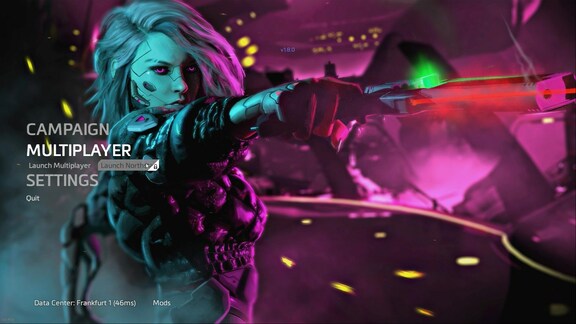
Cyberpunk 2077 theme sound and 6 animated backgrounds. Preview available. Please read the description.Cyberfall Collection v1.0.2
• What is this Cyberfall Mod?
- Cyberfall Collection is Rwyn's all cyberpunk themed materials' archieve. (Please read the Instructions.txt)
- It contains 6 Cyberpunk themed background and Cyberpunk OST as Main Menu & MP Lobby music.
- A couple weapon sounds will be added in the future.
- I'm making my own sounds so once I'm done with them and figure out how to sync, I will add them here :clueless:
- If you have cool animated Cyberpunk themed backgrounds, feel free to contact me on Discord rwyn#9860 so maybe I can add them here.
• Preview Images
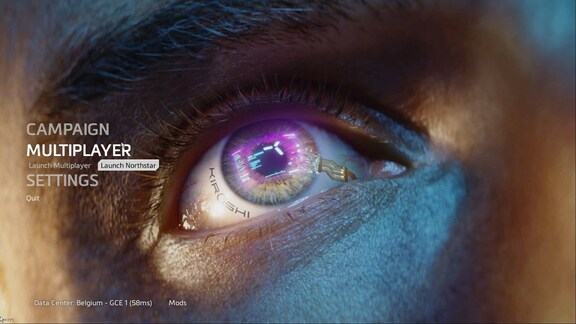
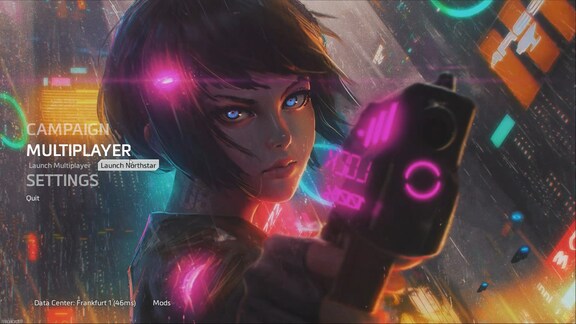
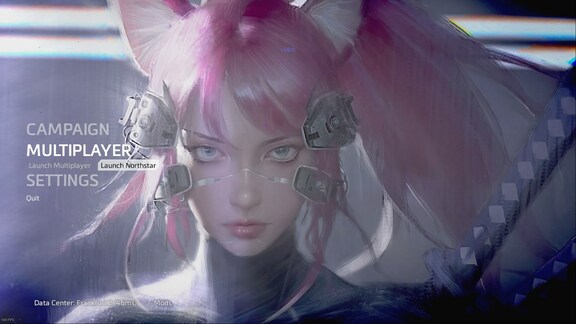
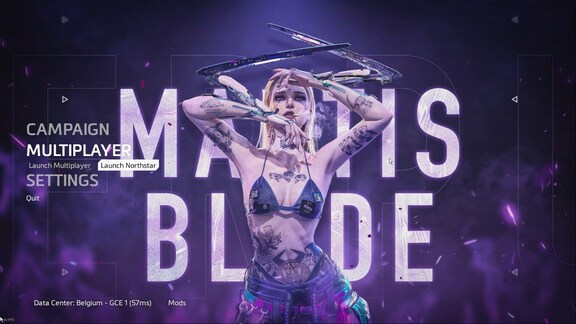
THESE ARE ANIMATED BACKGROUNDS, THE ONES YOU SEE RIGHT NOW ARE JUST SCREENSHOTS!
MP4 previews are no longer available (version 1.0.2) Check the Release History for more info.
1. 2B Nier x Cyberpunk
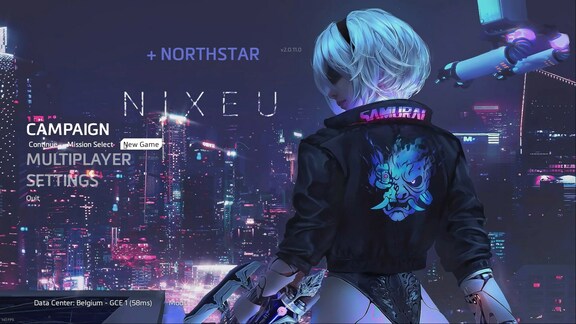
2. The Eye
3. Cybergirl P1 Psycho
4. Pink Samurai
5. Mantis Blade
6. Cybergirl P3 Pistol
• How do I install?
- Please! I strongly recommend you to read the "Instructions.txt" everything explained there.
- If you can't see the "Instructions.txt" keep reading. If you dont want to use some of these just skip those steps.
1. Installing Menu Background:
FIRST OPEN "BACKGROUNDS" AND CHOOSE ONE OF THEM!
- Go to this location: "titanfall2\r2\media" and find "menu_act01.bik" (keep it somewhere else just in case)
- And then open "Backgrounds" folder, you'll see 6 folder, choose the one you want.
- You'll find a .bik file inside.
- Drag -or copy- this new .bik file to your "titanfall2\r2\media"
- That's all! You have successfully changed your background.
2. Installing Sound Mods:
- Find "Rwyn.Cyberfall.Sound" folder inside the "mods" folder and simply drag -or copy- it to your Titanfall2\r2northstar\mods folder. That's all!
3. Installing Avalar's (Avalar#2742) Weapon Laser Mod
- Find "WeaponLaser" folder in this archieve, and or move it to your "Titanfall2\r2northstar\mods" folder.
- If you want to change colors and stuff you can go"WeaponLaser\mod\scripts\weapons" here and take a look at them.
• Find me on Discord and Instagram
My Discord: rwyn#9860 ||| My Instagram ||| Join Northstar Discord!
• Release History
| Version | Update description (features / bug fixes) |
|---|---|
| 1.0.2 | Change 1 Added 3 NEW Backgrounds (1080P 60FPS) Change 2 Main Menu sound replaced with a better quality one. It will fix the "replay" issue. Change 3 PREVIEW images are resized. Change 4 PREVIEW folder removed from the archieve to reduce the file size (48MB) |
| 1.0.1 | Change 1 Thunderstore page edited. Change 2 One of the archieve included preview MP4 is replaced with a better quality one. |
| 1.0.0 | First Release |
• Material Sources:
- Nier Art's artist link: https://www.artstation.com/nixeu