
Adjustable Chat
Resize and reposition your chat panel — it finally obeys you!
| Last updated | 6 days ago |
| Total downloads | 40 |
| Total rating | 0 |
| Categories | Mechanics Utility UI |
| Dependency string | GymMed-Adjustable_Chat-0.0.1 |
| Dependants | 0 other packages depend on this package |
This mod requires the following mods to function


README
Outward Adjustable Chat
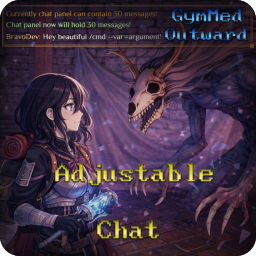


Resize and reposition your chat panel — it finally obeys you!
Overview
Outward Adjustable Chat gives you complete control over your in-game chat panel. Stuck in the corner with no way to move it? Forced to use a tiny chat window that ruins your immersion? Those days are over — now you can drag your chat anywhere on screen, resize it to fit your needs, and your settings travel with your character across saves.
Features
- Drag to Reposition — Click and drag anywhere on non-interactive areas of the chat panel to move it wherever you want
- Resize with Style — Pull the golden handle in the bottom-right corner to resize the panel freely
- Persistent Settings — Your position and size are saved automatically with each character save
- Smart Sprite Handling — Uses Sliced image type so the panel background stays crisp and unstretched when resized
Technical Details
XML Data Storage
Chat panel settings are stored per-character in XML format. Each character maintains their own panel configuration that follows them across save/load cycles.
File Location: BepInEx/config/gymmed.Mods_Communicator/Adjust_Chat/{characterUID}/ChatPanelState.xml
Data Structure:
DisplaySize— The size of the "Display" child element (x, y)PositionOffset— The screen position of the "Chat - Panel" parent element (x, y)BackgroundSize— The size of the background element (x, y)
Load Flow:
- Harmony patch intercepts
CharacterSaveInstanceHolder.ApplyLoadedSaveToChar() - XML file is loaded and stored as pending state
- When
ChatPanel.StartInit()completes, the component'sStart()method applies the saved values - Position is applied to the parent "Chat - Panel" RectTransform, size to the child "Display" RectTransform
Save Flow:
- Harmony patch intercepts
SaveInstance.Save() - Current position is read from the "Chat - Panel" parent RectTransform
- Current size is read from the "Display" child RectTransform
- Data is serialized to XML using
System.Xml.Serialization
Sprite Styling
The mod enhances the chat panel's visual quality using Unity's built-in image handling:
- Trigger: SideLoader's
SL.OnSceneLoadedevent callsChatPanelStyler.ApplyToAllCharacters()for each active character - Problem: The original sprite (
tex_men_backgroundChat) stretches when the panel is resized, causing blurry/pixelated edges - Solution: Uses
UnityEngine.Sprite.Create()with custom border parameters (14px for sides, 58px for bottom) to create a styled sprite - Result: Sets
UnityEngine.UI.Image.type = Image.Type.Slicedso the corners remain sharp and borders intact during resize - Optimization: The styled sprite is created once and cached for reuse across all characters
Drag & Resize Implementation
- Dragging: Uses Unity's native
EventTriggersystem (PointerDown, Drag, PointerUp events) rather than polling in Update() - Resizing: Creates a 10x10 golden-colored handle at the bottom-right corner of the "Display" element
- Position Tracking: Position is saved from the "Chat - Panel" parent (not the child "Display") to ensure absolute screen positioning
How to set up
To manually set up, do the following
- Create the directory:
Outward\BepInEx\plugins\OutwardAdjustableChat\. - Extract the archive into any directory(recommend empty).
- Move the contents of the plugins\ directory from the archive into the
BepInEx\plugins\OutwardAdjustableChat\directory you created. - It should look like
Outward\BepInEx\plugins\OutwardAdjustableChat\OutwardAdjustableChat.dllLaunch the game.
