
Basic Chat Commands
Provides basic chat commands to outward. Ex.: /follow , /setVisuals , /cfgToXml
| Last updated | a week ago |
| Total downloads | 216 |
| Total rating | 0 |
| Categories | Mechanics Utility |
| Dependency string | GymMed-Basic_Chat_Commands-0.1.1 |
| Dependants | 0 other packages depend on this package |
This mod requires the following mods to function

GymMed-Chat_Commands_Manager
CLI library for Outward chat. Eliminates the need to build a separate UI to execute mod functions by providing an in-chat console.
Preferred version: 0.1.0
GymMed-Mods_Communicator
Outward Mods Communicator enables seamless communication between mods through shared events and configuration syncing. It also lets users override any changes made by other mods, giving them full control over their settings.
Preferred version: 1.2.0

README
Outward Basic Chat Commands
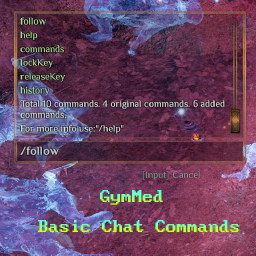



Provides basic user chat commands
How to use it
Firstly, install Chat Commands Manager. After that, you can use the commands provided by this mod directly in chat.
Built-in Commands
Follow
Uses Unity’sNavMeshPath to calculate a path and simulates character
movement input to begin following another character. Following is automatically
canceled when the follower starts moving manually.Usage:
- Type
/followto follow a random nearby character (starting from the local player). - Type
/follow characterNameto follow a specific character.
Max Chat Messages
Changes the amount of messages chat panel can contain.Usage:
- Type
/maxChatMessagesto show chat panel messages limit. - Type
/maxChatMessages --amount=90to set max amount of how many messages chat panel can contain.
Set Character Visuals
Changes how your current character looks.Usage:
- Type
/setVisuals 1 15 11 5 2To change race = 1, hairStyle = 15, hairColor = 11, headVariation = 5 and gender = 2.
Skills data
Shows skills information.Usage:
- Type
/skillsto show currently all available skills in the game. - Type
/skills --type="1"to show specific type. Available: 0 - All, 1 - Active, 2 - Passive, 3 - Cosmetic.
🧩【 Time 】
Set Time
Sets current time.Usage:
- Type
/setTime 15:55to set game time to 15 hours and 55 minutes.
Set Minutes
Sets current hour minutes.Usage:
- Type
/setMinutes 55to set game current hour minutes 55 minutes.
🧩【 Enchantments 】
Enchantments Data
Provides information about all enchantments.Usage:
- Type
/enchantmentsto print all enchantments in detailed way. - Type
/enchantments --short="true"to print all enchantments count.
Enchantments Recipes Data
Provides information about all enchantments recipes.Usage:
- Type
/enchantmentRecipesto print all enchantments recipes in detailed way. - Type
/enchantmentRecipes --short="true"to print all enchantments recipes count.
Enchantments Recipes Items Data
Provides information about all enchantments recipes items.Usage:
- Type
/enchantmentRecipeItemsto print all enchantments recipes items in detailed way. - Type
/enchantmentRecipeItems --short="true"to print all enchantments recipes items count.
Broken Enchantments Data
Provides information about all incorrectly added enchantments by modders.Usage:
- Type
/brokenEnchantmentsto print all incorrectly added enchantments in detailed way. - Type
/brokenEnchantments --short="true"to print all incorrectly added enchantments count.
🧩【 ModsCommunicator 】
Config to Xml
Saves your current configuration as an XML file for the ModsCommunicator mod. Intended mainly for mod developers. Regular users should only lock the values they need, as locking everything may lead to unintended gameplay changes.Usage:
- Type
/cfgToXmlto store configs to default location:"BepInEx\config\gymmed.Mods_Communicator\Basic_Chat_Commands\PlayerConfigs.xml". - Type
/cfgToXml --filePath="yourPath"to store configs to your provided path.
How to set up
To manually set up, do the following
- Create the directory:
Outward\BepInEx\plugins\OutwardChatCommandsTemplate\. - Extract the archive into any directory(recommend empty).
- Move the contents of the plugins\ directory from the archive into the
BepInEx\plugins\OutwardChatCommandsTemplate\directory you created. - It should look like
Outward\BepInEx\plugins\OutwardChatCommandsTemplate\OutwardChatCommandsTemplate.dllLaunch the game.
