
Mods Communicator Menu
Menu to inspect mods communicator interactions and publish events.
| Last updated | 2 weeks ago |
| Total downloads | 335 |
| Total rating | 0 |
| Categories | Utility UI |
| Dependency string | GymMed-Mods_Communicator_Menu-0.0.3 |
| Dependants | 0 other packages depend on this package |
This mod requires the following mods to function

GymMed-Chat_Commands_Manager
CLI library for Outward chat. Eliminates the need to build a separate UI to execute mod functions by providing an in-chat console.
Preferred version: 0.1.0
GymMed-Mods_Communicator
Outward Mods Communicator enables seamless communication between mods through shared events and configuration syncing. It also lets users override any changes made by other mods, giving them full control over their settings.
Preferred version: 1.2.0

README
Outward Mods Communicator Menu




Overview
Outward Mods Communicator Menu gives you a graphical interface to interact with the Mods Communicator event system. Instead of typing complex chat commands, you can use this menu to:
- Browse all registered events from every mod
- See which mods publish which events
- View which mods subscribe to events
- Send (publish) events with custom parameters
- Toggle the menu with a hotkey or chat command
Requirements
This mod requires the following dependencies to be installed:
| Dependency | Purpose |
|---|---|
| Outward Mods Communicator | Core event bus system |
| Chat Commands Manager | Enables /MCMenu command |
| SideLoader | Keybinding support |
| UniverseLib | UI framework |
How to Use
Opening the Menu
You can open the menu in two ways:
- Chat Command: Type
/MCMenuin the in-game chat - Keyboard Shortcut: Press your configured hotkey (needs to be set through settings)
Menu Tabs
The menu has three main tabs:
Publish Tab
Use this tab to send events to mods.
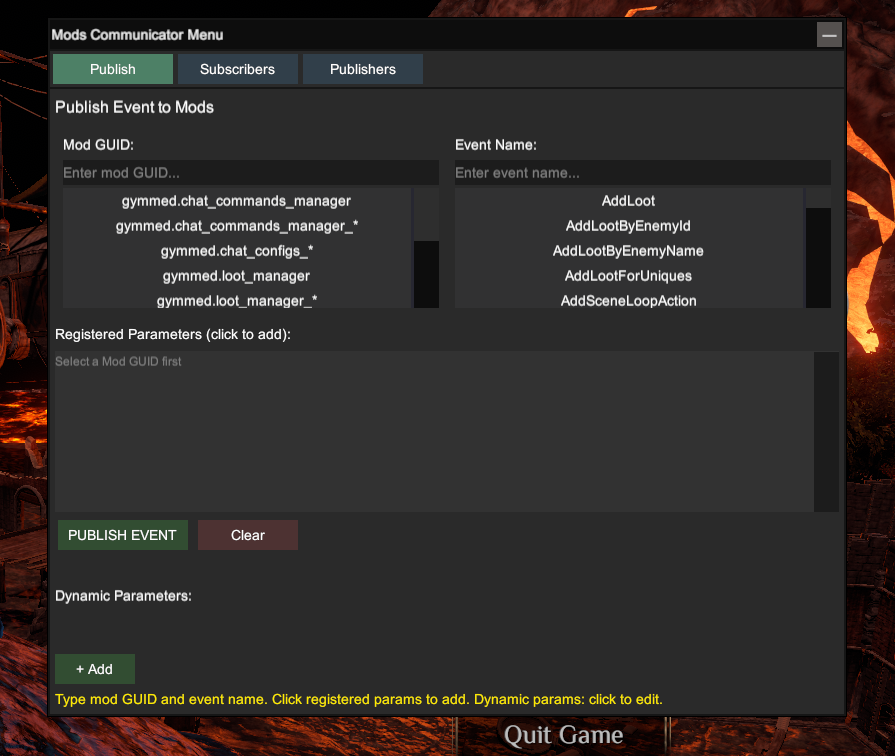
How to publish an event:
- Enter the Mod GUID (e.g.,
gymmed.loot_manager_*)
2. Enter the Event Name (e.g., AddLoot)
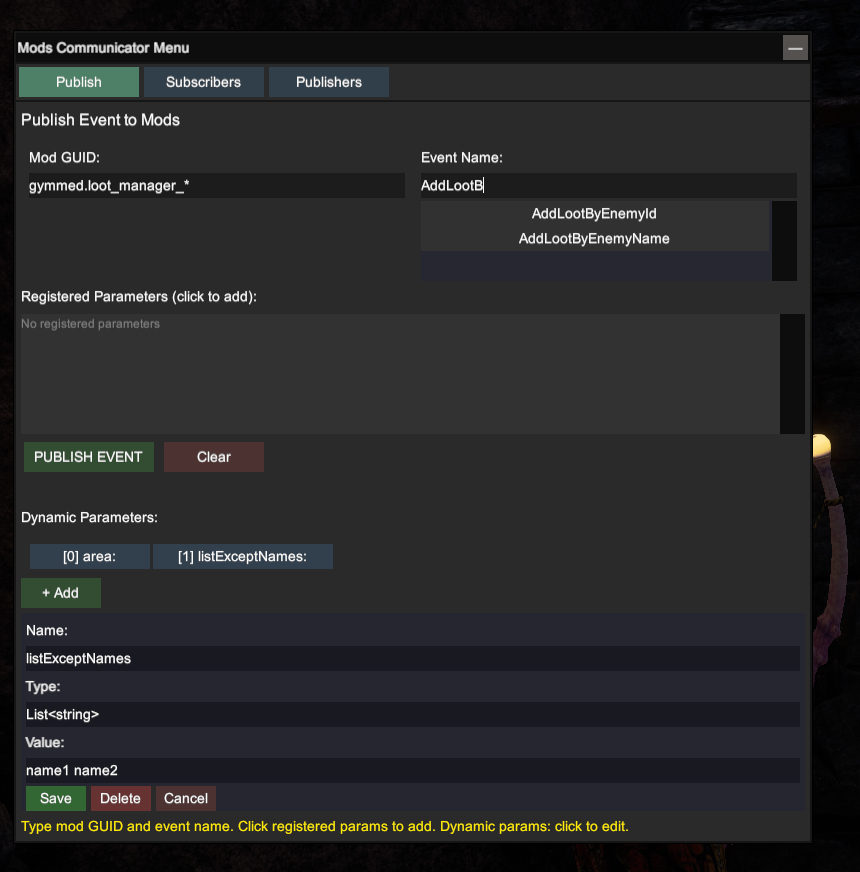
3. Click on registered parameters to add them, or create custom dynamic parameters
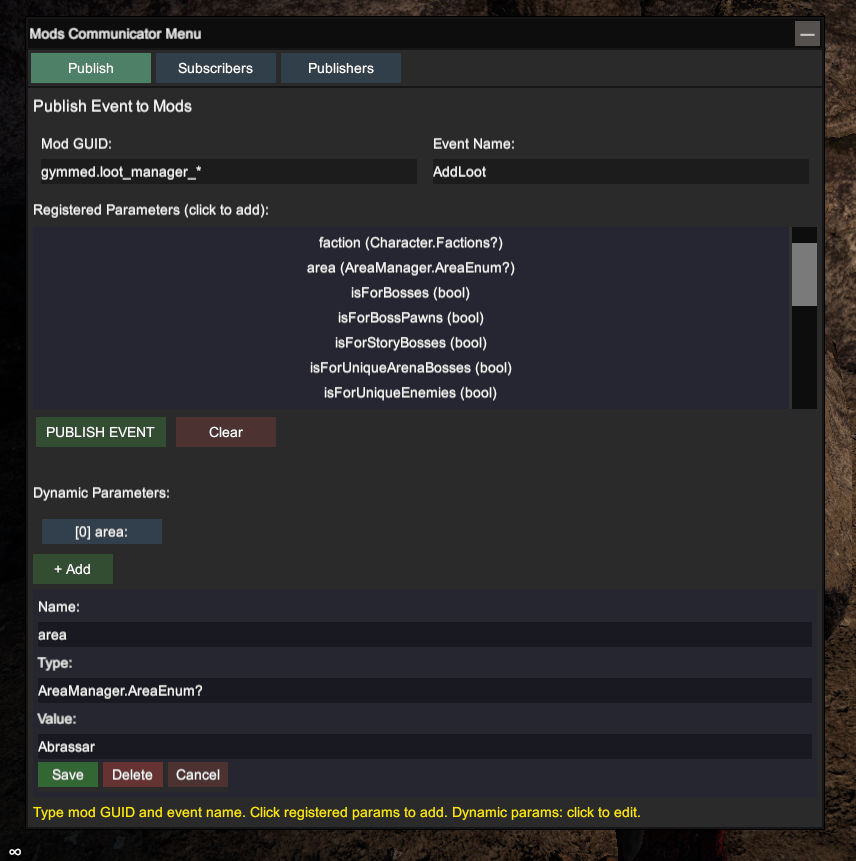
Parameters:
- Registered Parameters: Parameters that the event was originally designed to accept. Click on them to add to your payload.
- Dynamic Parameters: Custom parameters not in the original event schema. Specify the name, type, and value.
Subscribers Tab
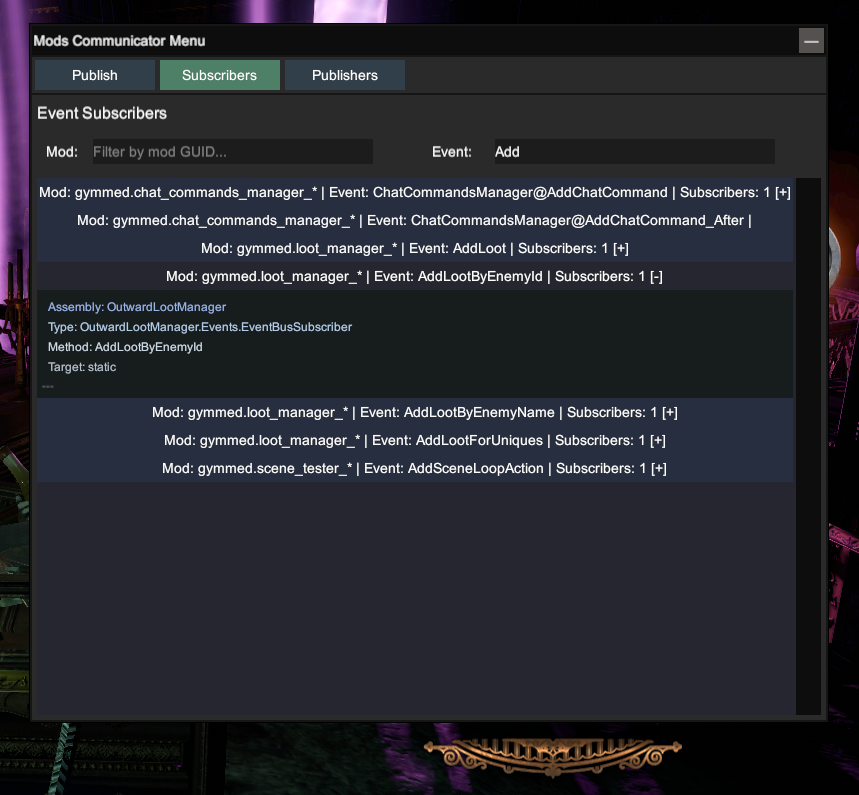
View which mods are listening to which events. This shows you:
- Which mods have subscribed to events
- What callback methods they use
- The event names they're listening for
This helps you understand how different mods communicate and react to each other.
Publishers Tab
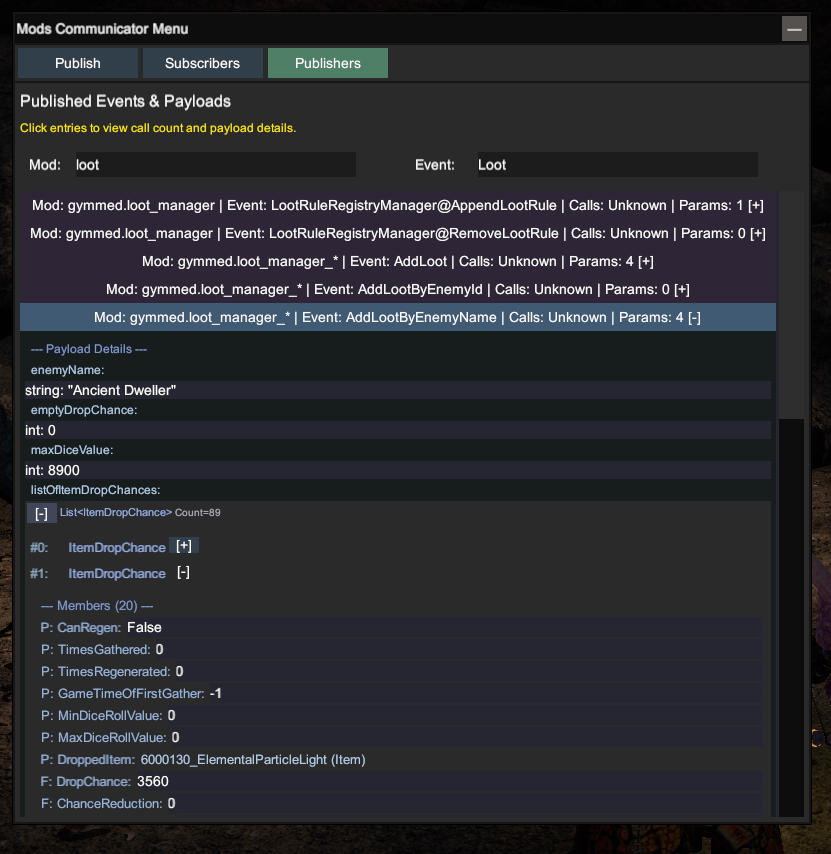
See which mods have published events. This shows:
- Mod GUIDs that have published events
- The events they've sent
- Payload data that was sent
Useful for debugging and understanding the event flow between mods.
Features
Type Support
When entering parameter values, the menu supports various data types:
| Type | Example |
|---|---|
| Primitives | string, int, float, bool, double |
| Enums | Character.Factions.Bandits, ItemDrop.ItemData.ItemType.Weapon |
| Collections | Lists and arrays of any supported type |
| Vectors | Vector2, Vector3, Vector4 |
Validation
The menu provides real-time validation:
- Warns if the event isn't registered
- Shows parsing errors for invalid values
- Displays success messages after publishing
Installation
Manual Install
- Create the directory:
Outward\BepInEx\plugins\OutwardModsCommunicatorMenu\ - Extract the mod archive to an empty folder
- Copy the contents from the
plugins\folder to the directory you created - Your folder should look like:
Outward\BepInEx\plugins\OutwardModsCommunicatorMenu\OutwardModsCommunicatorMenu.dll - Launch the game
Thunderstore Install
Install through the Thunderstore mod manager by searching for "Mods Communicator Menu".
Troubleshooting
Menu doesn't open:
- Ensure all dependencies are installed
- Check that the mod is loaded (look for log messages in
BepInEx\LogOutput.log)
Events won't publish:
- Verify the mod GUID and event name are correct
- Check the parameter types match what the event expects
Parameters not showing:
- Not all events have registered parameters
- Use dynamic parameters to add custom data
Technical Details
The menu is built using:
- UniverseLib: For creating the in-game UI panels
- Event Bus: Connects to Outward Mods Communicator's event system
- Harmony: For game method patching
Licensing
This project is licensed under MIT. See LICENSE file for details.
This software uses UniverseLib (https://github.com/sinai-dev/UniverseLib) licensed under LGPL-2.1. The source code for UniverseLib is available at the above URL.
Support
If you encounter issues or have questions:
- Check the GitHub Issues
If you like this mod, consider leaving a star on GitHub!
