

You are viewing a potentially older version of this package. View Latest Version
ActionUI
⚡ Multiplayer Fixes ⚡ Adds UIs for creating hotkeyable Equipment Sets, highly configurable Keyboard Quickslots, an equipment Durability Display. Plus, customize placements of Outward's HUD with a new UI Positioning Mode.
⚡ Equipment Sets, Additional Quickslots, UI Positioning, Durability Display ⚡
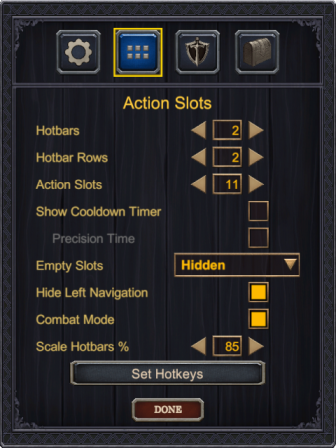
- Add Multiple Hotbars and Action Slots (Quick Slots)
- Combat Mode: Extra Slots without ruining game balance.
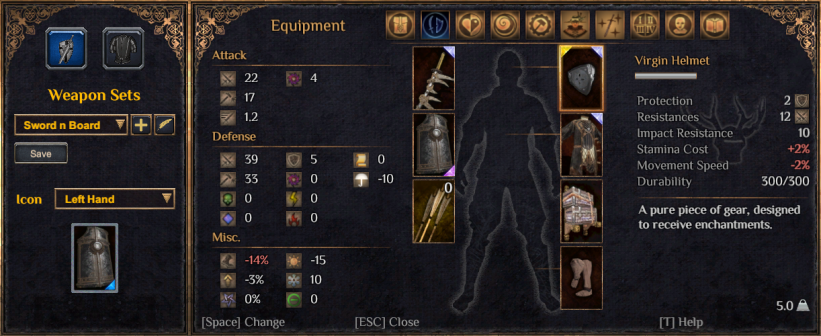
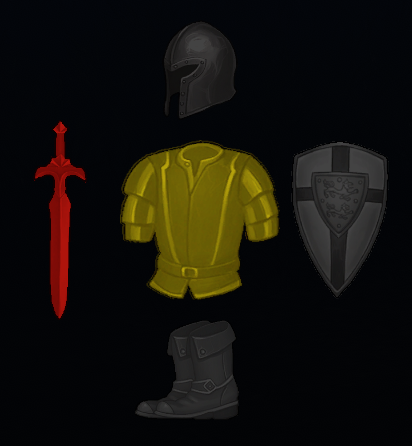
- Create Weapon and Armor Sets. Equip entire sets with a single hotkey.
- Reposition UI Elements with Drag and Drop
- New Durability UI Displays Equipment
- See the Action UI Wiki for more details
Highly Configurabe Hotbars and Action Slots
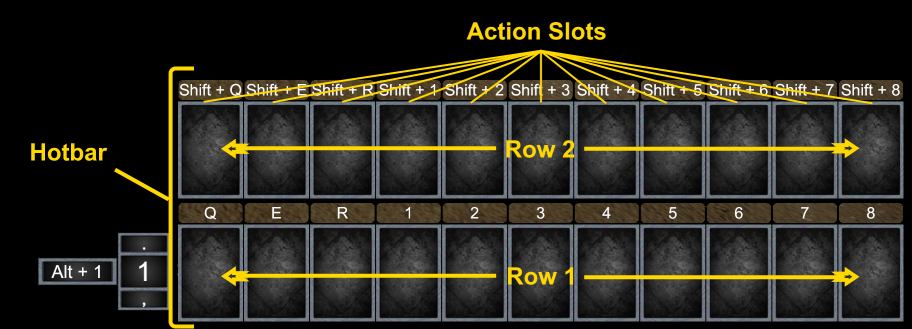
Drag Actions to Slots right from Inventory!
Equipment Sets and Quickslotable Skills
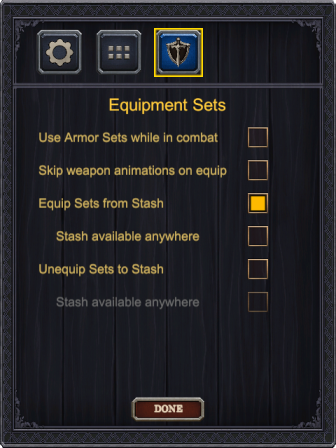
Create and Customize Equipment Sets
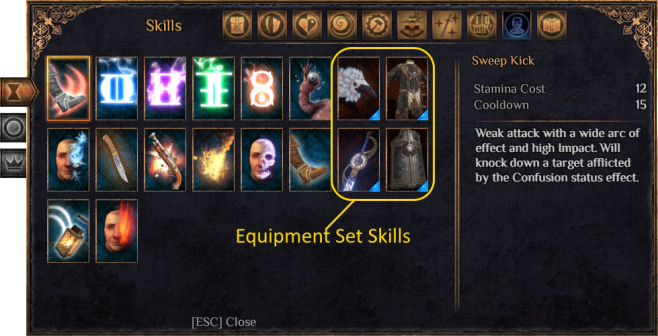
New Equipment Set Skills, slottable in Outward's Quickslots or ActionUI's Action Slots.
Reposition UI Elements
Equipment Durability UI
Latest Release 1.0.5
- Multiplayer Fixes
- ActionUI should function in multiplayer games.
- Splitscreen should now work when player 2 is assigned the keyboard.
- Equipping a set with a 2h Weapon will now only play the unequip/equip animation once. Was previously playing twice, once for each hand.
- Fixes for sets erroring when a set slot was empty.
- Items with stack amounts (arrows, potions, etc) should now display the quantity when added to an action slot without requiring a scene change / reload.
- Hidden Action Slots are now visible and assignable when the character menu is open.
- Fixed dropdown menus.
Release 1.0.4
- Bug fix for "floating" backpacks.
- Backpacks or items could remain stuck floating in the air if the item was slotted one of the action slots higher than Outwards base quickslots. Outward technically has 11 quickslots, so any amount of action slots higher than 11 could cause this issue if an item was slotted to it.
Release 1.0.3
- Fix for drag and drop issue. Skills could be dragged and destroyed. Items couldn't be dragged to action slots.
Release 1.0.2
- Weapon and Equipment Sets functionality added.
- Craft from stash now limited to in town only by default with an option to enable it from any scene.
- Optimized settings menu so Action Slots were only reloaded for action slots changes. Should remove most of the lag from changing other menu options.
- Stack counts now show for ammunition (arrows, bullets).
- Empty Action Slots no longer show as disabled if a disabled skill / item was removed from the slot.
- Fixed bug where equipment showed the broken icon in an action slot if the scene was loaded without the item in the characters inventory.
- Switching to controller and back to keyboard should no longer cause action slots to stop updating cooldowns, stack counts, and enabled status.
- Fixed several issues when transitioning between the main menu and continuing other saves after the first character save is loaded.
- Durability Display should no properly track equipped boots.
- Fixed issue where items could not be drag and dropped from the inventory menu.
Release 1.0.1
- Fixes profile character switching bug.
- Going back to the main menu and continuing a different character's was causing the wrong ActionUI profile to be loaded. The profile for the first character loaded after launching the game was always being used.
- Fixes for navigating settings menus with keyboard or controller.
- Added Craft from Stash option.
Initial Release 1.0.0
- Initial Release
- Keyboard Quickslots replaced with Custom Hotbar and Action Slots
- Durability Display UI
- Drag and Drop Positioning of UI