

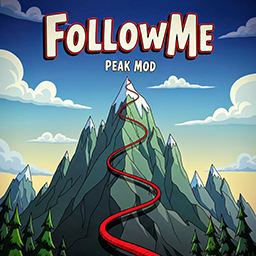
FollowMe
GLOOM / THE CITADEL added!!! A BepInEx plugin for PEAK that automatically records climbs in levels and displays them as a visual aid for other players.FollowMe-Peak
A BepInEx plugin for Peak that automatically records paths in levels and displays them as visual guides for other players.
Features
- Automatic Path Recording: Automatically records your movements in each level
- Visual Path Display: Shows recorded paths as visible lines in the game
- Modern UI: Clean interface that matches Peak's visual style
- Difficulty Tracking: Tracks and saves ascent levels for each climb
- Advanced Filtering: Easy search and filter climbs through the UI
- Biome-specific Paths: Saves paths separately by biomes/level areas
- Cloud Synchronization: Share your paths with other players via an optional server
- Community Ratings: Rate cloud climbs with 1-5 stars and report suspected cheated routes
- Easy Controls: Configurable hotkey (default F1) to open the settings menu
- Persistent Storage: Paths are saved between game sessions
Installation
- Install BepInEx via the mod manager
- Install FollowMe-Peak via your mod manager
- Start the game
Usage
- The plugin automatically starts path recording when a level is loaded
- Press F1 (or your configured hotkey) to open/close the settings menu
- Press F2 (or your configured hotkey) to quickly toggle the visibility of your currently selected climbs
- In the menu you can:
- Toggle path visibility on/off
- Filter climbs by difficulty (Ascent level) / Biome / Climb Code
- Search and manage climbs easily
- Configure cloud synchronization
- Customize the menu hotkey
- Delete paths
- Paths are automatically saved when you light a campfire
Map Rotation Note
When the map rotation occurs, all saved routes are reset. Someone needs to climb ahead and share their route with others to rebuild the path database for the new rotation.
Cloud Synchronization (Optional)
The plugin supports an optional server for sharing paths:
- Upload paths to share them with others
- Download paths from other players
- Automatic synchronization on level start
Server setup is optional and the plugin works completely offline.
Compatibility
- Game: Peak
- Framework: BepInEx 5.4.21+
- Platform: Windows/Steam
Troubleshooting
If the plugin doesn't work:
- Make sure BepInEx is correctly installed
- Check the BepInEx logs in
BepInEx/LogOutput.log - Restart the game after installation
Changelog
v1.0.9
New Features
- Community rating system - Rate cloud climbs with 1-5 stars directly in the mod menu. The average rating and vote count are shown on every climb.
- Community cheat reporting - Report suspected cheated climbs via the report button (with confirmation dialog). Climbs with 3 or more reports get a warning badge for everyone.
- Best climbs first - The climb list is now sorted by community rating by default. Sorting by duration via the menu still works.
Fixes
- Fixed uploads failing permanently after server rate limiting (HTTP 429) - they are now retried automatically with an increasing delay.
v1.0.8
Fixes
- Fixed micro-stuttering during gameplay - The fly-mod detection scanned every object in the scene twice per second. It now only checks the local player using cached data, eliminating the recurring performance spikes.
- Fixed false-positive fly detections caused by remote players in multiplayer.
v1.0.7
New Features
- New level preview image - Added the image for the new level to the mod menu.
v1.0.6
New Features
- UI hotkey mapping - Added UI elements to map the shortcut key for toggling visibility of the last selected climbs (default F2).
Fixes
- Synchronized version numbers across all files.
v1.0.5
Fixes
- Fixed version number.
v1.0.4
New Features
- Added support for the new 'Roots' biome - Full integration of the new 'Roots' biome.
Fixes
- Fixed critical errors caused by a recent game update that led to crashes.
- Resolved a file access conflict when saving the upload queue.
v1.0.3
New Features:
- Complete climb tracking from kiln to peak - Track your entire journey from the starting kiln all the way to the peak, fulfilling the dream of peaking!
- Improved climb timing - Climbs now start precisely with the "RUN STARTED" sequence for better accuracy
- Death tracking - Climbs with deaths can now be saved (configurable in settings)
- Death climbs are marked with a small death icon
- Death climbs have no share code and won't be uploaded to the cloud
- Global mod logger - Implemented centralized logging system with configurable log levels in BepInEx config
Improvements:
- Climb tracking automatically stops on death or return to home
- Better climb start/stop detection for more accurate path recording
- Enhanced debugging capabilities through the new logging system
v1.0.2
New Features:
- Improved flymod detection - Now only displays valid climbs without false positives
- Update notification system - Displays in-game notifications when a new mod version is available
- New settings menu - Customizable hotkey configuration for toggling the menu
Improvements:
- Better climb validation to ensure only legitimate climbs are shown
- Push notification capability for mod updates
v1.0.1
Fix
- Fixed a rendering issue that caused the User Interface (UI) to display pink boxes instead of text when using Vulkan (e.g., on Linux/Steam Deck). All text is now rendering correctly.
v1.0.0
New Features:
- Completely redesigned UI that fits the design of the game
- Difficulty tracking implemented - Ascent level is now saved and can be used as a filter to display climbs
- Optimized climb storage with reduced memory usage locally and on the server
- Route display no longer blocks the view in the game
Fixes & Optimizations:
- Fixed lag spikes when activating campfires
- Only 25 climbs are loaded for each filter instead of all available ones
- List updates automatically - visible climbs always appear at the top of the list
- Sorting organizes cloud and local climbs by duration
v0.1.0
- Initial release
- Basic path recording and visualization
- Cloud synchronization
- User interface with F1
Support
For issues or questions, create an issue in the GitHub Repository.