
You are viewing a potentially older version of this package. View Latest Version
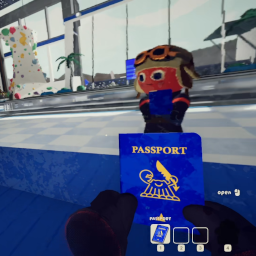

An unofficial BepInEx mod that adds head tracking to PEAK via OpenTrack. Look around naturally with your head while your aim stays independent.
install.cmd127.0.0.1:4242The installer automatically finds your game via Steam registry lookup. If it can't find the game:
PEAK_PATH environment variable to your game folder, orinstall.cmd "D:\Games\PEAK"If you prefer to install manually or the installer doesn't work for you:
BepInExPack_PEAK folder to your game root (where Peak.exe lives) — this includes winhttp.dll, doorstop_config.ini, and the BepInEx folder-nexus.zip)BepInEx/plugins/:
PeakHeadTracking.dllCameraUnlock.Core.dllCameraUnlock.Core.Unity.dll127.0.0.1:4242127.0.0.1, Port: 4242No special hardware needed — OpenTrack's built-in neuralnet tracker uses any webcam for 6DOF face tracking.
127.0.0.1:4242)This mod includes built-in smoothing for network jitter, so you can send directly from your phone on port 4242 without needing OpenTrack on PC.
ipconfig to find it)With OpenTrack (optional): If you want curve mapping or visual preview, route through OpenTrack. Set OpenTrack's input to "UDP over network" on a different port (e.g. 5252), output to 127.0.0.1:4242, and point your phone at port 5252. Make sure your firewall allows incoming UDP on the input port.
| Key | Action |
|---|---|
| Home | Recenter view |
| End | Toggle head tracking on/off |
| Page Up | Toggle positional tracking on/off |
The mod creates a config file at BepInEx/config/com.cameraunlock.peak.headtracking.cfg on first run.
[Connection]
UDP Port = 4242                  # Must match OpenTrack output port (1024-65535)
Reconnect Timeout = 5            # Seconds before reconnection attempt (1-60)
Packet Buffer Size = 100         # Max packets to buffer (10-500)

[General]
Tracking Enabled = true          # Start with tracking enabled
Position Enabled = true          # Enable lean/positional tracking (6DOF)
Enable Audio Feedback = true     # Play sounds for tracking state changes

[Sensitivity]
Yaw Sensitivity = 1.0            # Horizontal rotation (0.1-5.0)
Pitch Sensitivity = 1.0          # Vertical rotation (0.1-5.0)
Roll Sensitivity = 1.0           # Head tilt (0.1-5.0)
Invert Yaw = false
Invert Pitch = false
Invert Roll = false
Position Sensitivity X = 2.0    # Lateral sensitivity (0.0-5.0)
Position Sensitivity Y = 2.0    # Vertical sensitivity (0.0-5.0)
Position Sensitivity Z = 2.0    # Depth sensitivity (0.0-5.0)
Position Limit X = 0.30         # Max lateral offset in meters (0.01-0.5)
Position Limit Y = 0.20         # Max vertical offset in meters (0.01-0.5)
Position Limit Z = 0.40         # Max depth offset in meters (0.01-0.5)

[Limits]
Enable Pitch Limits = true       # Clamp pitch rotation
Minimum Pitch = -85              # Max look-down angle (-90 to 0)
Maximum Pitch = 85               # Max look-up angle (0 to 90)
Enable Roll = true               # Enable head tilt
Enable Roll Limits = true        # Clamp roll rotation
Maximum Roll = 30                # Max tilt angle (0-90)

[Smoothing]
Smoothing = 0.0                  # 0 = responsive, 1 = heavy (adds latency)
Position Smoothing = 0.15        # Position smoothing (0.0-1.0)

[Deadzone]
Enable Deadzone = false          # Ignore small movements near center
Yaw Deadzone = 0                 # Yaw deadzone in degrees (0-10)
Pitch Deadzone = 0               # Pitch deadzone in degrees (0-10)
Roll Deadzone = 0                # Roll deadzone in degrees (0-10)

[Hotkeys]
Toggle Tracking = End
Recenter View = Home
Toggle Position = PageUp

[Advanced]
Debug Logging = false            # Enable detailed debug logging
Update Rate = 60                 # Target update rate in Hz (30-120)
Maintain Relative Position = true
Near Clip Override = 0.15        # Prevents seeing through player model during head bob (0.01-0.5)
Game crashes on startup after installing BepInEx:
install.cmd downloads this automatically.-force-vulkan to your Steam launch options (game Properties > General > Launch Options) to bypass DX12Mod not loading:
BepInEx/LogOutput.log for errorsBepInEx/plugins/: PeakHeadTracking.dll, CameraUnlock.Core.dll, CameraUnlock.Core.Unity.dllwinhttp.dll is in the game folderNo tracking response:
Jittery movement:
Smoothing in the config file (remote connections auto-use 0.15 minimum)[Deadzone] sectionDownload the new release and run install.cmd again.
Run uninstall.cmd from the release folder. This removes the mod DLLs. BepInEx is only removed if it was originally installed by this mod. To force-remove BepInEx:
uninstall.cmd /force
git clone --recurse-submodules https://github.com/itsloopyo/peak-headtracking.git
cd peak-headtracking

# Build and install to game
pixi run install

# Build only
pixi run build

# Package for release
pixi run package
| Task | Description |
|---|---|
pixi run build |
Build the mod (Release configuration) |
pixi run install |
Build and install to game directory |
pixi run uninstall |
Remove the mod from the game |
pixi run uninstall -- --force |
Remove the mod and BepInEx |
pixi run package |
Create release ZIPs |
pixi run clean |
Clean build artifacts |
pixi run release |
Version bump, build, tag, and push |
MIT License - see LICENSE for details.
This mod is not affiliated with, endorsed by, or supported by Aggro Crab Games or Landfall. Use at your own risk.
