

You are viewing a potentially older version of this package. View Latest Version
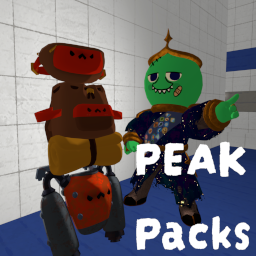
PEAK Packs
Hold a pack to open it, stash from pockets, dump loot in from the ground or your hands, and open the pack on your back. Works for backpacks, fanny packs, and jetpacks!PEAK Packs 🎒
Backpacks, fanny packs, and jetpacks that actually keep up with the climb.
Hold a pack to open it. Stuff loot in from the ground or from your hands. Open the pack on your back without taking it off. Feed the jetpack without removing it.
- 🎒 Pairs well with Start With Backpacks
- 🗣️ Bugs, comments, and ideas: Peak Modding Discord →
#mod-releases


🛠️ Features
- Hold a pack — putting a backpack, fanny pack, or jetpack in your hands opens the vanilla pack wheel (can be turned off)
- Click to take / close — click an item slice to take it out, or click the pack slice to put it back on and close the wheel
- Look and throw while held — optional: keep mouse look, camera, and throwing while the held-pack wheel is open
- Pocket hotkeys while holding a pack — press your slot 1 / 2 / 3 binds to stash that pocket into the first empty pack slot (jetpack converts that pocket to fuel)
- Pack slot hotkeys — 5 / 6 / 7 / 8 take from, put into, or swap with a specific backpack / fanny pack slot (same idea as pockets 1 / 2 / 3)
- Put items in from the world — look at a ground item while wearing a pack and press the store key (default F) (can be turned off)
- Put a held item into a ground pack — hold loot, look at a backpack / fanny pack / jetpack on the ground, press F
- Put a held item into your worn pack — wear a pack, hold loot, and use the right-side HUD prompt (same spot as drop / throw / use)
- Jetpack fuel — same F prompt becomes use as fuel while a jetpack is worn or you're looking at one
- Open while wearing — press a key (default B) to open the pack on your back
- Hold mode (default): hold the key to keep the vanilla wheel open, release to choose / close
- Toggle mode: tap to open and leave it open, tap again or click the pack slice to close
🎮 How to use
Holding a pack
- Equip the backpack / fanny pack / jetpack in your hands
- The wheel opens automatically (unless
OpenWheelWhenHeldis off) - Click a filled slice to take that item, or click the pack icon slice to wear it and close
- Press pocket 1 / 2 / 3 to stash that pocket into the pack
- Press 5 / 6 / 7 / 8 to take from, put into, or swap with that pack slot (backpacks and fanny packs only)
- Optional: turn on
UnlockLookWhileOpento keep aiming and throwing while the wheel is up, and use the pack keys instead of clicking slices
Wearing a pack
- Hold an item — a right-side prompt appears to put it in the pack (or use it as jetpack fuel)
- Look at a ground item and press F to send it straight into the worn pack (unless
PutGroundItemsInWornPackis off) - Press B to open the worn pack wheel (hold or toggle, depending on config)
- 5 / 6 / 7 / 8 also work on a worn backpack / fanny pack unless
OnlyWhileHeldis on
Ground packs
- Hold an item and look at a pack on the ground
- Press F to put the held item into that pack (vanilla open still works)
⚙️ Config Options
Config file:
BepInEx/config/tony4twentys.PEAK_Packs.cfg
(or edit in-game with ModConfig)
| Setting | Default | Description |
|---|---|---|
Enabled |
true |
Turns the whole mod on or off |
PutInPackKey |
F |
Put a held item into a looked-at ground pack or your worn pack. Also used for ground items into a worn pack if that option is on |
PutGroundItemsInWornPack |
true |
If false, looking at ground loot will not offer put-in-pack / use-as-fuel. Held items can still go straight into a pack |
OpenWheelWhenHeld |
true |
If false, holding a pack in your hands will not auto-open the inventory wheel |
OpenWornPackKey |
B |
Opens the pack on your back |
ToggleMode |
false |
false = hold OpenWornPackKey for the vanilla wheel. true = tap to open / close, click the pack slice to close |
UnlockLookWhileOpen |
false |
If true, holding a pack still shows the wheel but mouse look, camera, and throwing stay enabled. Use pack hotkeys instead of clicking slices |
Pack Hotkeys Enabled |
true |
Take from / put into / swap a specific backpack or fanny pack slot. Jetpacks are ignored |
OnlyWhileHeld |
false |
If true, pack slot hotkeys only work while the pack is in your hands |
Slot1Key – Slot4Key |
5 6 7 8 |
Keys for pack slots, clockwise from the top of the wheel. Extra keys do nothing on a 2-slot fanny pack |
📦 Installation
- Download via Thunderstore
- Place the
.dllin/PEAK/BepInEx/plugins/ - Launch once to generate config
🔥 or use a Mod Manager 🔥
📦 Dependencies
📣 Feedback
Suggestions or issues: PEAK Modding Discord
👨🍳 Credits
Author tony4twenty
My Other Mods tony4twenty
Happy climbing. 🎒⛰️