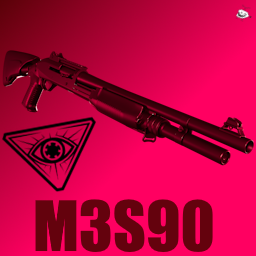
Benelli M3 Super 90
This is a pump-action shotgun, but also not.
Changelog
1.0.0
Initial release
1.1.0
- New features:
- Added different sounds for the slide in semi-auto mode.
1.2.0
1.3.0
- Changes:
- Made sound for releasing firemode switch different
- Added custom sounds for shells
- Moved sounds to new sounds system sound sounds
1.3.0
- Changes:
- Fixed magazine plugin not being loaded because lmao
Download & Installation
(You can watch this video guide in case something isn't clear)
- Download the files in the releases section.
- Extract the .zip file somewhere.
- Launch the game with the modding kit DLL installed.
- Go into setting and click on the "Install" button.
- Navigate to where you extracted the .zip file
- After clicking the prompt to install the gun, restart the game.
Alternatively, if you prefer the manual method:
- Copy the file called "M3S90_Files" in MR223_(OS).rar to
%UserProfile%\AppData\LocalLow\Wolfire Games\Receiver2\Guns - Windows
~/Library/Application Support/Wolfire Games/Receiver2/Guns – Mac OS
~/.config_unity3d/Wolfire Games/Receiver2/Guns – Linux
- Copy the file called "M3S90_plugin" in MR223_(OS).rar to (where you have R2 installed) Receiver 2\BepinEx\plugins
Usage & Features
- Go to the debug menu, and start the custom campaign, or go to the debug menu and spawn the gun + ammo in.
- Press "E" (by default) to enable ammo insert mode, then press "Z" (by default) to insert ammo in the mag.
- Press the hammer key when the bolt is closed to switch firing modes.
- While in semi-auto mode, you may be subject to malfunctions :D.
- It shoots 12 Gauge Fléchettes.
- The safety also works :).
Credits baybeeeee
- Szikaka for carrying me in Elden Ring, and having made the Winchester and the Tube Magazine Script, among other stuff
- Wolfire for this game (me want LCR)
- BSG for the sounds, models, and textures
- Blackfoot Studios for some of the sounds
- Rest by moi (Ciarence#6364)