

REPOLobbyFilter
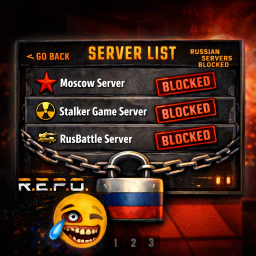
Automatically filters Russian/Belarusian lobbies from the server browser using Cyrillic detection, keyword matching, and region filtering.R.E.P.O. Lobby Filter
A BepInEx plugin for R.E.P.O. that automatically filters Russian and Belarusian lobbies from the server browser.
Features
- Automatic Cyrillic Detection - Blocks lobbies with Russian/Belarusian characters
- Keyword Filtering - Blocks lobbies containing RU, BY, RUS, RUSSIA, BELARUS, (RUS), (RU), (BY)
- Region Filtering - Blocks lobbies from Russia/Belarus based on Photon region data
- Persistent Blocklist - Auto-saves blocked lobby GUIDs to prevent rename evasion
- Minimal Logging - Clean console output showing blocked count and blocklist size
- Manual Blocking - Edit blocklist file to add/remove lobbies manually
Installation
-
Install BepInEx (if not already installed):
- Download BepInEx 5.4.23 from https://github.com/BepInEx/BepInEx/releases
- Extract to your R.E.P.O. game folder
- Run the game once to generate BepInEx folders
-
Install the plugin:
- Copy
REPOLobbyFilter.dlltoR.E.P.O\BepInEx\plugins\ - Launch the game
- Copy
-
Done! - The plugin starts filtering automatically
How It Works
The plugin intercepts the server list before it's displayed and removes lobbies that match any of these criteria:
- GUID Blocklist - Lobby GUID is in the blocklist file (permanent block even if renamed)
- Name Blocklist - Lobby name is in the blocklist file
- Cyrillic Characters - Lobby name contains Russian/Belarusian alphabet (U+0400 to U+04FF)
- Keywords - Lobby name contains: RU, BY, RUS, RUSSIA, BELARUS, (RUS), (RU), (BY)
- Region Code - Photon region is RU, BY, Russia, or Belarus
When a lobby is blocked by criteria 3-5, its GUID is automatically saved to the blocklist for future filtering.
Configuration
The plugin creates a config file at:
R.E.P.O\BepInEx\config\com.repolobbyfilter.repolobbyfilter.cfg
[Filter]
# Enable or disable filtering (default: true)
EnableFilter = true
Manual Blocking
You can manually add lobbies to the blocklist by editing:
R.E.P.O\BepInEx\config\REPOLobbyFilter_Blocklist.txt
Each line can contain either:
- A lobby GUID (e.g.,
550e8400-e29b-41d4-a716-446655440000) - A lobby name (e.g.,
My Server Name)
GUID blocking is recommended as it prevents rename evasion. The plugin logs GUIDs when auto-blocking.
Console Output
Typical log messages:
[Info   :REPOLobbyFilter] Loaded 93 blocked lobbies from file
[Info   :REPOLobbyFilter] Lobby filter ready! Blocked lobbies will be auto-saved.
[Info   :REPOLobbyFilter] Blocked 23/65 lobbies (Total in blocklist: 93)
[Info   :REPOLobbyFilter] ✅ Auto-saved to blocklist: "Русский Сервер" (GUID: 550e8400-e29b-41d4-a716-446655440000)
Building from Source
- Install .NET SDK 6.0 or later
- Clone/download this repository
- Edit
REPOLobbyFilter.csprojand update theREPOPathproperty to your game folder - Run:
dotnet build - Copy
bin\Debug\net46\REPOLobbyFilter.dlltoBepInEx\plugins\
Troubleshooting
Plugin not loading:
- Check
BepInEx\LogOutput.logfor errors - Ensure BepInEx is properly installed
- Verify .dll is in the
pluginsfolder
Still seeing Russian lobbies:
- Check if lobby name uses special characters or formats
- Report the lobby name so keyword detection can be improved
- Manually add the lobby to the blocklist file
Too many lobbies blocked:
- Set
EnableFilter = falsein the config file - Or edit the blocklist file to remove entries
Technical Details
- Framework: BepInEx 5.4.23.4, .NET Framework 4.6
- Patching: Harmony 2.x Prefix patch on
MenuPageServerList.OnRoomListUpdate - Detection: Unicode range check, keyword matching, Photon CustomProperties
- Storage: Plain text file with HashSet for fast lookup
License
MIT License - Free to use and modify