

You are viewing a potentially older version of this package. View Latest Version
REPOLobbyFilter
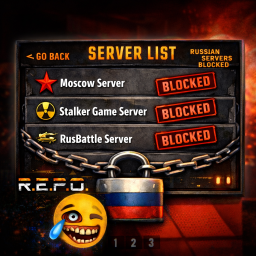
Automatically filters Russian/Belarusian lobbies and allows manual blocking with hotkey. Press B or F9 to instantly block any lobby!R.E.P.O. Lobby Filter
Automatically filters Russian and Belarusian lobbies from the server browser. Now with manual blocking hotkey!
Features
- Manual Blocking Hotkey - Press B or F9 to instantly block any lobby you're hovering over
- Automatic Cyrillic Detection - Blocks lobbies with Russian/Belarusian characters
- Keyword Filtering - Blocks lobbies containing RU, BY, RUS, RUSSIA, BELARUS
- Region Filtering - Blocks lobbies from Russia/Belarus based on Photon region
- Separate Blocklists - Auto-blocked and manual blocklists in readable format
- GUID-Based Blocking - Prevents rename evasion
Quick Start
- Install via Thunderstore mod manager or manually extract to
BepInEx/plugins/ - Launch the game
- Hover over any lobby and press B or F9 to block it
- Check console for confirmation:
⛔ MANUALLY BLOCKED: "Lobby Name"
Configuration
Edit BepInEx/config/com.repolobbyfilter.repolobbyfilter.cfg:
[Filter]
EnableFilter = true

[Hotkey]
BlockKey = B
Blocklists
Two separate files are created in BepInEx/config/:
- REPOLobbyFilter_AutoBlocked.txt - Auto-detected lobbies
- REPOLobbyFilter_ManualBlocked.txt - Your manually blocked lobbies
Format: GUID | Lobby Name
How It Works
The plugin filters lobbies that match:
- Cyrillic characters (Russian/Belarusian alphabet)
- Keywords: RU, BY, RUS, RUSSIA, BELARUS
- Photon region: RU, BY
- GUIDs in blocklists
Press B or F9 while hovering to add any lobby to your manual blocklist.
Support
Changelog
v1.1.0
- Added manual blocking hotkey (B/F9)
- Separate auto/manual blocklists
- Readable GUID | Name format
- Fixed hover detection for correct lobby blocking
v1.0.0
- Initial release with automatic filtering