

LevelScaling
Highly configurable mod for difficulty progression adjustment & stats tracking. Includes challenges and run modifiers to spice up your games, statistics for levels, saves, and globally across lobbies, and an EXP & rank system to show off how much you play.Level Scaling
Level Scaling is a mod primarily for customizing your run's difficulty progression and scaling, with many additional features including statistics for your levels/runs/lifetime, level challenges & run modifiers, an EXP & rank system for those who like big numbers, and a results screen!
Feel free to add me on Discord (@swaggies) for bug reports or suggestions. I will post updates/patches to my personal modding server and the Level Scaling thread in the R.E.P.O. Modding Server.
Notable Features
Any of the following can be adjusted based on level number: map size, number of extraction points, total map value, quota difficulty, number of enemies (tier 1/2/3), and enemy health. See the config file for details.
Statistics as you play through levels (enabled by default)
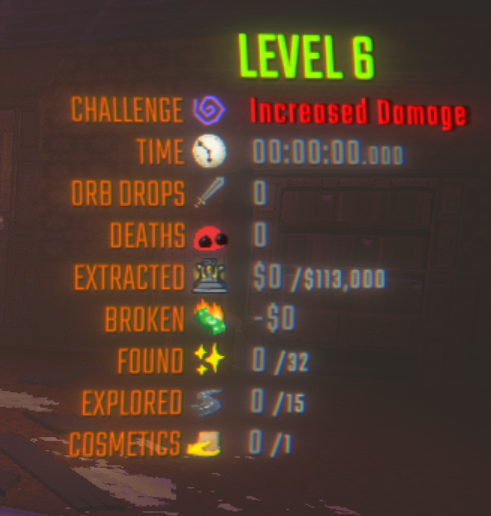
- Level stats to track basic things like time, extracted & broken value, & orb drops. Can be viewed mid-level, or in the shop afterwards.
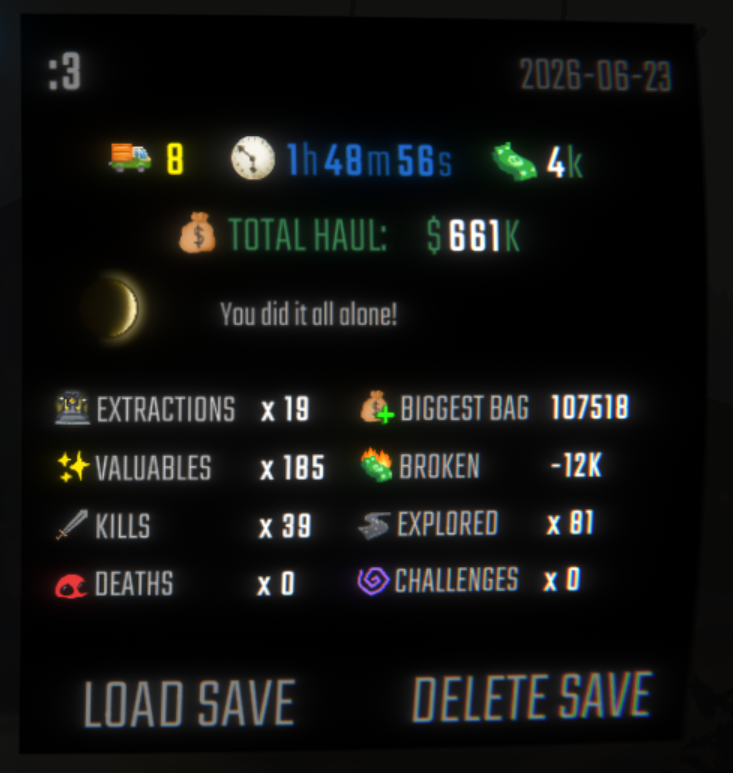
- Run stats that track the totals of all level stats, viewable on the save file select screen.
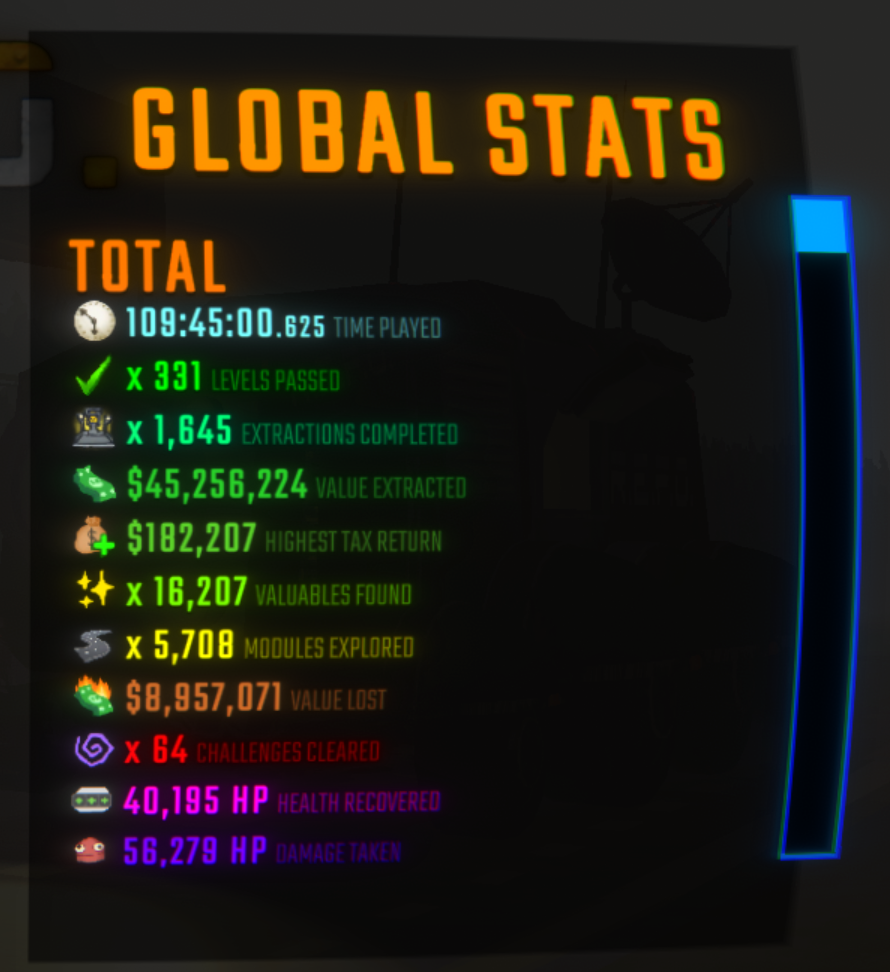
- Global stats that track the totals of all level stats plus a few additional stats across all lobbies and saves that you play in.
- See the previews below for how they look! MenuLib is required to view global stats, but they will be tracked regardless of if it's installed.
12 "Challenges" that may appear in your levels (disabled by default)
- Challenges exist to hinder your levels, but always have some hidden benefit included
- Challenges become more common the further you progress
- By default you can only have up to one Challenge in a level, but if you're daring, you may allow multiple!
- Challenges require all players to have Level Scaling installed with Compatibility Mode disabled in order to function.
- See the Challenge details below for exact mechanics, but beware spoilers!
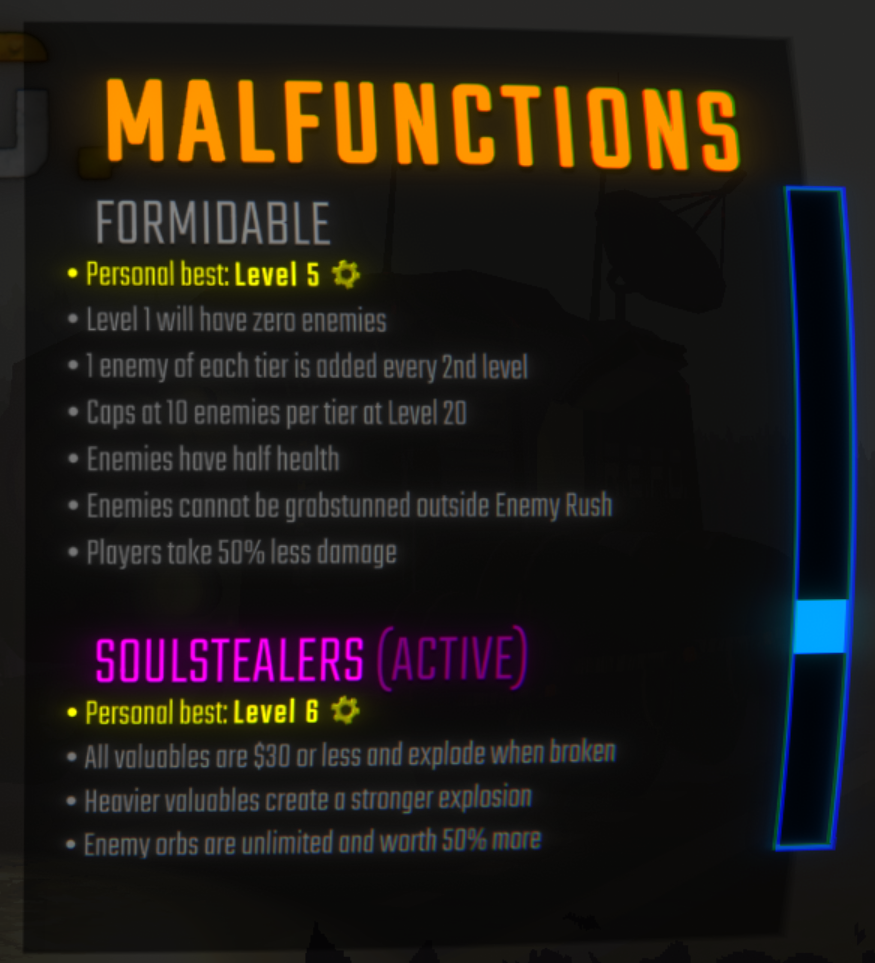
9 "Malfunctions" to apply modifiers to entire runs (disabled by default)
- Malfunctions are basically Challenges that take effect for an entire save file. You can only choose one (or none), and it cannot be changed once selected.
- Each Malfunction has their own gimmicks and difficulty. Some may even drastically change the gameplay & progression.
- Level Scaling's configs are locked to their default values during Malfunction runs, to keep them nice and balanced (..for the most part)
- Personal bests for each Malfunction will be saved and displayed in-game.
- Malfunctions require all players to have Level Scaling installed with Compatibility Mode disabled in order to function. The host of the lobby also requires MenuLib in order to select the Malfunctions.
- See the Malfunction details below for exact mechanics, but beware spoilers!
EXP, Ranks, & Results Screen (enabled by default)
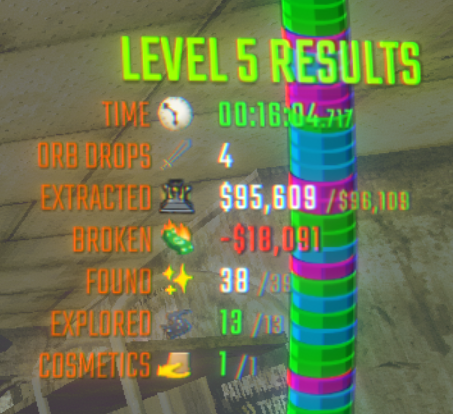
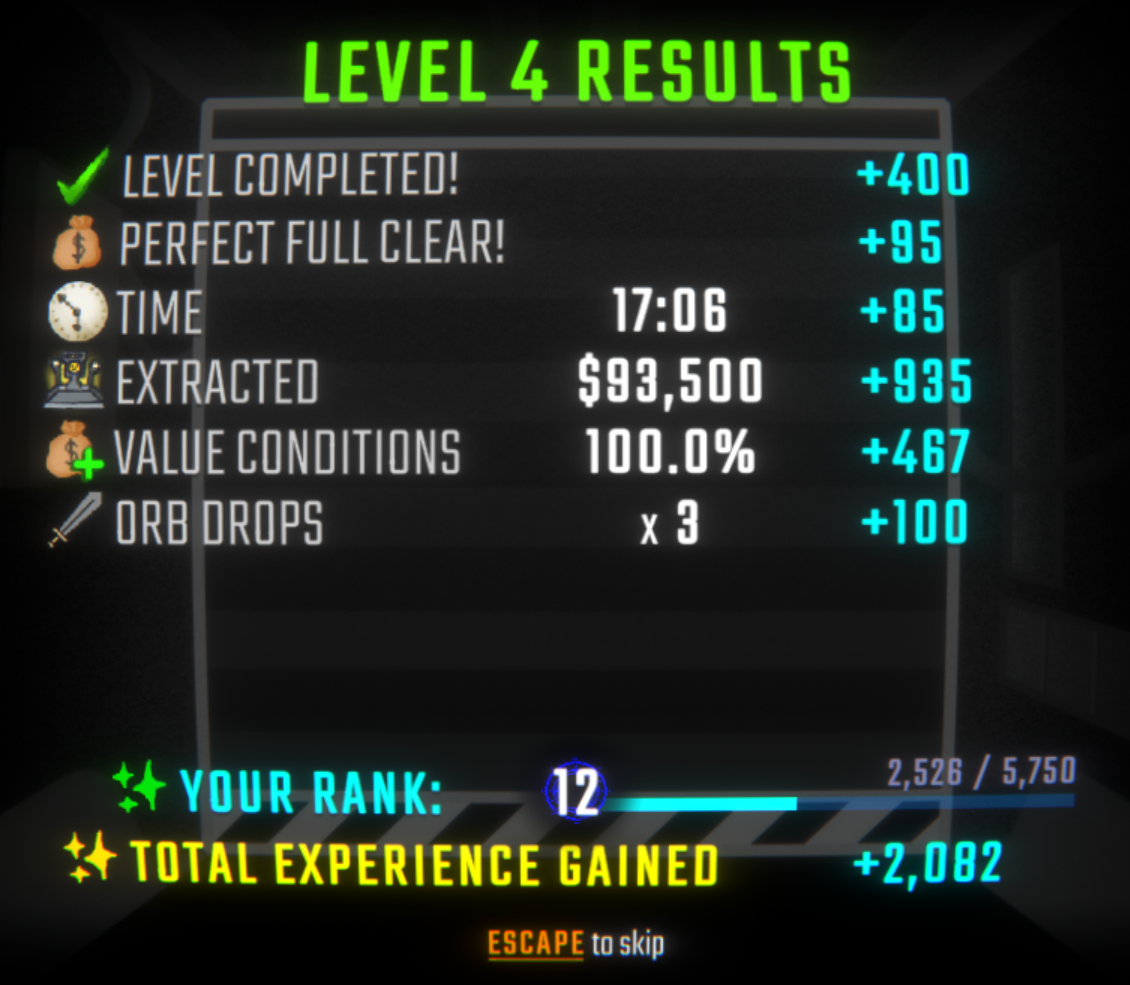
- After each level, you will see the results for various stats, see the preview below! The results screen will display how much EXP you gain for each category, along with the total.
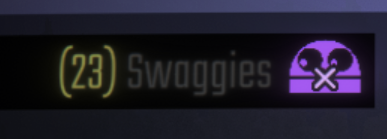
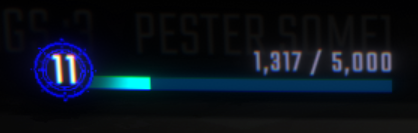
- As you play, your rank will rise and you may show it off to other Level Scaling users. (or not if you don't want to, it's optional!)
- EXP & Ranks are purely cosmetic.
- Only other Level Scaling users can see each other's ranks. MenuLib is required to see your own rank in the Level Scaling menu.
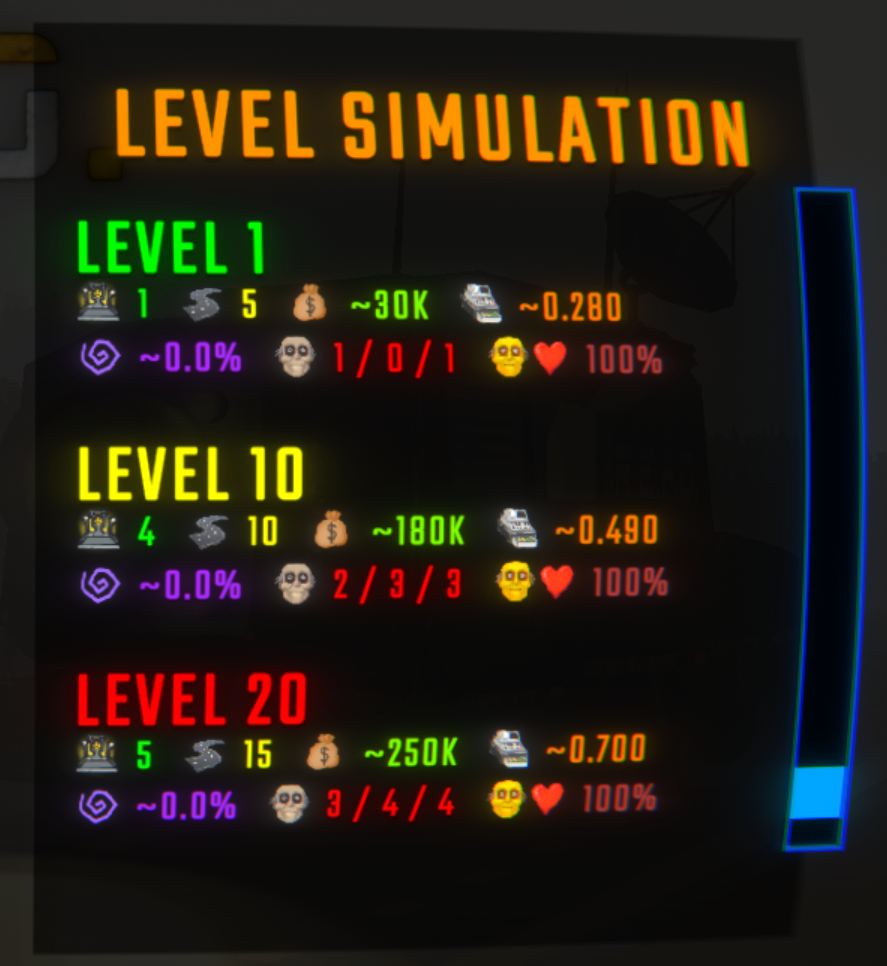
Level Simulation menu for knowing what to expect on each level (enabled by default)
- Mainly for testing your configurations! I would recommend disabling this if you don't need it!
- You can input the level numbers that you wish to simulate. Either a list (such as
1, 5, 10) or a range (such as1-100) will suffice (you can also combine the two, like1, 5-15, 20!) - The Level Simulation menu can be disabled if you'd like (maybe you don't want it present in your modpack or something).
- Level Simulation requires MenuLib in order to display. Simulations are client-sided and based on only the user's configs, but will take Malfunctions into account.
- See the previews below for how Level Simulation looks
Everything above can be configured/adjusted/disabled using your mod manager. You may also use REPOConfig. Be sure to read config descriptions.
HOW TO CONFIGURE & CONFIG RULES
- Each configurable section has a field where you can type a list of level/value pairs, something like this:
1:2, 4:6, 10:15. These are formatted asLEVEL:VALUE, so4:6for example would indicate the value6at Level 4. These pairs of values are separated by commas (,). - For example, if you wanted to have a map value of $300K at level 5, you would include
5:300in the Total Map Values section. You can use the existing default values as a reference point for making your own configuration. - If you leave a gap in between levels (example:
1:2, 5:10, leaving levels 2-4 blank), levels in-between will be interpolated. For example, when using1:2, 5:10, Level 3 would have the value of6(being the midpoint between 2 and 10, like how Lv3 is the midpoint between Lv1 and Lv5). - Spaces will be removed when processing, so you can use them if you'd like. Keep the level numbers in order and don't use duplicates or they will be skipped over.
- Keep in mind that values will be capped if they are too high or too low. If this occurs it will be displayed in your log.
- If anything goes wrong in configuration or processing, LevelScaling will log a warning to your console.
Notices
- ALL clients require Level Scaling for Challenges and Malfunctions to work properly. Otherwise, you may feel free to use Level Scaling in vanilla lobbies in Compatibility Mode enabled (available under "Misc" in the config).
- MenuLib is not required, but the Level Scaling menu will not be accessible without it (and by extension: Malfunctions, Level Simulation, and Global Stats).
- Level Scaling is meant to be configured before playing, I would recommend configuring everything in your mod manager, then fine-tuning with REPOConfig if needed! Remember that the game needs to be launched with Level Scaling installed for the configuration file to generate.
Known Incompatibilities
- SpawnConfig (minor) - prevents Level Scaling from changing enemy counts. Some Challenges and Malfunctions will be blacklisted if SpawnConfig is installed, everything else should work fine.
Challenge & Malfunction Details
All Challenges
Lights Out
- All level lights are disabled from the start
- Every 15s-45s (randomly for each individual player), you will be blinded for
2s-6s(1s-3sif Dense Fog is active) -20%visibility distance (-0%if Dense Fog is active)+20%walk speed
Increased Damage
+100%damage to all players+50%damage to all enemies
Overtime
+50%* quota difficulty+50%map value
(* adds half of the difference between 1.00 and the current QD (min 0.05 / max 0.40). for example with a QD of 0.70, the result is 0.85)
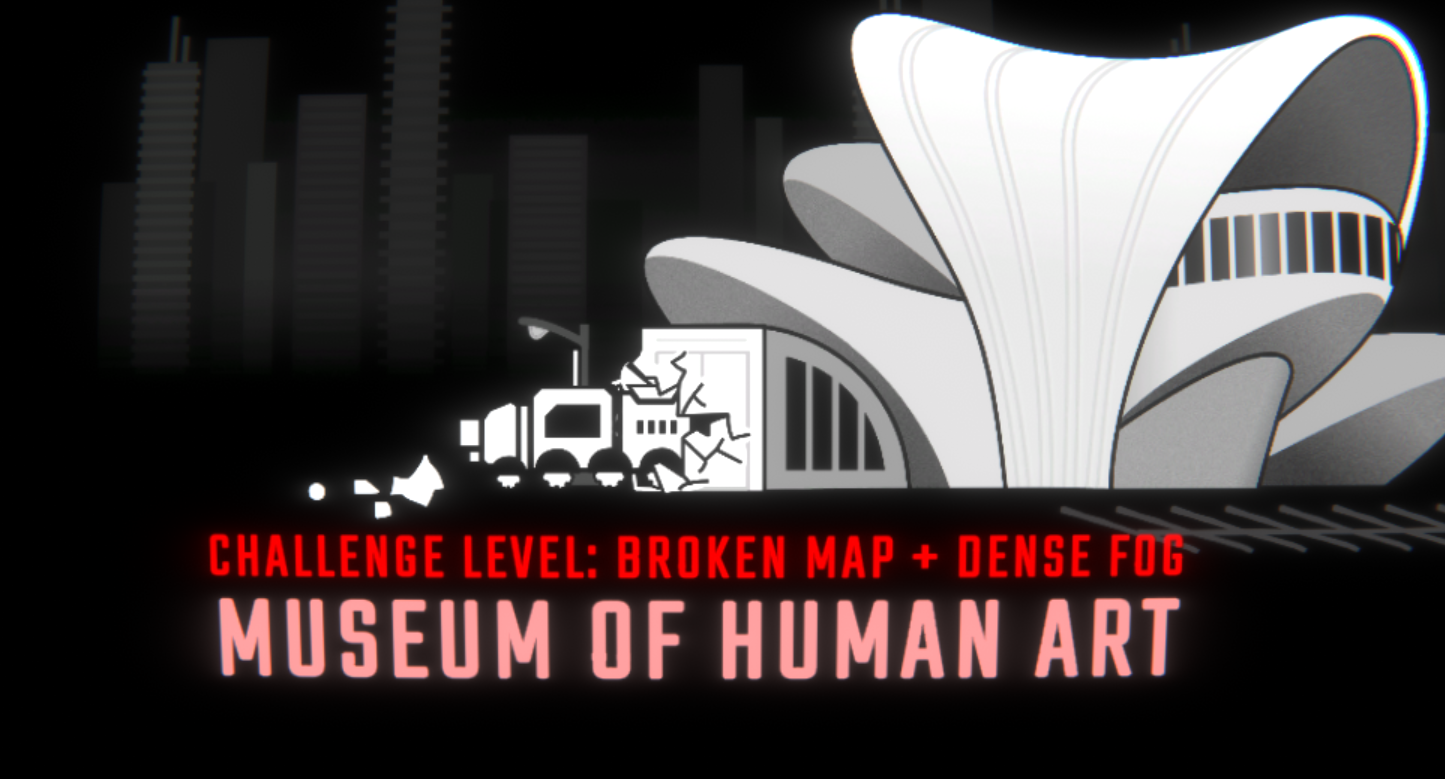
Broken Map
- Map screen will be blank
- Players will heal
+1 HPevery 2.5s (+0.5s per extra player alive) - Players have a regen cap that starts at their max health
- Taking damage will pause healing for 12s and reduce the regen cap by
0.35xof the damage taken - Non-regen healing will affect both the player's current health and the regen cap in full capacity
- Sharing health with a teammate will transfer 10 of your regen cap to them
Over-Overcharge
+5 OCovercharge per second when holding an item (scales exponentially with item mass)- (
+4.5 OCin duos,+3 OCin solos) - (not affected by moon phases)
- (
+10%overcharge decay cooldown-3 OC/secquicker overcharge decay
Enemy Rush
+55%tier 1 enemies,+33%tier 2 enemies, &+17%tier 3 enemies+1additional enemy per tier-50%enemy health-25%strength breakpoint for stuns-8.3 OC/secquicker overcharge decay
Hidden Information
- Hides current health, current stamina, & current extraction value
- Completely randomized map size & extraction count
Enlarged Level
+50%map size (min +4 / max +16)+1extraction point+100%stamina regen speed
Dense Fog
- visibility distance oscillates between
-30%and-60%during the level -50%map size-20%player damage
Fragile Valuables
- Maxed fragility with minimal durability for all valuables
- Increased value for all valuables
+75%value when worth <= $1,000+45%value when worth $1,001 - $5,000+25%value when worth $5,001 - $10,000+13%value when worth > $10,000
Danger Zone
- Damage dealt to enemies is healed to players, split evenly across everyone (halved in solo)
- (calculated BEFORE damage buff from Increased Damage)
- All dead players are revived if an enemy dies (but will not receive health from the enemy that was killed)
- Players take
-1 HPevery4.0s- (
-0.1sper minute spent on level, minimum 1.0s) - (halved speed if player is below 10 HP)
- (
-2 HPif Increased Damage is active)
- (
Shared Durability
-72%damage to valuables- Damage dealt to valuables is also dealt to players carrying the valuable (or all players if unheld)
- initial
-1 HP / -$20(up to -25 HP at -$500) - then
-1 HP / -$40(up to a total of -50 HP at -$1,500) - then
-1 HP / -$100(up to a total of -99 HP at -$6,400) - (
-67%damage reduction if item is destroyed via extraction tube or pit) - (
-20%damage reduction in duos,-40%in solos) - (
-20%damage reduction if Increased Damage is active) - (
-40%damage reduction if Fragile Valuables is active)
- initial
+1 HPto all alive players per $1,000 extracted- Above gimmicks are disabled after final extraction is completed
All Malfunctions
Perfectionist
- Quota difficulty starts at
0.70, linearly rises until reaching0.99at level 20 - Challenges are guaranteed on every level
+1 Challengeper 10 levels (max +4)
Sparsity
-67%map value+1to+3map size-1extraction point
Oscillation
- 50/50 chance for map size to be
2 - 7or13 - 25 - 50/50 chance for extraction count to be
1 - 3or4 - 11 +2%walk speed & stam regen speed per module explored (resets after each level)
Solitude
- Extraction count forced to
1 +20%quota difficulty-20%map size- Zero gravity applied to valuables inside the extraction point
- Levels have a time limit, and quotas have two stages
- When time runs out, the extraction automatically begins if Stage 1 is met
- If Stage 1 is not met, everyone dies
- If Stage 2 is met, the extraction will begin early
- Stage 1 will rise as levels progress
- Timer begins at
5 min(+5 minpermanently per moon phase)-1 secper $500 broken-10 secat the start of a level per extra player on the team (up to-50 sec)- additional
-10 secif your team size is 6 or more
- additional
+5 secper enemy killed (+20 secif they drop an orb)
- Players who die will be automatically revived after a short time if at least
01:30is left on the clock-75 secafter an automatic revive (-0 secif revived by Defibro)- Defibro revives to max HP instead of 50
- If all players die with less than
01:30remaining, the extraction will begin early if Stage 1 is met, then all players are revived. If Stage 1 is not met, then game over.
Arbitrarity
- Valuable values are randomized purely by their size classes
- Low chance to have a much broader range of values
1%chance per valuable for its value to be a completely random number between $0 and $100,000
- Randomized valuable masses following the same rules as the values above
- Completely randomized strength breakpoints for enemies that follow the 4/7/9/13 breakpoints
- No limitations on which valuable size class can appear on which levels
Formidable
0enemies on Level 1+1enemy of each tier every 2nd level (max 10 at level 20)-50%enemy health-50%player damage- Enemies cannot be grabstunned with Strength (unless Enemy Rush is active)
Soulstealers
-99%valuable value (does not apply to enemy orbs)- Unlimited orb drops from enemies
- Enemies who don't usually drop orbs now do
+50%enemy orb value+400%enemy respawn speed+10%enemy health per 5 levels (up to +100%)- Enemies will immediately respawn after a completed extraction
- Extraction points will no longer revive players
- Dead heads will automatically revive if brought near an enemy orb for long enough
- Larger orbs grant quicker revives
- Only 1 revive per orb; revives are cancelled if the orb breaks early
- The orb will break upon reviving a player
- Valuables explode when destroyed, heavier valuables producing a stronger explosion, as follows:
| Item Mass | Explosion Radius | Player Damage | Enemy Damage |
|---|---|---|---|
| 0.00 - 0.99 | 0.50 units | 5 HP | 10 HP |
| 1.00 - 1.99 | 0.75 units | 10 HP | 20 HP |
| 2.00 - 2.99 | 1.00 unit | 15 HP | 40 HP |
| 3.00 - 3.99 | 1.25 units | 20 HP | 60 HP |
| 4.00 - 4.99 | 1.40 units | 30 HP | 75 HP |
| 5.00 - 5.99 | 1.50 units | 40 HP | 90 HP |
| 6.00 - 6.99 | 1.67 units | 50 HP | 120 HP |
| 7.00 - 7.99 | 2.00 units | 60 HP | 150 HP |
| 8.00+ | 2.50 units | 80 HP | 250 HP |
Grandmaster
+4max challenges per level3.0xchallenge chance- Scaling is overtuned and linear from level 1 to 100, as follows:
- Map size:
16 - 32 - Extractions:
5 - 12 - Quota difficulty:
0.67 - 0.95 - Map value:
$200K - $550K - Enemies (per tier):
1 - 10(caps at level 50)
- Map size:
Max Mode
- Same as Grandmaster, but applies to every level starting from Level 1, as follows:
- Map size:
32 - Extractions:
12 - Quota difficulty:
0.99 - Map value:
$550K - Enemies (per tier):
10
- Map size:
- Every level will share the same stats above
Preview Images
Level Stats UI
Shop Results UI
Save File Stats
Challenge Level
Global Stats Menu
Malfunctions Menu
Level Simulation Menu
Results Screen
Rank Display In-Game
levelscaling version 2.0.2
repo version 0.4.4.3+
hi :3