

RepoPride
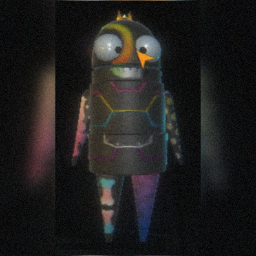
Cosmetic overlays themed after LGBTQIAP+ community pride flags, built on the game's vanilla overlay cosmetics - 11 flags across 15 patterns for every overlay slot.RepoPride
RepoPride adds a huge set of LGBTQIAP+ pride flag cosmetic overlays to the game. It takes R.E.P.O.'s own vanilla overlay cosmetics and re-textures them with the colors of community pride flags, so you can show your pride using the game's built-in cosmetics system — no extra menus, no special setup.
Features
- 1000+ cosmetics to mix and match
- 11 pride flags themed onto 15 patterns
- Available across every overlay slot (head, body, arms and legs)
- Built on the vanilla cosmetic system — equip them just like any other cosmetic in-game
Included flags
Asexual · Agender · Aromantic · Bisexual · Non-binary · Intersex · Lesbian · Progress Pride · Pansexual · Rainbow Pride · Transgender
Patterns
Camo · Checkers · Cracks · Damaged · Graffiti · Lipstick · Paint Splats · Plasma · Polka · Scifi Lines · Skeleton · Sleepless · Spray Paint · Stripes · War Paint
How to use
- Make sure REPOLib is installed (it's listed as a dependency, so a mod manager will grab it for you).
- Launch the game and open the cosmetics / customize menu as usual.
- Pick your flag and pattern for each body slot and rock your colors!
You will need to unlock these cosmetics in-game in order to use them. To help with this, you can try my mod MoreHead Bridge, which allows you to unlock the modded cosmetics if you wish.
Installation
Install with a mod manager (r2modman / Thunderstore Mod Manager) — it will handle the dependencies automatically.
Manual install: drop the mod into your BepInEx/plugins folder and make sure REPOLib is installed too.
Credits
- Made by Xuaun
- Pattern overlays based on R.E.P.O.'s vanilla cosmetics
- Powered by REPOLib
Made with pride for the R.E.P.O. community.