

SuperScanner
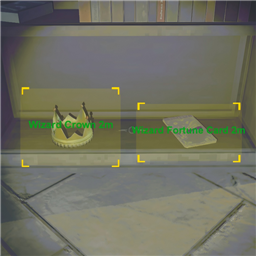
Press F to scan items, valuables, enemies, weapons, carts, vehicles, and dead teammates. Supports Chinese and English. REPO游戏交流QQ群:824639225超级扫描仪 / Super Scanner
REPO 游戏交流 QQ 群:824639225
支持 R.E.P.O. v0.4。
Scroll down for English ↓
功能说明
- 超级扫描仪:按下扫描按键后,会显示附近的贵重品、装备武器、队友、推车、装饰箱、车辆和怪物,默认持续显示 5 秒。
- 信息共享队友:自己按下扫描时,只要物品距离自己不超过 15 米,就会自动触发游戏原生的发现共享,即使队友未安装该模组也能收到屏幕方框特效提示。
- 触发方框显示:开启后,每次按下扫描,只要距离自己在 15 米以内的物品都会再次触发游戏原生的发现方框,无视游戏原版每局仅触发一次的限制。
- 队友局内扫描:支持扫描队友位置,并在头顶显示名字和距离,自动通过多级反射兼容其他改名 Mod。存活和死亡队友均可独立控制开关,队友标签以最高优先级排列。
- 车辆与载具扫描:新增车辆扫描(赛车 / 载货车)并带独立开关,完美掌控全图载具分布。
- 扫描探索模式:默认关闭;关闭时直接显示名称,开启后贵重品 4 米内、其他扫描目标 6 米内、怪物 20 米内前统一显示
?。 - 怪物靠近自动显示:怪物进入靠近自动显示距离时,会自动临时显示怪物标签。
- 本地化与多语言:支持中英文无缝切换,除队友名字不作处理外,所有扫描显示的文字(如
Unknown Item/未知物品等)均实现本地化。 - 界面优化:已被拉入推车或提取点的物品/装饰箱不会重复显示;死亡、观战或禁用状态下不会响应扫描。
默认行为
- 扫描按键默认为
F,最大扫描距离15米。 - 扫描标签字体大小为
26。显示米数默认开启。 - 队友扫描默认开启,存活队友显示默认关闭,死亡队友显示默认开启。
- 车辆扫描默认关闭,推车扫描默认关闭。
- 触发方框显示默认开启。
配置说明
| 分组 | 配置项 | 默认值 | 说明 |
|---|---|---|---|
| A.模组信息 | 语言 / 模组名称 / 模组版本号 | 自动检测 / - / 当前版本 | 语言可下拉切换中英文;名称和版本号为只读条目 |
| B.全局设置 | 模组启用 | 开 | 关闭后整个模组所有显示和补丁立即失效 |
| B.全局设置 | 敌人名字优化 | 开 | 仅中文模式生效,使用更顺口的中文昵称;英文模式始终用英文 |
| C.扫描设置 | 启用 / 信息共享队友 / 扫描探索模式 / 显示米数 / 触发方框显示 / 字体大小 / 扫描按键 / 扫描冷却/秒 / 扫描距离/米 | 开 / 开 / 关 / 开 / 开 / 26 / F / 1 / 15 | 控制全局扫描设置。开启 触发方框显示 后,每次按下扫描,只要距离自己在 15 米以内的物品都会再次触发游戏原生的发现方框。 |
| D.贵重品扫描 | 启用 / 显示名称 / 显示价格 | 开 / 开 / 关 | 控制贵重品扫描标签显示与内容 |
| E.队友扫描 | 启用 / 存活队友 / 死亡队友 | 开 / 关 / 开 | 在扫描仪上显示队友的位置和名字,自动适配其他改名 Mod。存活队友默认关闭,死亡队友默认开启。排序优先级最高。 |
| F.装备武器扫描 | 启用 / 显示名称 | 开 / 开 | 控制枪、近战、血包、手雷等装备武器的扫描 |
| G.装饰箱扫描 | 启用 | 开 | 显示关卡中的投币机、硬币宝箱、代币箱和装饰箱 |
| H.推车扫描 | 启用 / 显示推车 / 显示小推车 | 关 / 开 / 开 | 推车扫描控制,带总开关。 |
| I.车辆扫描 | 启用 / 显示赛车 / 显示载货车 | 关 / 开 / 开 | 车辆扫描控制,带总开关。 |
| J.怪物扫描 | 启用 / 启用靠近自动显示 / 靠近自动显示距离/米 | 开 / 开 / 30 | 怪物扫描控制,支持靠近时自动临时显示 |
English
Supports R.E.P.O. v0.4.
Super Scanner is a client-side HUD overlay and scan enhancement mod for R.E.P.O. that displays nearby valuables, gear, teammates, carts, vehicles, and enemies.
Features
- Master Scanner: Activate scanning to show nearby valuables, weapons/gear, teammates, carts, decor boxes, vehicles, and enemies. Labels persist for 5 seconds by default.
- Teammate Info Sharing: Automatically triggers native screen-edge discover notifications for your team if scanned items are within 15 meters, even if your teammates do not have this mod installed.
- Always Trigger Share: When enabled, every scan will re-trigger the native discover border effect on valuables and decor boxes within 15 meters, ignoring the game's once-per-level limitation.
- Teammate Scanning: PERSISTENTLY shows teammate positions with their names and distance above their heads, utilizing reflection to safely support name-changing mods. Separately toggle alive and dead teammate displays. Teammate labels are prioritized at the top of the scan list.
- Vehicle Scanning: Persistent overlay for kart and cargo vehicles with individual toggles.
- Explore Mode: When enabled, shows
?on labels until you get close enough (4m for valuables, 6m for other items, 20m for enemies). Off by default. - Proximity Enemy Display: Enemies automatically show up when they enter your proximity auto-show distance, even if you are not actively scanning.
- Localization: Full English/Chinese localization for all scan-related text (except player names).
- Optimization: Items inside shopping carts or extraction points are hidden to prevent UI clutter. Scan is suspended while dead, spectating, or disabled.
Default Behavior
- Scan key is bound to
F, scan range is15meters. - Font size is
26. Distance display is enabled by default. - Teammate scanning is on by default, with dead teammate labels shown and alive teammate labels hidden.
- Vehicle scanning and shopping cart scanning are off by default.
Always Trigger Shareis enabled by default.
Settings
| Group | Setting | Default | Description |
|---|---|---|---|
| A.Mod Info | Language / Mod Name / Mod Version | auto-detect / - / current | Language can be switched between Chinese and English; other items are read-only |
| B.Global | Mod Enabled | On | Disables every feature and patch when off |
| B.Global | Enemy Nicknames | On | Chinese mode only — replaces literal translations with friendlier nicknames |
| C.Scanner Settings | Enabled / Share Scans With Team / Scan Explore Mode / Show Distance Meters / Always Trigger Share / Font Size / Scan Key / Scan Cooldown / Scan Distance | On / On / Off / On / On / 26 / F / 1 / 15 | Controls global scan settings. When Always Trigger Share is on, scanning within 15 meters will always re-trigger native discover frames. |
| D.Valuables Scan | Enabled / Show Name / Show Price | On / On / Off | Controls valuable labels and price display |
| E.Teammates Scan | Enabled / Show Alive / Show Dead | On / Off / On | Show teammate position and name on scanner, automatically adapting to other name-changing mods. |
| F.Items Scan | Enabled / Show Name | On / On | Controls gear and weapon labels (guns, melee, medkits, grenades) |
| G.Decor Boxes Scan | Enabled | On | Show coin machines, token boxes, and decor boxes in levels |
| H.Carts Scan | Enabled / Show Big Carts / Show Small Carts | Off / On / On | Controls cart labels with a master toggle |
| I.Vehicles Scan | Enabled / Show Racing Vehicles / Show Cargo Vehicles | Off / On / On | Controls vehicle labels with a master toggle |
| J.Enemy Scan | Enabled / Proximity Auto-Show / Proximity Distance | On / On / 30 | Controls enemy labels with optional proximity auto-show |