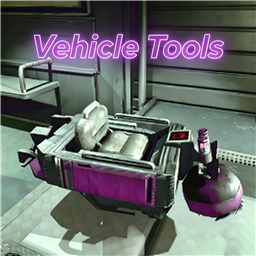
载具工具箱 / VehicleTools
REPO 游戏交流 QQ 群:824639225
支持 R.E.P.O. 最新 v0.4。
Scroll down for English ↓
💡 快速乘车/下车指南
为了防止玩家在推车、整理物资时误触上车,模组设计了高精度的防误触挂载逻辑,请按照以下方式乘车:
- 抓取中后部:用物理手套抓取车辆的中后部、两侧车厢栏板、或车尾部位(抓取车头或引擎盖属于驾驶区,无法上车)。
- 原地静止2秒:抓车后原地保持绝对不动 2 秒(或您在 F1 面板中设置的时间),即可自动被吸附上车。
- 乱动即作废:抓车等待期间,如果您发生了任何明显的走动或推车位移,本次计时将立即作废。若想再次上车,必须松开抓取键,重新抓车并保持静止。
- 如何下车:在布娃娃状态下,抓取一下车辆即可瞬间下车。
⚙️ 核心功能说明
按下 F1 即可打开载具工具箱,集中设置各种载具扩展功能。这个模组的主要用途是让好友也能坐上车,同时提供载货、跳跃、限速、车辆保护等辅助功能。
1. 👁️ 优化驾驶视角
- 驾车时视角高度平滑升高(提供2.2米开阔高视野),下车自动还原。
- 采用平滑插值过渡,杜绝瞬间瞬移,车辆行驶与颠簸时具备高水平防抖表现。
2. 👥 载人挂载系统重构
- 禁止载人:仅允许驾驶员上车,强力拦截其余乘客的乘车请求。
- 左右悬挂:前 5 位乘车玩家挂载在载具左侧外壁,后续挂载在右侧外壁,依次排开。
- 叠罗汉(默认):乘客挂载在车顶正上方,并垂直依次向上叠加,形成滑稽的叠罗汉效果。
- 头顶旋转:所有人悬挂在车顶并绕中轴均匀公转,每个人面向圆周外侧。
- 抓车后静止上车(防误触):抓取车身中后部或两侧车厢,并保持原地不动即可自动吸附挂载;单次物理抓取只有一次静止判定机会,抓车期间有任何相对位移本次抓取即宣告作废,必须放开重新抓车静止方可上车,彻底杜绝推车和拿取货箱物资时的误触。在布娃娃状态下再次抓车即可瞬间下车。
- 强制防卫蹲姿:乘车挂载状态下强制乘员每帧下蹲最底部,乘车姿态端正。
- 默认最多乘车人数为 10 人。
3. 🏎️ 载具限速与跳跃
- 双重限速拦截:可自定义调整最高限速值,采用物理层速度剪裁,默认最大限速已由旧版 45 提升至
55 km/h。
- 载具跳跃机制:支持按空格跳跃、空中连续跳跃、跳跃冷却调节以及跳跃后翻车保护,默认跳跃力为 40。
4. 🚛 载货车专属增强
- 库存限制调节:支持开启自定义库存价值限制(上限默认 50k)。彻底解决了修改限额超限后车子罢工不吸货,以及超载物品堵在吸附口导致车门反复抽风开关门的 Bug。
- 无视物品大小限制:大型物品也可强行放入载货车货箱。
- 吸取范围倍率:支持 1.0倍 - 10.0倍 范围调节载货车自动吸附货物的物理范围。
- 智能自动生成载货车:支持每局开局自动生成载货车(限主机/单机)。优先在场景内的**玩家出生点(SpawnPoint)**生成,防止车子刷出地图外的 Bug,并限制只在正式游戏关卡中生效。
5. 🏟️ 死亡竞技场与赛车模式防干扰(功能静默禁用)
- 自动场景感知识效:当检测到当前处于赛车比赛(Race)或死亡竞技场王冠赛(Crown/Arena)中时,Mod 所有的核心功能(限速、跳跃、挂载、刷车、传送等)会自动静默失效。
- 纯净原版竞技(F1仍可开启):物理与位置修改补丁全部跳过(完全回归官方原生物理规则),防坠崖及防爆传送保护在此期间不介入;但 F1 控制面板依然能在局内随时按键正常开启与查看。
6. 🎨 现代高对比度控制面板
- 高级交互滑块与实心亮绿方块复选框,精细描边分区,带一键重置。
- 配置项隐藏与自动持久化,快捷键组件支持左右箭头“切换式”软限制选择。
- F1 面板只管理运行时功能,模组总开关仅保留在游戏内模组菜单。
多人联机只需主机安装。若客机也安装了同样的模组,可通过网络实现参数同步。
兼容性
与其他载具限速或挂载类模组加载时可能有冲突提示,建议只保留 VehicleTools。
按键
| 按键 |
功能 |
| F1(可配置) |
打开 / 关闭车辆工具箱面板 |
| 空格键 (Space) |
载具跳跃 (需在面板中开启) |
配置
BepInEx/config/zichen.vehicletools.cfg,版本更新后自动重置。
| 分组 |
配置项 |
默认值 |
说明 |
| B.全局设置 |
模组启用 |
true |
总开关 |
| B.全局设置 |
工具箱按键 |
F1 |
呼出控制面板快捷键 |
English
A comprehensive in-game vehicle tool panel for R.E.P.O. Host-only installation required. If clients have the same mod installed, config parameters will sync automatically. Press F1 anywhere (including Main Menu, Lobby, Loading, In-Game, and Pause Menu) to open the control panel.
💡 Quick Start: How to Mount / Dismount
To prevent unwanted mounting during vehicle pushing or item handling, a precise anti-accident logic is implemented. Follow these steps:
- Grab Rear/Sides: Grab the rear bumper, tail cargo box, or side walls of the vehicle with your physics gloves (grabbing the front hood/front cabin is reserved for driving and won't trigger passenger mounting).
- Stay Still for 2s: Keep completely still for 2 seconds (or the time configured in the F1 panel) to auto-mount.
- Move to Cancel: If you move or walk during grabbing, the timer is instantly disqualified. To try again, you must release the grab key and grab it again while staying still.
- How to Dismount: While in ragdoll state, grab the vehicle once to dismount instantly.
Features
- Optimize Driving Camera: Smoothly raises camera height when driving with interpolation and high stabilization.
- Redesigned Mounting Modes:
- No Passengers: Only the driver is allowed to get on board.
- Sides: Mounts passengers on left/right outer walls.
- Totem (Default): Mounts passengers vertically stacked on top of the vehicle roof.
- Head/Top Rot: Mounts passengers above the roof, rotating while looking outwards.
- Still-To-Mount (Anti-Accident): Grab the rear/sides of the vehicle and keep still to auto-mount. Moving during grabbing instantly disqualifies the current session; you must release and grab again while staying still to mount, preventing unwanted mounting during pushing or cargo handling. Grab it again to dismount.
- Enforced Crouch: Automatically forces seated avatars into a crouch pose.
- Default maximum passenger count is 10.
- Speed Limiter & Jumping: Custom maximum speed limiter with physical speed clamping. Default maximum speed has been raised to 55 km/h (previously 45). Spacebar jumping, continuous jumping, and tumble immunity. Default jump force is 40.
- Cargo Truck Enhancements:
- Cargo Limit Customization: Set custom weight value limits (default 50k). Fixed native bugs causing vacuum failure when limits change and infinite door opening/closing loop when over-limit items block the inlet.
- Ignore Size Limit: Large items can be sucked into the cargo box without size checks.
- Sucking Range Multiplier: Support 1.0x to 10.0x range to expand cargo absorption areas.
- Cargo Truck Spawning: Spawns a cargo truck at the start of each level (host-only). Spawns safely at the level's SpawnPoint to prevent vehicles clipping through walls or falling off bounds, and is restricted strictly to active levels.
- Arena & Race Mode Feature Bypass: Automatically detects when a Race or Arena Match starts, and completely disables all physical patches (speed limit, jump, mounting, teleportation, spawning) to ensure fair play, while keeping the F1 control panel accessible.
- Modern High-Contrast UI: Standard toggle-style controls with top-left "Reset All" button. The F1 panel manages runtime features only; the master mod toggle remains in the in-game Mods menu.
Compatibility
Using other speed-limiting or mounting mods alongside VehicleTools may cause warnings or conflicts. It is recommended to use only VehicleTools.
Controls
| Key |
Function |
| F1 (configurable) |
Toggle control panel |
| Space |
Vehicle jump (when enabled in panel) |
Settings
BepInEx/config/zichen.vehicletools.cfg — resets to defaults after version update.
| Group |
Option |
Default |
Description |
| B.Global Settings |
Mod Enable |
true |
Master toggle |
| B.Global Settings |
Toolbox Key |
F1 |
Rebindable |