

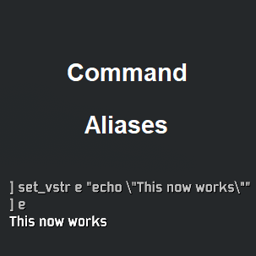
FixVstr
Fix and enhance the vstr functionality (command aliases).FixVstr
Fix and enhance the vstr functionality
Vstr (variable string) allows you to create shortcuts for commands. Risk of Rain 2 supports them, but the code for substituting them is broken. This mod fixes that while also adding new functionalities:
set_vstrchanges:- Setting an already existing vstr simply updates its value instead of throwing an error.
- Rejects an alias for an already registered command or cvar.
- Adds the command
clear_vstrwhich removes all aliases. - Adds the command
del_vstr [alias]which removes the specified alias. - Adds the command
get_vstr [alias]which prints the value for the specified alias. If no argument is provided, it prints them all.
WARNING: If some command suddenly stops working, check for and clear any registered aliases, as they may contain a string that you have intended to use literally for the broken command.
Usage
The following examples use DebugToolkit, which features a wide range of commands.
The general usage is
set_vstr <alias_name> <command_string>
1. Shorten a command name
set_vstr gi give_item
gi hoof
2. Reuse a command partial
set_vstr ghoof "give_item hoof"
ghoof 5
ghoof -5

set_vstr h5 "hoof 5"
give_item h5
remove_item h5
3. Create a macro
set_vstr reset "remove_all_items; remove_equip"
reset
4. Cycle commands for a keybind
Change the behaviour of a keybind with each press by creating a cyclical reference of aliases.
set_vstr k "kill_all; dt_bind x s1"
set_vstr s1 "spawn_ai wisp; dt_bind x s2"
set_vstr s2 "spawn_ai beetle; dt_bind x k"
dt_bind x k
Config file
Vstrs do not persist and have to be set every time you launch the game. You can automate the process by doing the following:
- Create a text file and write all your commands.
- Name it "<custom_name>.cfg".
- Place it in the "Risk of Rain 2\Risk of Rain 2_Data\Config" directory.
- Run
exec <custom_name>in the console once the game has loaded.
Alternatively, add the above command or your actual commands to "autoexec.cfg", also located in the same directory. which will automatically do everything for you.
Parser syntax
These are the features of the Command Parser. No changes are made, they are just here as a summary:
- Both semicolons and newlines act as command separators.
- Command arguments can only contain alphanumeric character and/or any of the symbols
_.-:. Any other character is ignored and effectively separates tokens, e.g.a?b:c d/eis parsed asa b:c d e. - Any illegal characters can be used literally if they are surrounded by quotes. The parser supports
",',\", and\'.- If the single quote in your keyboard is a forwardtick, it may also register as a backtick which toggles the console window. In order to use it for text run
console_enabled 0, freely use it, and then reenable the console. - Everything until a matching closing quote is parsed as a single token. A missing closing quote will catch everything up to the next newline, e.g.
echo "1 2 3"is functionally the same asecho "1 2 3. - Different quote types can be used to nest command strings, for example:
set_vstr a "set_vstr b 'echo \"1 2 3\"'"
a // register the b alias
b // prints 1 2 3
- If the single quote in your keyboard is a forwardtick, it may also register as a backtick which toggles the console window. In order to use it for text run
- Comments are supported similar to the C# style.
//ignores everything until the next newline./* */is for multiline comments and can be used even within a command but acts as a token separator. For examplea/*ignore all this*/bwill be parsed asa b.